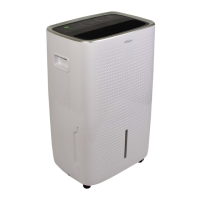
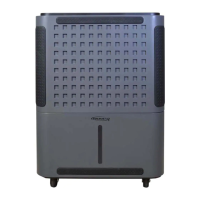
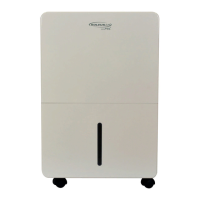
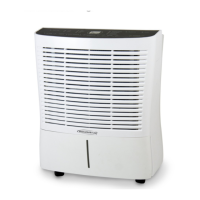
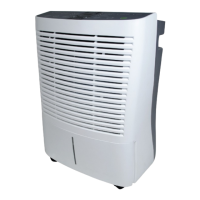
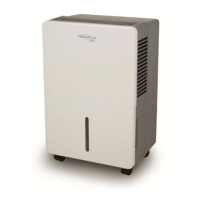
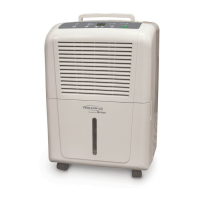
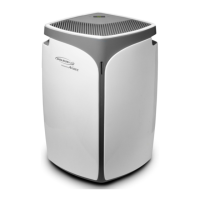
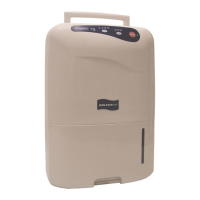
This document describes the Soleus Air Portable Dehumidifier with Internal Pump, model DSX-70EIPM-01, designed to remove excess moisture from the air in indoor environments. The dehumidifier is intended for residential use and features an internal pump for continuous drainage, eliminating the need for frequent manual bucket emptying.
Function Description
The primary function of this portable dehumidifier is to reduce and maintain desired humidity levels in a room. It operates by drawing in moist air, passing it over cooling coils where moisture condenses, and then expelling drier, warm air back into the room. The collected water can be stored in an internal bucket or continuously drained using the integrated pump or a standard garden hose.
The dehumidifier is designed to operate effectively in various indoor settings, including sleeping spaces, living rooms, and basements. It can remove up to 70 pints of moisture from the air every 24 hours, contributing to a more comfortable and stable humidity level. The unit features an automatic defrost function, which is crucial for operation in cooler environments, as it melts away ice from frozen coils to ensure continuous, worry-free performance. This allows the unit to operate at temperatures as low as 41°F (5°C), making it suitable for basement use during winter.
A digital and adjustable humidistat allows users to set and monitor the desired humidity level, with the current ambient humidity level displayed for precise control. The unit also includes a 24-Hour Timer, enabling automatic power-on and shut-off after a preset time, ranging from 0.5 to 24 hours.
Usage Features
The dehumidifier offers several features to enhance user convenience and operational flexibility:
Control Panel and Display:
The unit is equipped with a user-friendly control panel that includes various buttons and LED indicators.
- POWER Button: Turns the unit on and off. A Power On LED indicator confirms the unit's status.
- Humidity Selection (△/∇ Buttons): Allows users to choose the desired relative humidity in 5% increments, ranging from 35% to 80%, or select "Continuous" mode for non-stop operation regardless of room humidity.
- FAN SPEED Button: Cycles through three fan speeds: High, Medium, and Low. LED indicators on the control panel visually represent the selected speed. High speed is recommended for fast dehumidification, Medium for moderate, and Low for quiet operation.
- TIMER Button: Used to program auto-on or auto-shut-off functions. When the unit is off, pressing the TIMER button allows setting an auto-on time. When the unit is on, it sets an auto-shut-off time. Time increments are 30 minutes up to 10 hours, then 1 hour up to 24 hours.
- MODE Button (MyHome Modes): Provides preset humidity level settings tailored for different locations: "Sleeping Space" (55%), "Living Space" (50%), and "Basement" (45%). This simplifies operation by optimizing settings for specific environments.
- MIRAGE DISPLAY Button: Toggles the backlit display on the front of the dehumidifier, which shows the actual humidity level in the room, making it visible from a distance.
- Child-Lock Mode: Activated by pressing and holding the TIMER button for 3 seconds, this feature locks the control panel to prevent unintended changes to settings. A "LOCK" LED indicator illuminates when active.
Water Removal Options:
The dehumidifier offers multiple ways to manage collected water:
- Internal Bucket: Water collects in a removable bucket. A "Bucket Full" LED indicator and an audible alarm signal when the bucket is full, prompting the user to empty it. The unit automatically shuts off when the bucket is full or removed.
- Internal Pump Mode: This advanced feature allows for continuous drainage without manual bucket emptying. To use, the included Pump Drain Hose Kit (hose, adapter, and gasket) must be installed. The drain adapter is found on top of the bucket lid. The hose can lead to a nearby drain, sink, or out of a window, with the ability to pump water up to 16 feet in height from the base of the unit. The "PUMP" button activates this mode, and a "PUMP MODE" LED indicator confirms its operation. A "DRAIN TUBE CONNECTED" LED indicator confirms proper hose installation.
- Continuous Drainage (Garden Hose): For gravity-fed continuous drainage, a standard garden hose (not supplied) can be attached to the continuous drainage port on the back of the unit. This option requires the dehumidifier to be placed on a level surface, with the hose leading to a floor drain. This mode is activated by pressing the MODE button until "CONTINUOUS" is displayed.
Operational Safeguards:
- Loss of Power Protection: The unit remembers all settings even if power is interrupted.
- Auto-Restart: Automatically resumes operation with previous settings when power is restored, eliminating the need for manual restart.
- Automatic Defrost: Prevents ice buildup on evaporator coils, ensuring efficient operation in cooler temperatures.
Maintenance Features
Regular maintenance is essential for the dehumidifier's optimal performance and longevity.
Filter Cleaning:
- Clean Filter Indicator: An LED indicator illuminates after 250 hours of operation, reminding the user to clean the air filter.
- Filter Removal and Cleaning: The filter is located at the back of the unit and can be removed by pressing down on the filter tabs. It should be cleaned with warm, soapy water and thoroughly dried before being reinserted.
- Filter Reset: After cleaning and reinserting the filter, pressing the "FILTER" button resets the indicator.
- Caution: The dehumidifier should not be operated without the included filter. The filter should not be cleaned in a dishwasher.
Unit Housing Cleaning:
- The exterior of the unit should be cleaned with a damp cloth and dried with a soft towel.
- To prevent color fading, the unit should not be exposed to direct sunlight.
End of Season Storage/Transporting:
Proper storage ensures the unit remains in good condition:
- Turn off and unplug the dehumidifier.
- Secure the power cord to the back of the unit.
- Clean or replace the air filter.
- Empty any remaining water from the bucket and rinse it with a mild detergent.
- Reinsert the empty water bucket.
- Store the unit in a cool, dry place.
Troubleshooting and Self-Diagnosing Codes:
The manual provides a comprehensive troubleshooting guide for common issues, such as the unit not starting, not drying air effectively, or unusual noise. It also lists self-diagnosing codes (E1, E2, EH, E5) that indicate specific malfunctions, such as compressor overheat, condenser overheat, humidity sensor malfunction, or internal pump malfunction. For most error codes, the resolution involves contacting customer service, though for E5 (Internal Pump Malfunction), initial steps like checking hose installation and resetting the unit are recommended.


 To Next Page
 General