Need help?
Do you have a question about the Solid State Logic CONNEX and is the answer not in the manual?
Provides essential safety guidelines for operating the SSL Connex, including instructions on usage, cleaning, and placement.
Highlights the professional quad microphone array and the use of SSL EQ/dynamics for DSP modes.
Covers headphone output, touch controls, and muting features like 'Cough Switch' and 'Push To Talk'.
Provides guidance on unit placement, mounting options, and optimal orientation for sound sources.
Step-by-step instructions for connecting the SSL Connex to a computer and headphones via USB.
Details touch-sensitive controls for mic mute, push-to-talk, cough switch, and headphone level adjustments.
Explains the four available modes: Solo, Group, Vocal, and Music, and their audio processing optimization.
Explains enabling Immersive mode for discrete mic signals on USB channels 3-6 for advanced recordings.
Provides step-by-step instructions to reset the SSL Connex to its original factory default settings.
Addresses common problems like no lights, no sound, poor audio quality, and offers suggested solutions.
The SSL Connex is an advanced USB microphone from Solid State Logic (SSL), designed to deliver pristine audio quality for various applications, whether at home, on the move, or in the boardroom. Drawing on SSL's 50 years of innovation in audio production, the SSL Connex sets a new standard in USB microphones, incorporating features derived from SSL's large format mixing consoles, including studio-quality mic preamps, EQ, and compressor circuit design.
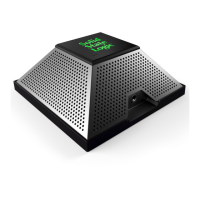
The SSL Connex features a quad microphone array, with one mic capsule facing out from each side of its pyramid shape. This array is optimized for both recording and video conferencing applications. The device offers tailored audio processing modes to suit different scenarios, such as individual use for conference calls, round table discussions, podcasting, or recording vocals and instruments. The mic array automatically mixes down signals for traditional video conferencing, while discreet mic capsule signals are also available for creating immersive recordings.
The device functions as a class-compliant USB audio interface, drawing power directly from the USB port, eliminating the need for additional power connections. It provides six audio inputs over USB to your PC or Mac, with the signals on these channels varying based on the selected audio processing mode. Two USB audio output channels feed the high-quality stereo headphone output.
The SSL Connex is designed for flexible placement. It has a non-slip base for use on any flat surface, such as a desk or tabletop. For optimal placement, it can be mounted onto a camera tripod using its 1/4" 20 tpi UNC female thread on the underside, or secured to a desk or other furniture (fixings not supplied). An included thread adapter (1/4” to 3/8” or 5/8", depending on your country) allows for mounting to a microphone stand. The front of the unit, indicated by the headphone socket, should face the main sound source.
The top of the SSL Connex features touch-sensitive controls for managing mic mute state and headphone level. Tapping the Solid State Logic (SSL) logo toggles the mic mute state, with the logo turning red when muted. When unmuted, the logo's color indicates the active audio processing mode. The '+' and '-' buttons adjust the headphone output level, with the headphone symbol flashing to indicate a button press and lighting red when the level reaches 0%. The volume slider in your operating system can also be used for finer adjustment of headphone level.
The SSL Connex offers four preset DSP modes, each indicated by a specific SSL logo color when the mic is unmuted:
Solo and Group modes are intended for simple conferencing/podcasting, while Vocal and Music modes are for advanced users recording to a DAW. The selected audio processing mode is stored in the unit for future use.
The device also includes "Push To Talk" and "Cough Switch" features. While the mic is muted, tapping and holding the SSL logo temporarily unmutes it (Push To Talk). While the mic is unmuted, tapping and holding the SSL logo temporarily mutes it (Cough Switch).
Immersive Mode enables the four discrete mic signals on USB Channels 3-6, allowing for immersive or advanced recordings. When enabled, the SSL logo pulses yellow every 8 seconds when the mic is unmuted. This mode is off by default to prevent discrete mic channels from mixing with internally processed mono/stereo signals on channels 1 & 2 in applications that sum all inputs.
Loopback Mode addresses the issue of external noise blocking by headphones, which can lead to speaking or singing more loudly. This mode adds a portion of the microphone signal into the headphone output, allowing the user to hear their surroundings and their own voice. The amount of mic signal added can be adjusted to three different levels or turned off completely (default). The headphone level controls adjust both the incoming USB audio and the mic Loopback signal proportionally. The Loopback level is stored in the unit.
The SSL Connex includes a Setup menu for configuring audio processing options. To enter, press and hold both the '-' and '+' buttons together for about 1 second until the SSL logo pulses. To exit, press and hold both buttons again until the logo stops pulsing, or the device will automatically exit after 20 seconds of inactivity. Within the Setup menu, tapping the SSL logo cycles through the audio processing modes, with the logo changing color to indicate the selection.
To enable/disable Immersive mode, press and hold the SSL logo for 5 seconds while in the Setup menu. The logo will turn yellow when enabled and red when disabled.
Loopback level can be adjusted using the '-' and '+' buttons in the Setup menu. The headphone symbol lights up to show the Loopback level (off, dim to bright).
A Factory Reset option is available to restore the SSL Connex to its default settings. To perform a factory reset:
For Windows users, the SSL USB Control Panel application provides further control. If ASIO drivers are installed, double-clicking the icon in the taskbar's notification area opens the panel. The Status tab shows the selected device and current sample rate, which can be changed via Windows Control Panel or recording application. The Buffer Settings tab allows adjustment of the ASIO buffer size and displays input/output latencies. The Volume tab allows adjustment of Input and Output levels, including relative levels of incoming channels in Immersive mode. The Info and About tabs provide device and software driver details, useful for troubleshooting.
The SSL Connex is a robust device, but users are advised to ensure no strain is placed on connected cables and that cables are not placed where they can be stepped on, pulled, or tripped over. Cleaning should only be done with a dry cloth. The device should not be modified, as alterations may affect performance, safety, and compliance standards. For optimal performance, connecting the SSL Connex directly to a spare USB port on your computer is recommended. If a USB 2.0 compliant hub is necessary, a high-quality self-powered hub is advised.
 General
| Frequency Response | 20 Hz - 20 kHz |
|---|---|
| Bit Depth | 24-bit |
| Connectivity | USB-C |
| Headphone Output | 3.5mm |
| Polar Pattern | Cardioid |
| Type | USB Condenser Microphone |


 To Next Page