160
E
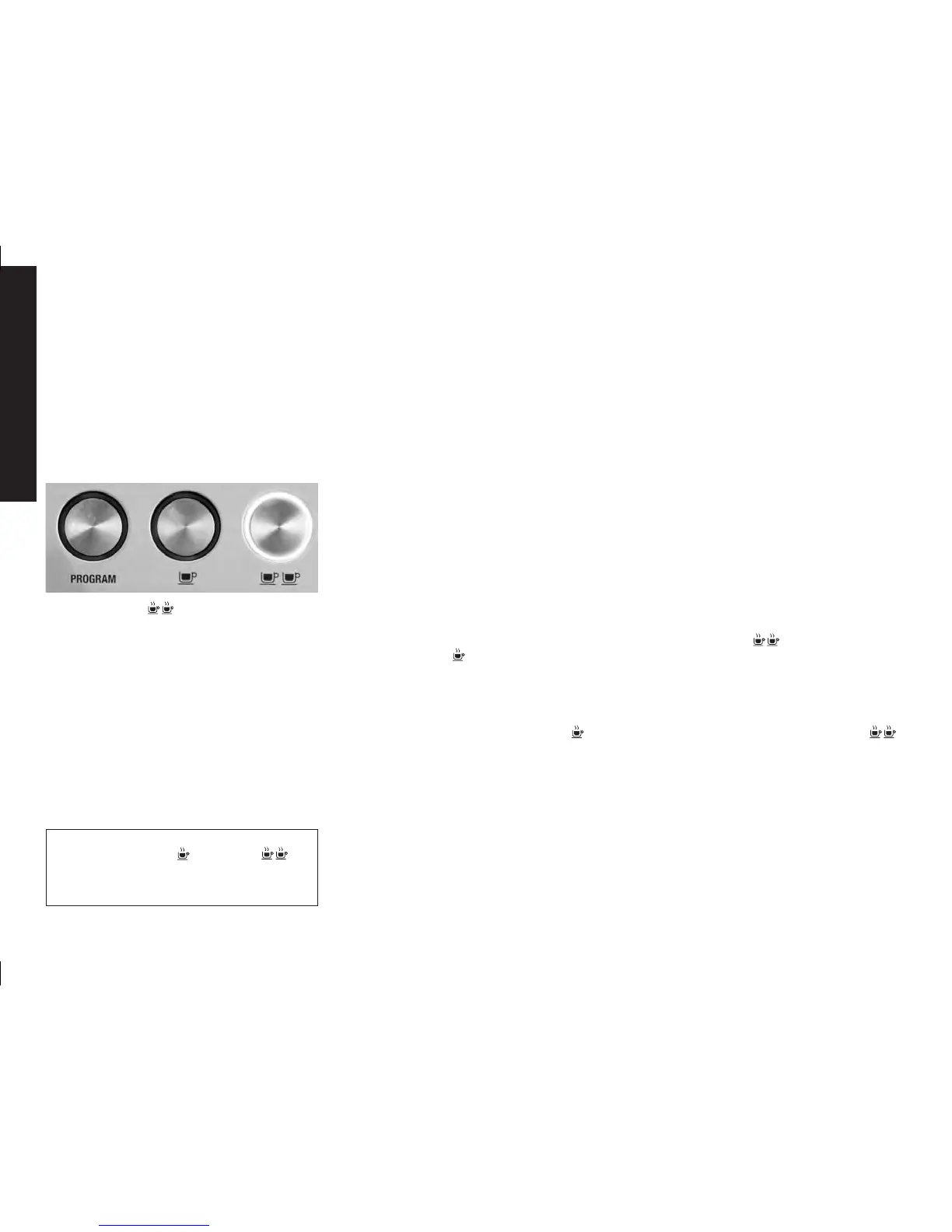
PROGRAMMING SINGLE ESPRESSO
1. Prepare to make a single cup of espresso by
following steps 2 to 4 in «A MINUTE TO
LEARN» on pages 151-153.
2. Place your cup underneath the group head.
3. To begin programming, press the «PROGRAM»
button once. The machine will beep once and
the program button will begin to flash. This
indicates the machine is in programming mode.
4. Press the one cup button once. The machine
will commence normal pour function, and the
one cup button surround will begin to flash.
5. When the desired amount of espresso has
poured into the cup, press the one cup
button to stop the pour. The machine will beep
twice, indicating it has saved your measured
pour quantity and exited programming mode.
PROGRAMMING DOUBLE ESPRESSO
1. Prepare to make a two cup of espresso by
following steps 2 to 4 in «A MINUTE TO
LEARN» on pages 151-153.
2. Place your cup underneath the group head. 3.
To begin programming, press the «PROGRAM»
button once. The machine will beep once and
the program button will begin to flash. This in-
dicates the machine is in programming mode.
4. Press the two cup button once. The
machine will commence normal pour function,
and the two cup button surround will begin
to flash.
5. When the desired amount of espresso has
poured into the cup, press the two cup
button to stop the pour. The machine will
beep twice, indicating it has saved and exited
programming mode.
A LIFETIME OF EXPERIMENTATION
PRE-PROGRAMMED DOSE– DOUBLE CUP
Press the two cup button once. A preset
dose of approx 60 mls will be delivered. A pumping
noise will be heard in this operation. The machine
will automatically stop once the preset pour has
been delivered.
NOTE:
Pressing the one cup or two cup
buttons during a programmed espresso will
immediately stop the pour.
Solis_BaristaPro-Betriebsanleitung-eng.indd 160 18.02.14 15:04




 To Next Page