16
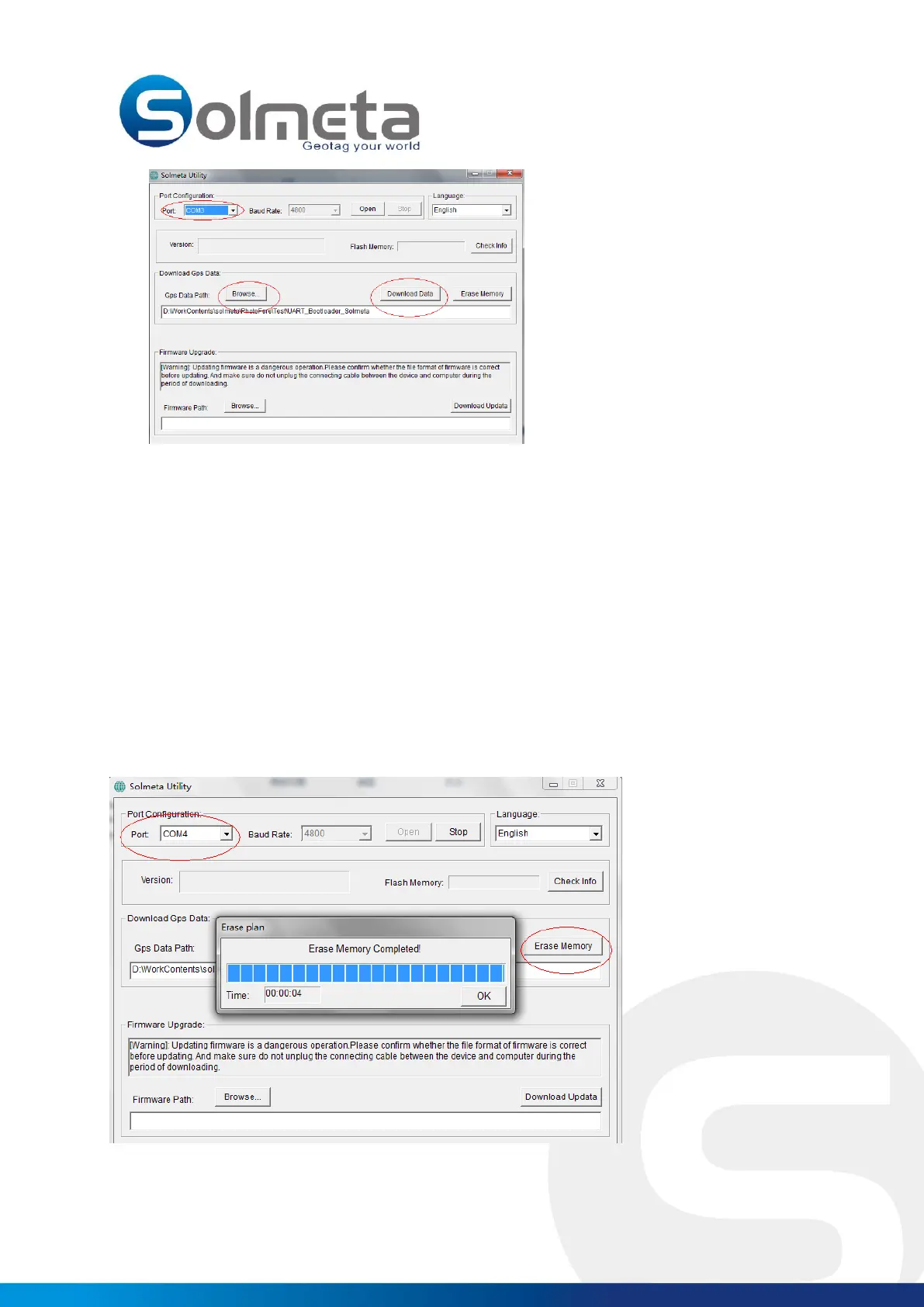
4. Select the “COM Port”, change the default folder with “Browse” button if needed.
5. Click the “Download Data” button to start downloading the logging data. The logging data file will be
saved as a “Solmeta_time.txt” file. (e.g. Solmeta_20090923.txt), which can be converted to KML, KMZ,
GPX, NMEA format file.
7. Choose the software you prefer, such as “NMEA2KMZ”, “LocrGPSPhoto”, “GPicSync” “GeoSetter” to
export the logging data for application
How to erase the memory?
1. Power on the device.
2. Connect the device to your computer with the USB cable provided.
3. Execute the “SolmetaUtility.exe” and select the proper “COM port”.
4. Click the "Erase Memory" button, the memory will be cleared.



 To Next Page