6
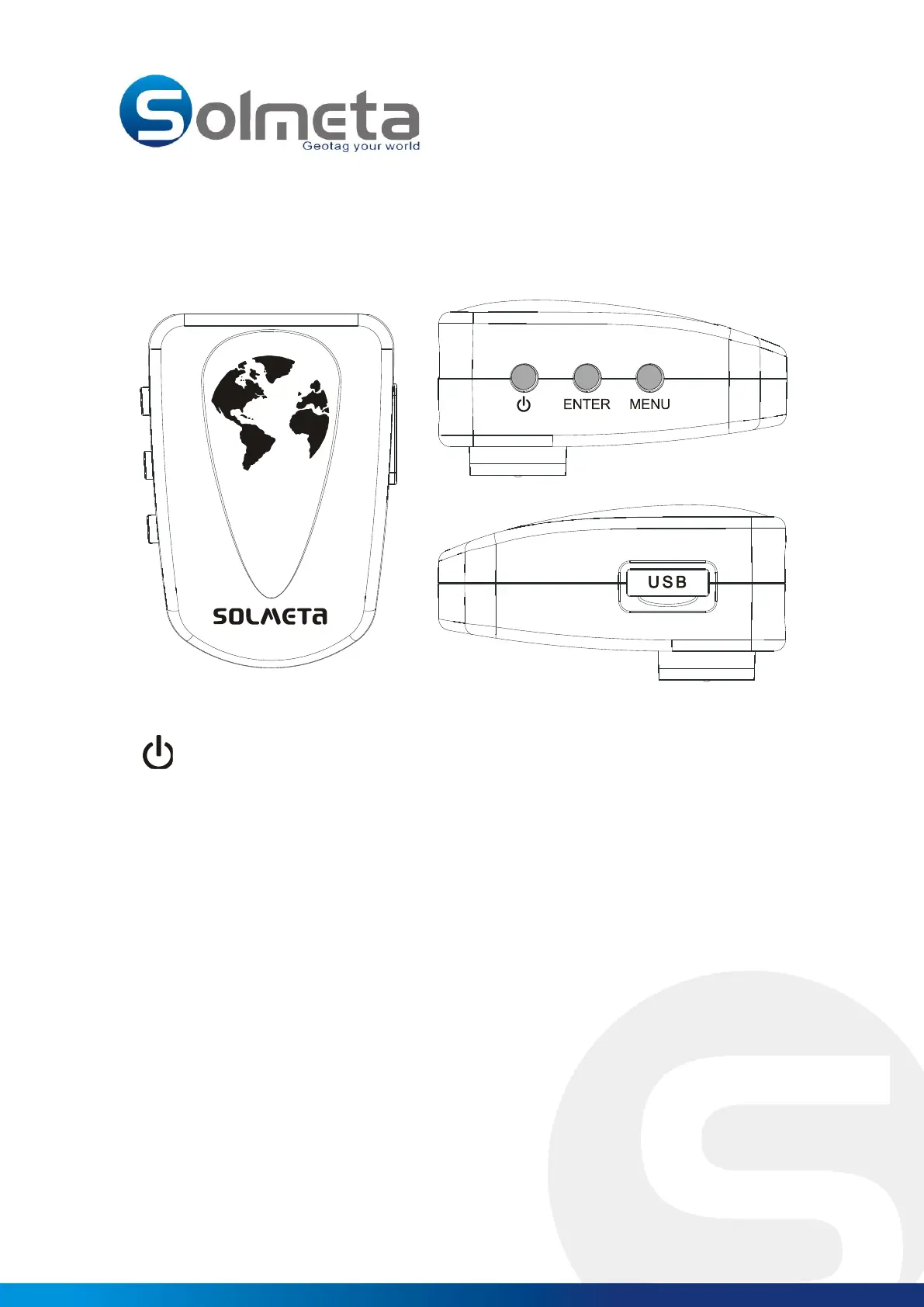
4. Product view
Power Switch
ENTER Enter button
MENU Menu button
USB Port Charging and data connecting port
Button Definition
Power Switch
Press the power switch button for 2 seconds to turn the Pro device on or off.
MENU button - Change & Select function
Short press for change & select function.
Long press for 2 seconds for compass calibration ( See page11 )
ENTER button- Confirm your select
Short press to confirm your select



 To Next Page