Changing to & Adjusting Filter,
Service and UV Light Hours
11
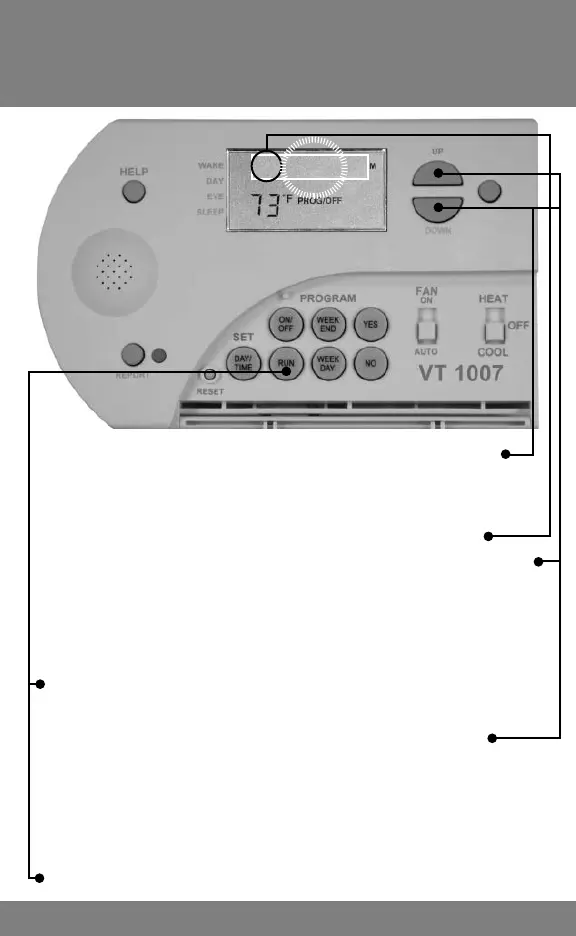
1. To enter HOURS of operation (instead of MONTHS)
press the DOWN key until FP 00 (zero) appears and
press RUN.
2. Display changes to fl ashing FH 04 00 (400 hours)
3. Press the UP or DOWN key to change the Filter HOURS
Note: Check Filter alert can be turned off by setting
it to FH 00 00. This is useful for boiler systems without air
fi lters
4. Press the RUN Key and display changes to fl ashing SH
30 00 (3000 hours)
5. Press the UP or DOWN key to change the Service
HOURS
6. Press RUN and the displays changes to fl ashing
ULH 00 00
7. Press UP to change UV Light HOURS
8. Press RUN Key to Finish
FH 04 00



 To Next Page