15
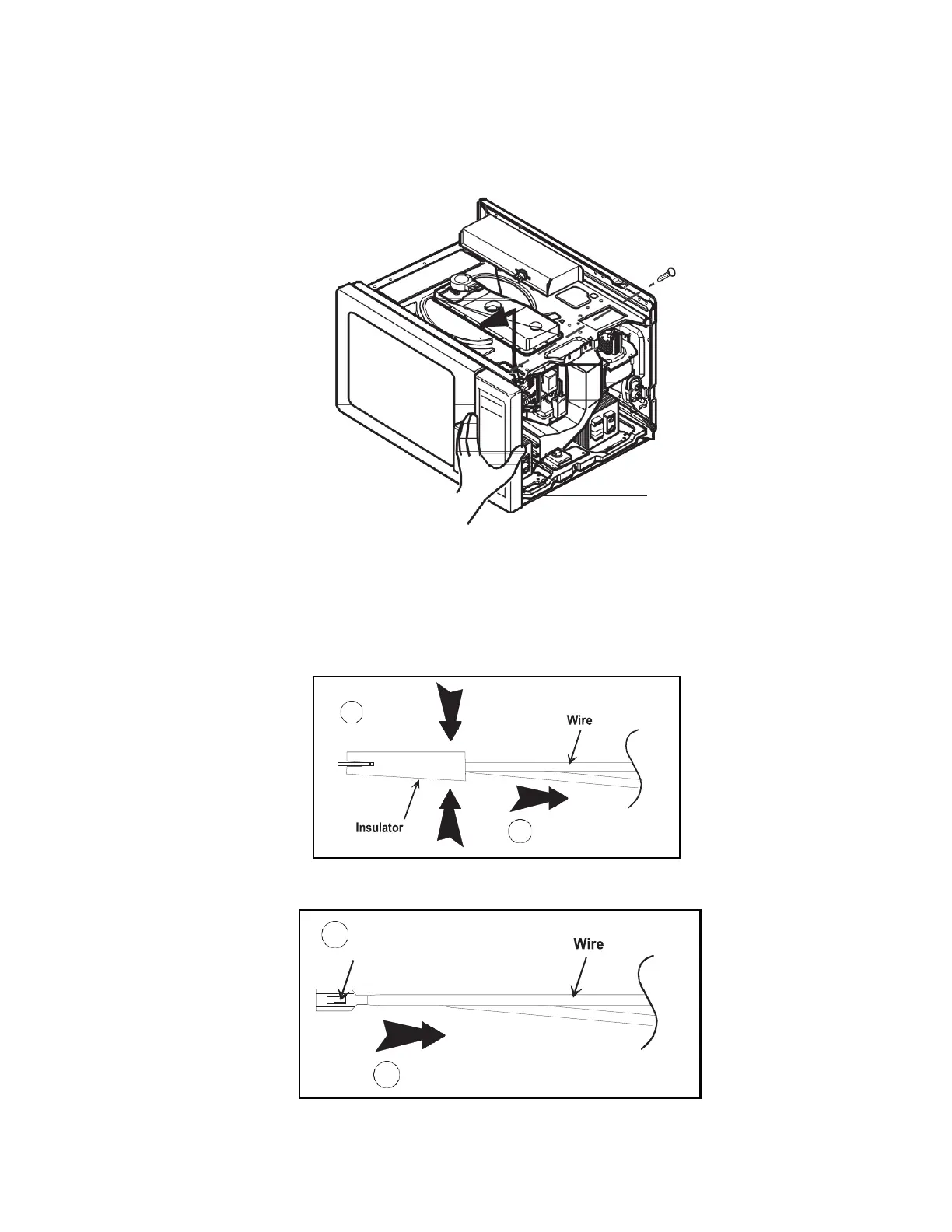
Control Panel Removal
1.
Disconnect power to oven and remove outer case.
2.
Disconnect and label wires from controller/timer.
3.
Open oven door.
4.
Remove screw securing top of control panel to cavity. Lift control panel up and out to release tabs.
Disconnecting Wire Terminals
All wire terminals are locking-type terminals.
Proceed as follows to disconnect wire terminals:
Insulated terminals:
Grasp insulator and pull back. DO NOT PULL ON WIRE.
Non-insulated terminals:
Use a small blade screwdriver to depress locking-tab and pull on terminal. DO NOT PULL ON WIRE.
1


 To Next Page