19
CONTENTS
WELCOME 2
1. SAFETY 3
2. NINA TIMER IO REMOTE CONTROL 5
3. USING NINA TIMER IO 16
Control an item of equipment 16
My function 18
Natural Control function 22
Launch a scenario 27
Sunlight Function 28
Alarm function 32
Timer function 34
Create typical days 39
Program the week 57
View programmed actions 60
4. CUSTOMIZING NINA TIMER IO 68
Customize items of equipment 68
Customize groups 72
Customize scenarios 78
Define timer settings 83
Customize remote control 88
5. ADVANCED SETTINGS 94
6. TROUBLESHOOTING 107
7. ABOUT NINA TIMER IO 108
Copyright © 2017 - 2021 SOMFY ACTIVITÉS SA, Société Anonyme. All rights reserved.
My function
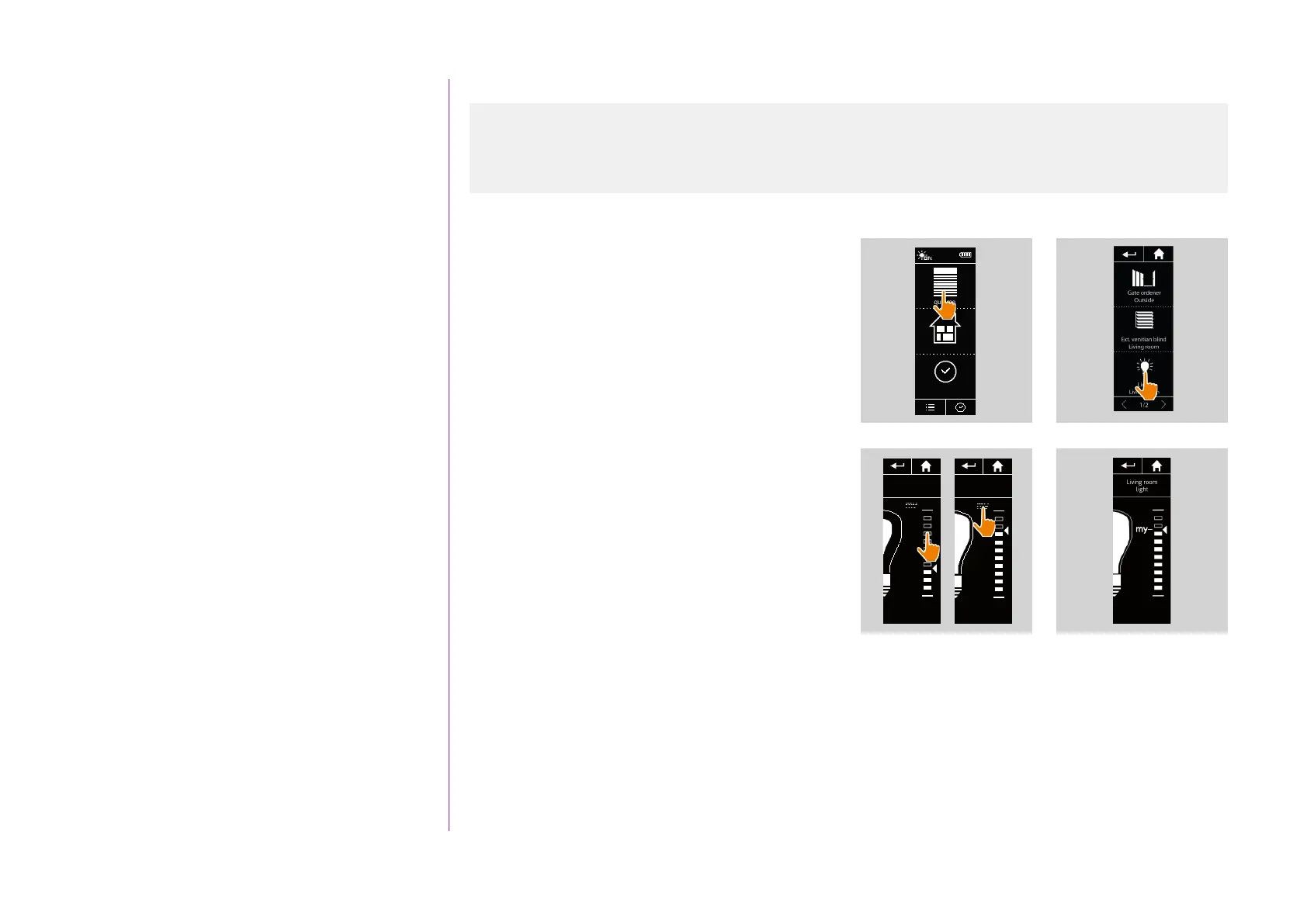
Memorize the My position
1. Select the Equipment menu by clicking on the
corresponding icon.
2. Select the desired item of equipment by clicking
on the corresponding icon.
> The My position of the selected item of
equipment is not set: the My icon is greyed out
at the top of position scale.
3. Select the position of the selected item of
equipment by clicking or by sliding on the
corresponding position and then press and hold
the greyed icon for at least 5 seconds.
4. After this, the My icon is automatically placed
next to the predefined position.
> The My position is memorized.
Equipment
Groups
Timer
12:34
1 2
3
4
Use the My function 18
Memorize the My position 19
Modify the My position 20
Delete the My position 21



 To Next Page