81
CONTENTS
WELCOME 2
1. SAFETY 3
2. NINA TIMER IO REMOTE CONTROL 5
3. USING NINA TIMER IO 16
Control an item of equipment 16
My function 18
Natural Control function 22
Launch a scenario 27
Sunlight Function 28
Alarm function 32
Timer function 34
Create typical days 39
Program the week 57
View programmed actions 60
4. CUSTOMIZING NINA TIMER IO 68
Customize items of equipment 68
Customize groups 72
Customize scenarios 78
Define timer settings 83
Customize remote control 88
5. ADVANCED SETTINGS 94
6. TROUBLESHOOTING 107
7. ABOUT NINA TIMER IO 108
Copyright © 2017 - 2021 SOMFY ACTIVITÉS SA, Société Anonyme. All rights reserved.
Customize scenarios
Delete a scenario
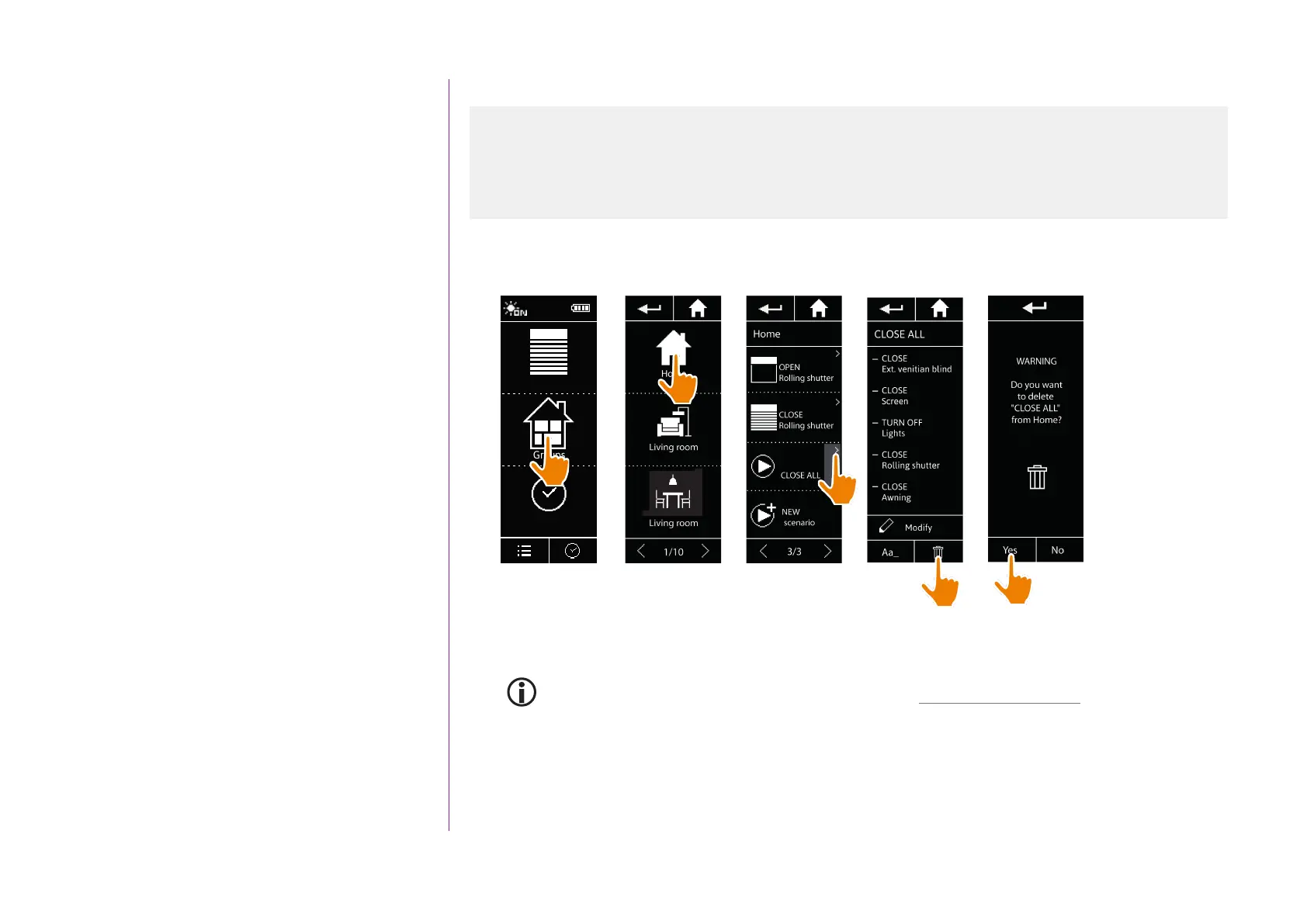
In the Groups menu, select the group containing the corresponding scenario, select the scenario and delete it:
Equipment
Groups
Timer
12:34
> The entire CLOSE ALL scenario is deleted, with all the associated items of equipment and actions.
To delete only an item of equipment from a scenario, see Modify a scenario, page 80.
1
2
3
4
5
Create a scenario 78
Rename a scenario 79
Modify a scenario 80
Delete a scenario 81
Organize the scenario list 82



 To Next Page