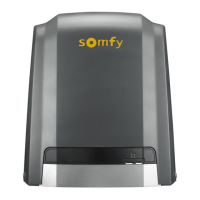
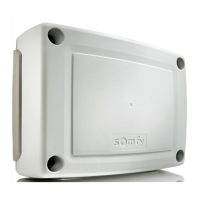
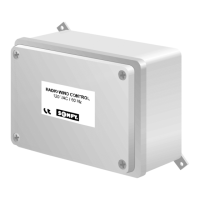
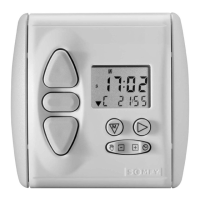
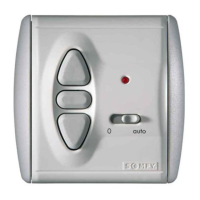
The Somfy CONTROL UNIT P.TILT RTS M+L is an operating control unit designed for pergolas, featuring RTS radio technology. It enables the control of a wired Somfy drive with mechanical end limit settings and a white LED lighting source. The unit operates with a constant voltage power supply (12 V or 24 V) and is controlled via a Somfy RTS control point.
Installation and Wiring:
The unit must be installed by a drive and home automation professional according to Somfy's instructions and local regulations. Cables passing through a metal wall must be protected and insulated with a sheath or sleeve. For outdoor use, cables should be installed in a UV-resistant conduit. The maximum cable length should not exceed 30 meters, and only one cable should be inserted per cable gland. Care must be taken with cable routing to prevent water infiltration. Cables should be passed through their respective cable glands (diameter between 5 and 9 mm), connectors removed, wires stripped (maximum 5 mm), and then tightened into the connectors. If more than two cable transitions are needed, additional cable glands supplied with the receiver should be used. Installation should always be performed with the power switched off. The unit should not be dropped, struck, drilled, or immersed in liquid. An individual control point should be installed for each motorisation.
Technical Specifications:
- Radio frequency: 433.42 MHz
- Protection rating: IP 65
- Electrical insulation: Class 3 (SELV)
- Operating temperature: -20°C to +60°C
- Dimensions (L x W x H): 99 x 205 x 57 mm
- Maximum number of control points: 3
- Maximum number of associated sensors: 9
- Power supply: 12 or 24 Vdc SELV Safety Isolating Transformer
- Maximum power: 228 W
- Motor current (depending on switch 3 setting): 3 A or 5 A
- Light current: 4 A
- Type action: 1
- Pollution degree: 2
- Impulse voltage: 500 V
Function Description and Connections:
The unit features several switches for configuration:
- Switch 1: Selects between a drive with a coder sensor (ON) or without a coder sensor (OFF).
- Switch 2: Not used.
- Switch 3: Sets the maximum current per output to 5 A (ON) or 3 A (OFF).
- Switch 4: Activates (ON) or deactivates (OFF) the temperature sensor.
- Switch 5: Configures the pergola's response to wind, either closing (ON) or opening (OFF).
The circuit board includes indicator lights (LEDs) to show the unit's status and any faults:
- "S" LED: Flashes every 4 seconds when the circuit board is waiting, and rapidly when a command is in progress.
- "Di" LED (Red): Remains illuminated for 5 seconds if a current consumption threshold is exceeded or the circuit board overheats during an output command. Flashes if there is a drive synchronisation fault.
- Orange LED: Remains illuminated for several seconds during memory backup.
- Wind (Orange LED): Remains illuminated if the wind threshold is exceeded. Flashes rapidly if protection is active for 15 minutes after the threshold was last exceeded.
- Rain (Wired sensor only) (Orange LED): Remains illuminated if the rain threshold is exceeded. Flashes rapidly if protection is active for 15 minutes after the threshold was last exceeded.
- Temperature (Orange LED): Remains illuminated if the ice threshold is exceeded. Flashes rapidly if protection is active for 15 minutes after the threshold was last exceeded.
- Snow: Indicated by a combination of rain and temperature information.
Commissioning:
-
Automatic limit setting:
- Press the PROG button on the circuit board for more than 2 seconds until S1 and S2 LEDs flash, then release.
- Select output 1 by briefly pressing the PROG button.
- Select the desired channel on the RTS control point.
- Simultaneously press "Up" and "Down" to make the pergola move up and down.
- Press "Up" to check the rotation direction. If incorrect, press "My" until the product moves up and down to change the direction.
- Press "Up" again to confirm the direction.
- Simultaneously press "Up" and "Down" to allow the drive to automatically find its upper and lower limit settings. Do not interrupt this movement.
- Position the pergola for ice/snow protection by pressing and holding "Up" or "Down".
- Confirm settings by pressing "My" for more than 2 seconds.
- Briefly press the PROG button on the back of the RTS control point until the selected output reacts. The limit positions are now programmed.
-
Programming the first RTS control point on the LED output:
- Press the PROG button on the circuit board for more than 2 seconds until S1 and S2 LEDs flash, then release.
- Select output 2 by briefly pressing the PROG button.
- Briefly press the PROG button on the back of the RTS control point until the selected output reacts.
-
Restoring original configuration:
- Press the PROG button on the circuit board for more than 7 seconds until all LEDs on the board light up. This clears all memory.
-
Adding or deleting a control point from another control point:
- From an already programmed RTS control point (RTS control point 1), press the PROG button for more than 2 seconds until the motorised product moves up and down.
- From the new RTS control point (RTS control point 2), briefly press the PROG button until the motorised product moves up and down. This procedure is identical for RTS sensors.
Usage and Maintenance:
The receiver is maintenance-free.
Using the drive with an RTS control point:
- Press "Up" to open the product.
- Press "Down" to close the product.
- Press "My" to stop the product or move it to the favourite position.
Using the lighting with a standard RTS control point:
- Briefly press "Up" to turn the light on.
- Briefly press "Down" to turn the light off.
- Press and hold "Up" to increase light intensity.
- Press and hold "Down" to decrease light intensity.
- Briefly press "My" to turn the light on at the pre-set favourite position.
Using the lighting with an RTS variation control point:
- Briefly press "Up" to turn the light on.
- Briefly press "Down" to turn the light off.
- Use the dimmer switch to increase or decrease light intensity.
- Briefly press "My" to turn the light on at the pre-set favourite position.
Adding and deleting the favourite position:
A "favourite position (my)" can be programmed or deleted for the drive, as can a favourite lighting position.
- Place the motorised product or adjust light intensity to the desired favourite position.
- Press the "My" button until the product moves up and down or the light turns on and off. The new favourite position is programmed, and the previous one is deleted.
Using sensors:
- Wind protection: Depending on Switch 5, slats open or close in the event of wind.
- Rain protection (wired rain sensor required): Slats close completely in the event of rain. For radio rain sensors, refer to sensor instructions.
- Ice/snow protection: The pergola positions itself at the defined position during configuration. The temperature sensor is integrated into the central unit, and its triggering threshold depends on installation conditions.
Troubleshooting:
- If the motorised product does not work and the drive is hot, wait for it to cool down. If issues persist, contact a professional.
- If the motorised product does not work due to incorrect wiring, check and modify it.
- If an incorrect cable is used, check the cable.
- If the control point is incompatible, check compatibility and replace it if necessary.

 Need help?
 General

 To Next Page