Commissioning
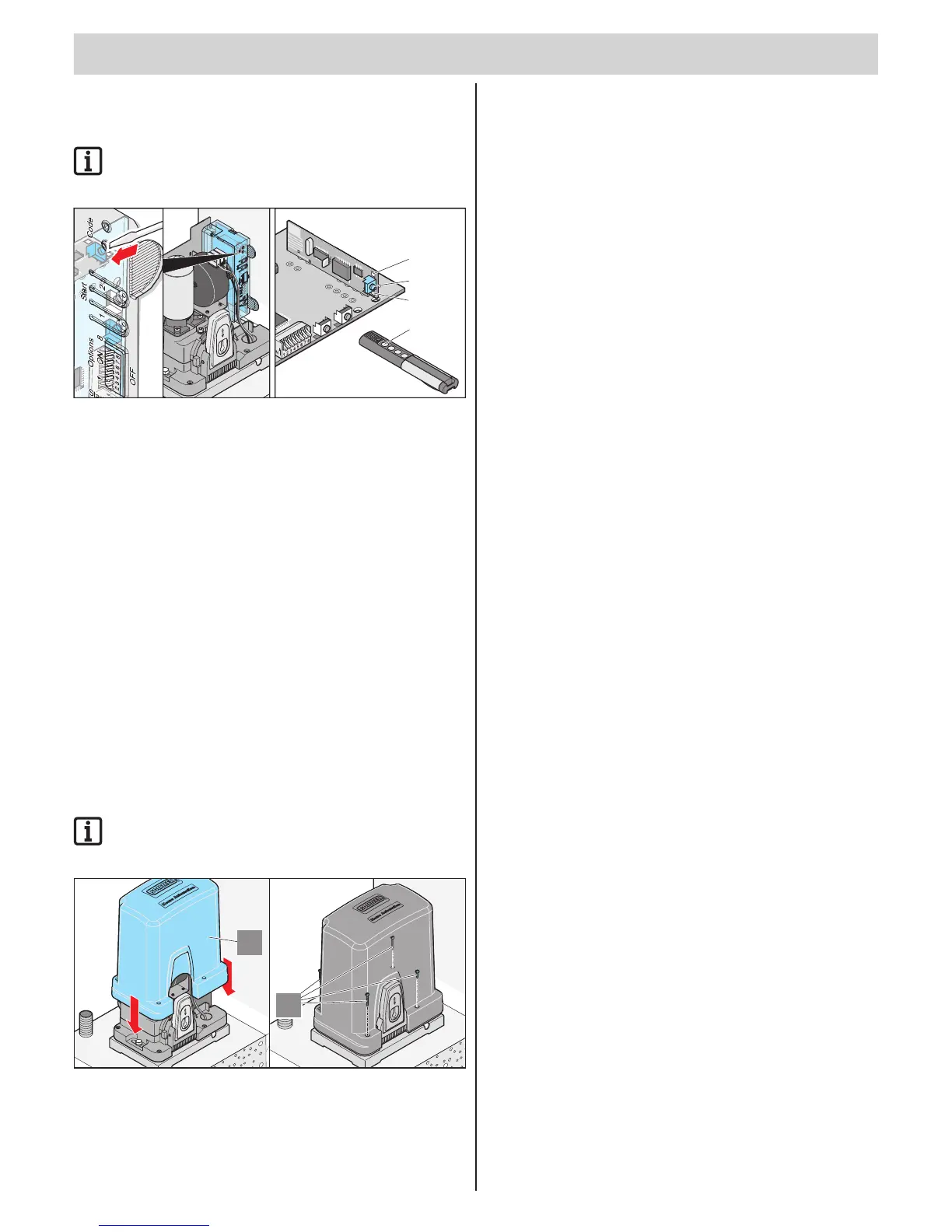
Programming the handheld remote
control
IMPORTANT INFORMATION!
Before programming the handheld transmitter for the first time,
always clear the radio receiver memory completely.
T1 T
2
2
1
3.2
3.1
Deleting the radio receiver memory
1. Press and hold the teach-in button (1).
⇒ After 5 seconds the LED (3.1 or 3.2) flashes - after another
10 seconds the LED (3.1 or 3.2) is steady.
⇒ After a total of 25 seconds all LEDs are on (3.1 and 3.2).
2. Release the teach-in button (1).
Programming the handheld remote control
1. Press the learn button (1).
▫ 1 x for channel 1; the LED (3.1) lights up.
▫ 2 x for channel 2; the LED (3.2) lights up.
⇒ If no code is sent within 10 seconds, the radio receiver switches to
Normal mode.
2. Press the desired handheld transmitter button (2) until the LED (3.1/3.2)
extinguishes, depending upon which channel has been selected.
⇒ LED goes out - programming is nished.
⇒ The handheld transmitter has transferred the radio code to the
radio transmitter.
3. Repeat the above steps to program by teach-in any additional
handheld transmitters. A maximum of 112 storage locations for each
radio receiver are available.
IMPORTANT INFORMATION!
Press the learn button (1) until all LEDs are off to cancel the
learn mode.
2
1
1. Position cover (2) and push down.
2. Fasten cover.
⇒ Commissioning complete.



 To Next Page