Operation/Use
22
Operation/Use
Safety instructions
Never operate a damaged operator.
During opening or closing, no children, people, animals, or objects
may be in the range of movement of the gate.
Do not operate the hand-held transmitter in areas with sensitive
radio communications or systems (e.g. airports, hospitals, etc.).
Actuate the gate system by remote control only if you have a clear
view of the gate.
Keep the hand-held transmitter so that an unintended operation
e.g., by children or animals, is prevented.
Use the radio remote control only if a non-hazardous force tolerance
is set. Set the force tolerance low enough to eliminate any danger
of injury by the closing force.
Emergency release in case
of power failure
See chapter “Locking and unlocking the operator”.
Normal mode
Changes to the gate affect the force needed for opening and closing.
Examples for changes to the gate:
• Damage
• Moisture absorption
• Ground submergence
• Changes in weather in summer-winter mode
• Obstacles
Obstacle detection
IMPORTANT INFORMATION!
Obstacle detection requires a correctly completed
learning run.
A tolerance for the force required for opening or closing can be set
on the potentiometer.
• If the force required increases or decreases within the set tolerance,
the control unit automatically learns this value.
• If the force required is outside the set tolerance (e.g. due to an
obstacle), the operator stops and reverses a short distance.
This power deactivation with reverse is required for safety.
Summer-winter mode
Differences in weather between summer and winter can infl uence
the operators:
• The force required varies for opening and closing.
• The gate reverses without a noticeable obstacle.
• The end positions of the gate leaf change.
If the gate will not open or close or reverses without a noticeable obstacle:
1. Perform a control unit reset, see chapter “Resetting the control unit”.
2. Perform a learning run, see chapter “Performing learning run”.
If the end positions have changed:
1. Adjust limit switch.
Opening and closing gate
Requirements
• DIP switch 8 to ON.
• Learning run performed.
• Transmitter programmed: Button 1 to channel K1, button 2 on
channel K2.
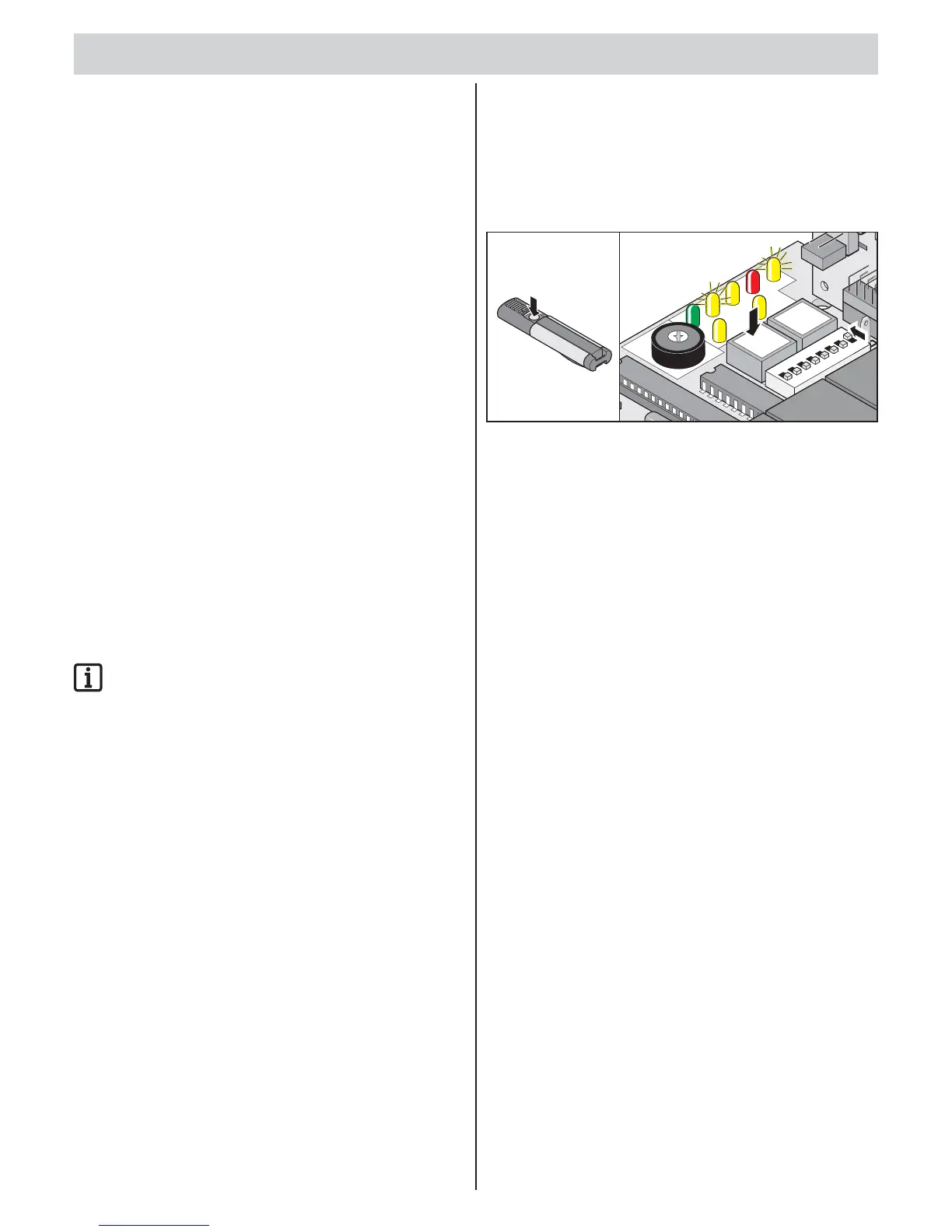
1x
1-leaf gate
1. Press button (imp) or hand-held transmitter (button 1).
Gate opens to “gate OPEN” end position – LED “OPEN”
and “WL” on.
“Gate CLOSE” end position reached – LED “OPEN” and “WL”
go out.
2-leaf gate – both gate leaves
1. Press button (imp) or hand-held transmitter (button 1).
Gate leaf with walk-through gate opens.
Gate leaf with stop opens with a delay of 3 seconds – “Open”
and “WL” LEDs light up.
“Gate CLOSE” end position reached – LED “OPEN” and “WL”
go out.
2. Press button (imp) or hand-held transmitter (button 1).
Gate leaf with stop closes.
Gate leaf with walk-through gate opens with a delay of 5 seconds –
“Close” and “WL” LEDs light up.
“Gate CLOSE” end position reached – LED “Close” and “WL”
go out.
2-leaf gate – gate leaf with walk-through gate
1. Press button (walk-though) or hand-held transmitter (button 2).
Gate opens to “gate OPEN” end position – LED “OPEN”
and “WL” on.
“Gate CLOSE” end position reached – LED “OPEN”
and “WL” go out.
2. Press button (walk-though) or hand-held transmitter (button 2).
Gate closes to “gate OPEN” end position – LED “OPEN”
and “WL” on.
“Gate CLOSE” end position reached – LED “Close”
and “WL” go out.



 To Next Page
 Loading...