EasyManua.ls Logo

SOMNOmedics DOMINO - User Manual

Default Icon
45 pages
Print Icon
To Next Page IconTo Next Page
Loading...
- 1 -
DOMINO
VERSION 3.0.0.0
SOMNOmedics GmbH Am Sonnenstuhl 63 D-97236 Randersacker
Tel. +49 (0) 931 / 35 90 94-0 Fax +49 (0) 931 / 35 90 94-49
E-Mail info@somnomedics.de Internet www.somnomedics.eu
Manual
Question and Answer IconNeed help?

Do you have a question about the SOMNOmedics DOMINO and is the answer not in the manual?

Summary

1 Recording a New Case

1.1 Preparing a New Case

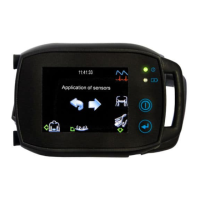
Details connecting and initializing the SOMNOtouch™ RESP device for recording.

1.2 Starting a New Case Online

1.3 Continuous Impedance Measurement

1.4 Bio-calibration

1.5 Blood Pressure Calibration

1.5.1 Blood Pressure Calibration on SOMNOscreen

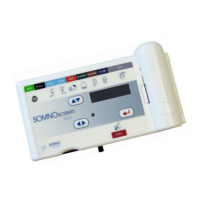
Step-by-step guide for blood pressure calibration on the SOMNOscreen device.

1.5.2 Blood Pressure Calibration on SOMNO HD

Instructions for performing blood pressure calibration on the SOMNO HD device.

1.5.3 Blood Pressure Calibration on SOMNOtouch RESP

Procedure for blood pressure calibration on the SOMNOtouch RESP device.

1.6 Dual Time Base

1.7 Transfer a Recording from Memory Card to Computer

1.7.1 Transfer SOMNOscreen Recordings from Flash Card to a Computer

Step-by-step guide for transferring data from SOMNOscreen flash cards.

1.7.2 Transfer SOMNO HD or SOMNOtouch RESP Recordings from Device to a Computer

2 Analysing a New Case

2.1 Auto Processing

Details how to set up automatic processing tasks for recordings after completion.

2.2 Screen Layout

2.2.1 Analysis and Raw Data

Differentiates between raw data and analysis data within the DOMINO software.

2.2.2 Raw Data Profile

Describes how to create, select, and save raw data profiles for display.

2.2.3 Analysis Profile

2.2.4 Display Profile

3 Editing Events

3.1 Edit Mode

Explains how to manually mark, change, and correct event durations in raw data.

3.2 Select Edit Mode

3.3 Quick Edit Mode

3.4 Editing Video

4 Reporting

4.1 Report Templates

Discusses the use of pre-defined and custom report templates for summarizing findings.

4.1.1 Report Generating

Details the process of selecting and generating reports from measurements.

4.1.2 Report Adjustments

4.2 Form Letters

5 Troubleshooting

Online Connection Errors

Solves issues with establishing or maintaining an online connection during initialization.

No Signal Errors

External Box Not Found Errors

Flash Card Errors

Wrong Flash Card or Montage Errors

Data Download Issues

Open Recording Dialogue Issues

Event Editing Prevention

6 Contact Information

SOMNOmedics DOMINO Specifications

General IconGeneral
BrandSOMNOmedics
ModelDOMINO
CategoryMedical Equipment
LanguageEnglish

Related product manuals