EasyManua.ls Logo

SOMNOmedics SOMNOtouch RESP - User Manual

SOMNOmedics SOMNOtouch RESP
120 pages
Print Icon
To Next Page IconTo Next Page
Loading...
SOMNOmedics GmbH Am Sonnenstuhl 63 D-97236 Randersacker
Phone: (+49) 931 / 35 90 94-0 Fax: (+49) 931 / 35 90 94-49
E-Mail: info@somnomedics.de Internet: www.somnomedics.eu
I
NSTRUCTION MANUAL
SOMNOtouch
TM
RESP

Table of Contents

Questions and Answers

Summary

Introduction and Device Overview

Intended Use and Scope of SOMNOtouch RESP

Describes the device's applications in respiratory screening and CPAP therapy.

SOMNOtouch RESP Components and Identification

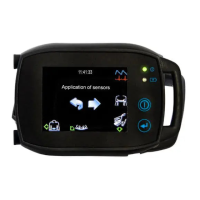
Details the physical parts of the SOMNOtouch™ RESP and its model identification.

Critical Safety Instructions for SOMNOtouch RESP

Installing Software and Drivers

DOMINO light Software Installation Process

Guides through installing the DOMINO light software from the installation CD.

Docking Station Driver Installation for Windows

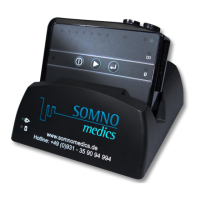
Details manual driver installation for Windows 7 and 10.

Operating the SOMNOtouch RESP Device

Device Initialisation and Setup Modes

Explains device initialisation, including Easy Start and Advanced Mode options.

Sensor Attachment and Configuration

Provides instructions on connecting various sensors to the device and configuring them.

Recording Display and Settings Adjustment

Covers viewing data during recording and adjusting device settings like Bluetooth and sound.

Managing Data and Performing Analysis

Recording Control and Data Transfer

Explains how to abort recordings and transfer data to a computer.

Firmware Updates and Measurement Analysis

Guides on updating firmware and opening/analyzing recorded measurements.

DOMINO light Software Features and Configuration

System Requirements and Panel Overview

Lists software requirements and introduces the DOMINO light panel interface.

Global Preferences and Analysis Setup

Details configuring global preferences, channels, and analysis parameters.

Filter, Keys, Markers, and Area Definition

Explains how to set up filters, keyboard keys, markers, and define analysis areas.

Advanced Analysis and Reporting

Analysis Workflows and Pop-up Functions

Covers setting up analysis channels and using pop-up window features for data review.

Report Generation and Data Exchange

Guides on creating reports, form letters, and exporting data in various formats.

Patient Database Management

Patient Registration, Search, and History

Details managing patient data, searching records, and viewing history.

Recording Analysis and Summary Pictures

Explains how to view recorded data, results, and summary graphics.

Troubleshooting and Maintenance

Common Problems and Solutions

Lists common issues with the device and software and provides troubleshooting steps.

Device Cleaning, Battery, and Service

Covers device maintenance, battery care, technical specifications, and service information.

EMC, Accessories, and Contact Information

Electromagnetic Compatibility Advice

Provides guidance on EMC and safe usage near other electronic devices.

Accessories, Spare Parts, and Support

Lists available accessories, spare parts, and contact information for support.

SOMNOmedics SOMNOtouch RESP Specifications

General IconGeneral
CategoryMedical Equipment
DisplayOLED display
Device TypePortable Sleep Monitor
Data StorageMicro SD card
ConnectivityUSB, Bluetooth
Sampling Rate100 Hz
Power SourceRechargeable Lithium-ion battery
Measurement ParametersEEG, EOG, EMG, ECG
ApplicationSleep studies
CertificationCE, FDA
SoftwareSOMNOmedics software suite

Related product manuals