EasyManua.ls Logo

SOMNOmedics SOMNOscreen plus - User Manual

SOMNOmedics SOMNOscreen plus
57 pages
Print Icon
To Next Page IconTo Next Page
Loading...
I
nstruction Manual
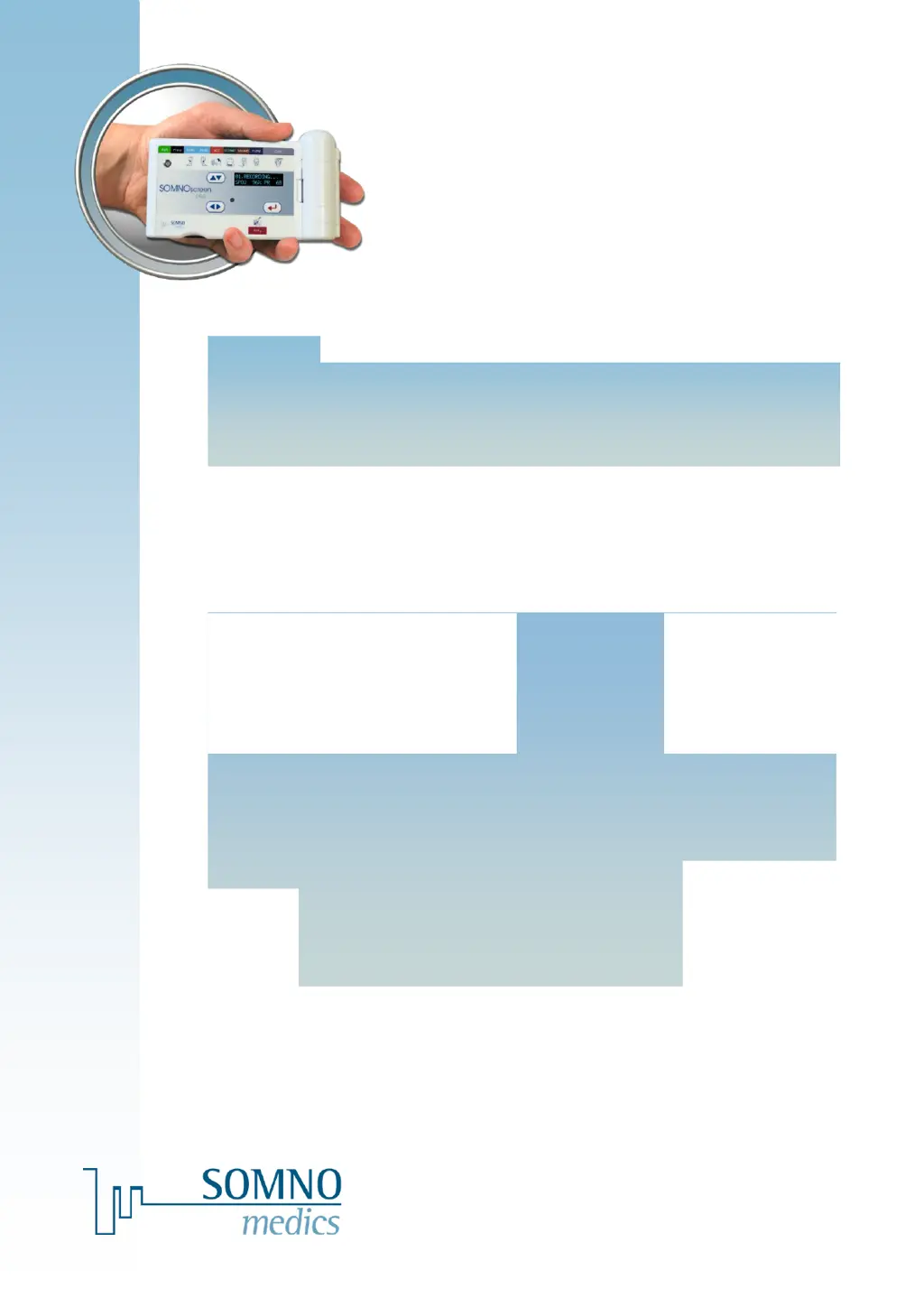
SOMNOscreen™ plus
Caution: Federal law restricts this device to sale by or on the order of a physician.
USA
SOMNOmedics America Inc. 815 Ponce de Leon Blvd., Suite
P-209 Coral Gables, FL 33134
Toll free: 866 361 9937
info@somnomedics-diagnostics.com
www.somnomedics-diagnostics.com

Table of Contents

Questions and Answers

  • J
    Julie VaughnSep 9, 2025
    What to do if Flash Card Transfer does not work on SOMNOmedics Medical Equipment?
    • J
      Jason JacksonSep 9, 2025
      In the event that Flash Card Transfer does not work, but the data.dat file is available, the Compact Flash Card may have been removed during a recording, or a reset occurred during recording (sensors were inserted after the program started). In either of these cases, please contact the SOMNOmedics hotline for assistance.
  • W
    Whitney PerryAug 23, 2025
    What to do if a recording cannot be transferred from the Compact Flash Card SOMNOmedics Medical Equipment?
    • M
      Mark WongAug 23, 2025
      If you cannot transfer a recording from the Compact Flash Card and your hard drive reports insufficient memory, first archive all existing recordings and then delete them from the hard disk to free up space. Ensure that you have the necessary permissions to save data by checking with your System Administrator. Also, verify that the correct Drive Letter is entered in the Folders menu in the Global Preferences. This issue can arise if the hard disk has insufficient memory available or if the wrong Drive Letter is selected for the Card Reader.
  • D
    dromeroAug 25, 2025
    How to fix flash card that does not initialize SOMNOmedics Medical Equipment?
    • J
      Jeremy LinAug 25, 2025
      Check that the correct Drive was entered in the Folders menu in the Global Preferences. If the drive is correct, reformat the Compact Flash Card using the FAT file system. The flash card may not initialize due to a wrong drive chosen for the Card Reader.
  • D
    David ZhangAug 27, 2025
    Why pre-programmed measurement does not start on SOMNOmedics SOMNOscreen plus Medical Equipment?
    • W
      williamchavezAug 27, 2025
      A pre-programmed measurement may fail to start if the date or time settings on the SOMNOscreen™ plus and the PC are different, or if the snore microphone is defective. To resolve this, check and correct the date and time on both the PC and the SOMNOscreen™ plus, ensuring they match, especially when programming the device. If the issue persists, replace the microphone; if a spare isn't available, use a nasal cannula as an alternative if the measurement is crucial. Change the montage and try recording again.
  • A
    Antonio BurkeAug 28, 2025
    How to fix noisy EEG/EOG signals on SOMNOmedics Medical Equipment?
    • J
      Joseph EdwardsAug 28, 2025
      Noisy EEG/EOG signals that are unsuitable for analysis can be caused by incorrect filter settings, improperly cleaned contact sites, or a ground electrode that is not correctly clipped in. To resolve this, first check your filter settings, using recommended filters of 0.3-30Hz for EEG and 0.3-10Hz for EOG. Clean the contact site with paste (Nuprep) and use GRASS Gold plated electrodes with GRASS EC2 crème. Apply the reference (REF) to Cz. Use the Impedance check in Online mode. Ensure all electrodes are properly clipped in, and then restart the recording.
  • J
    justin29Aug 29, 2025
    What to do if PC crashes during video playback with SOMNOmedics SOMNOscreen plus Medical Equipment?
    • D
      Debbie StephensAug 29, 2025
      If your PC crashes during synchronized playback with video, especially with fast playback, it may be due to the PC being too slow, having insufficient RAM, or running other applications in parallel. To address this, try to improve your PC's performance by defragmenting the Hard Disc Drive. If the issue continues, use a slower video playback mode. Upgrading the computer's RAM may be necessary, and you should close all other applications to free up resources.
  • D
    David Mccormick MDSep 18, 2025
    What does ERROR 10 mean on SOMNOmedics Medical Equipment?
    • J
      jessica85Sep 18, 2025
      An ERROR 10 message indicates that too many channels have been selected or the sampling rate is too high. Remove the Compact Flash Card from the SOMNOscreen™ plus and reinitialize it with a suitable montage. If a higher sampling rate is required, a special firmware option is available. Please contact SOMNOmedics for more details.
  • V
    veronicapeckSep 22, 2025
    Why is maximum measurement period 10h on SOMNOmedics SOMNOscreen plus Medical Equipment?
    • D
      Daniel GilbertSep 22, 2025
      The maximum measurement period is limited to 10 hours because Online Mode has been activated. To perform offline measurements with recording periods up to 24 hours, deactivate the online mode. Note that 24-hour recording is possible with Firmware version B11 and Software version 1.5.1 or later.
  • S
    Stephen JonesSep 7, 2025
    Why online mode aborted immediately after recording starts on SOMNOmedics SOMNOscreen plus?
    • R
      Rachel LaneSep 8, 2025
      If the online mode aborts immediately after recording starts, it may be due to the hard disk or RAM reporting insufficient memory. To resolve this, archive all recordings and then delete them from the hard disk to free up space. Also, close all other applications to reduce memory usage.
  • M
    michealcarrSep 4, 2025
    Why is the flow signal not recorded on SOMNOmedics SOMNOscreen plus?
    • M
      Mrs. Janice Thomas MDSep 4, 2025
      If the flow signal is not being recorded, the montage may not be programmed correctly. First, verify that the flow signal is selected in the montage settings. In the menu, go to Tools ? Preferences ? Channels, add a New Reference, give it a name (e.g., Sum of Efforts), and confirm with OK. Then, insert this reference as the Source for the Flow Analysis. You can also analyze a patient's flow using the Phase Angle Analysis. If you plan to repeat the recording, double-check the montage and settings.

Summary

Introduction

Manual Overview and Symbols

Explains the purpose of the manual and defines key symbols used throughout.

Menu Navigation Structure

Outlines the device's menu navigation hierarchy for easy access to functions.

About the SOMNOscreen plus

Device Purpose and Specifications

Covers device purpose, intended use, description, and model details.

User Interface and Configurations

Details the interactive display, keyboard controls, and available device configurations.

Safety Instructions

Operating Instructions

Device Power and Recording Initiation

Guides on powering the device on/off and initiating recordings.

Measurement Management and Data Handling

Details cancelling recordings, saving data, and relevant measurement information.

System Menu and Settings

Navigating menus for system checks, settings, and logs.

Attaching Patient Sensors

Sensor Connection Procedures

Provides instructions for attaching various device sensors to the patient.

SOMNOmedics SOMNOscreen plus Specifications

General IconGeneral
BrandSOMNOmedics
ModelSOMNOscreen plus
CategoryMedical Equipment
LanguageEnglish

Related product manuals