Command15
Owner’s Manual
8
Resetting time and date
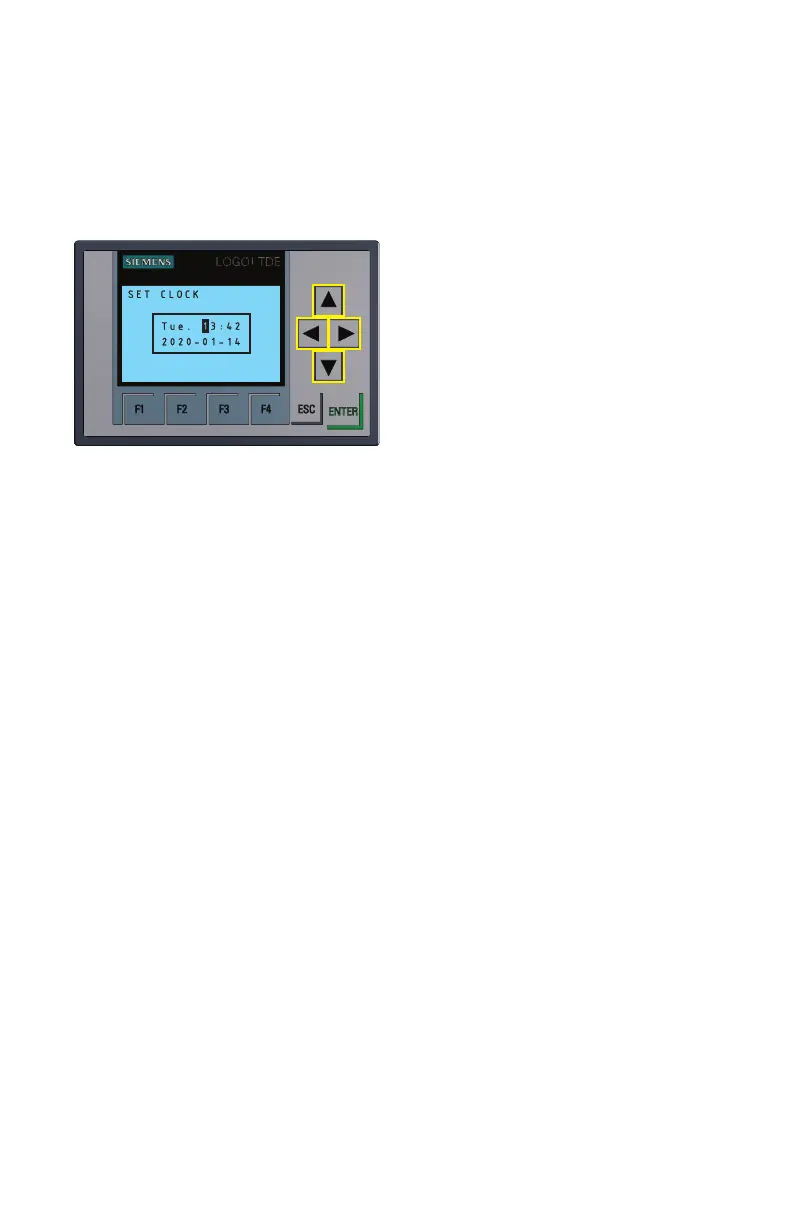
Figure B
Set clock screen
• From the main menu of the LCD Panel
Control System, press the down arrow on
the keypad to display the time and date.
• Press the ESC button to access the
LOGO settings selection screen. Use
the up/down arrows on the keypad to
highlight the “LOGO! Settings” selection.
• Press the right arrow on the keypad to
access the LOGO! Settings menu. Use
the up/down arrows on the keypad to
highlight “Setup.” Press the right arrow
key to enter the Setup menu.
• With “Switch to ADMIN” highlighted, press the ENTER button. A prompt to enter the
admin password will be displayed.
• The admin password is “LOGO.” Use the up/ down arrows on the keypad to scroll
through letters. When the correct letter is displayed, use the right arrow key to move
the cursor to the next letter and repeat. Once the word “LOGO” is displayed, press
the ENTER button. The display will return to the LOGO settings selection screen.
• With “LOGO! Settings” highlighted, press the right arrow key to enter the Settings
menu. Use the up/down arrow keys to highlight “Setup,” then press the right arrow
key again to enter the Setup menu.
• Use the up/down arrow keys to highlight “Clock,” then press the right arrow key to
enter the Clock menu. With “Set Clock” highlighted, press ENTER. This will display
the Set Clock screen with editable date and time as shown in Figure B.
Note: the LCD control system has a 24 hour clock. Also, the day of the week displayed is
not editable but will change automatically to correlate with the selected date.
• Use the left/right arrow keys to move between digits. Use the up/down arrow keys to
increase/decrease and select the desired digit (Figure B). Once the correct time and
date is displayed, press ENTER to save them. The LCD will return to the Setup menu.
• Press the ESC key until the LCD returns to the main menu.


 To Next Page
 Loading...