MAIN MENU
3
MAIN MENU
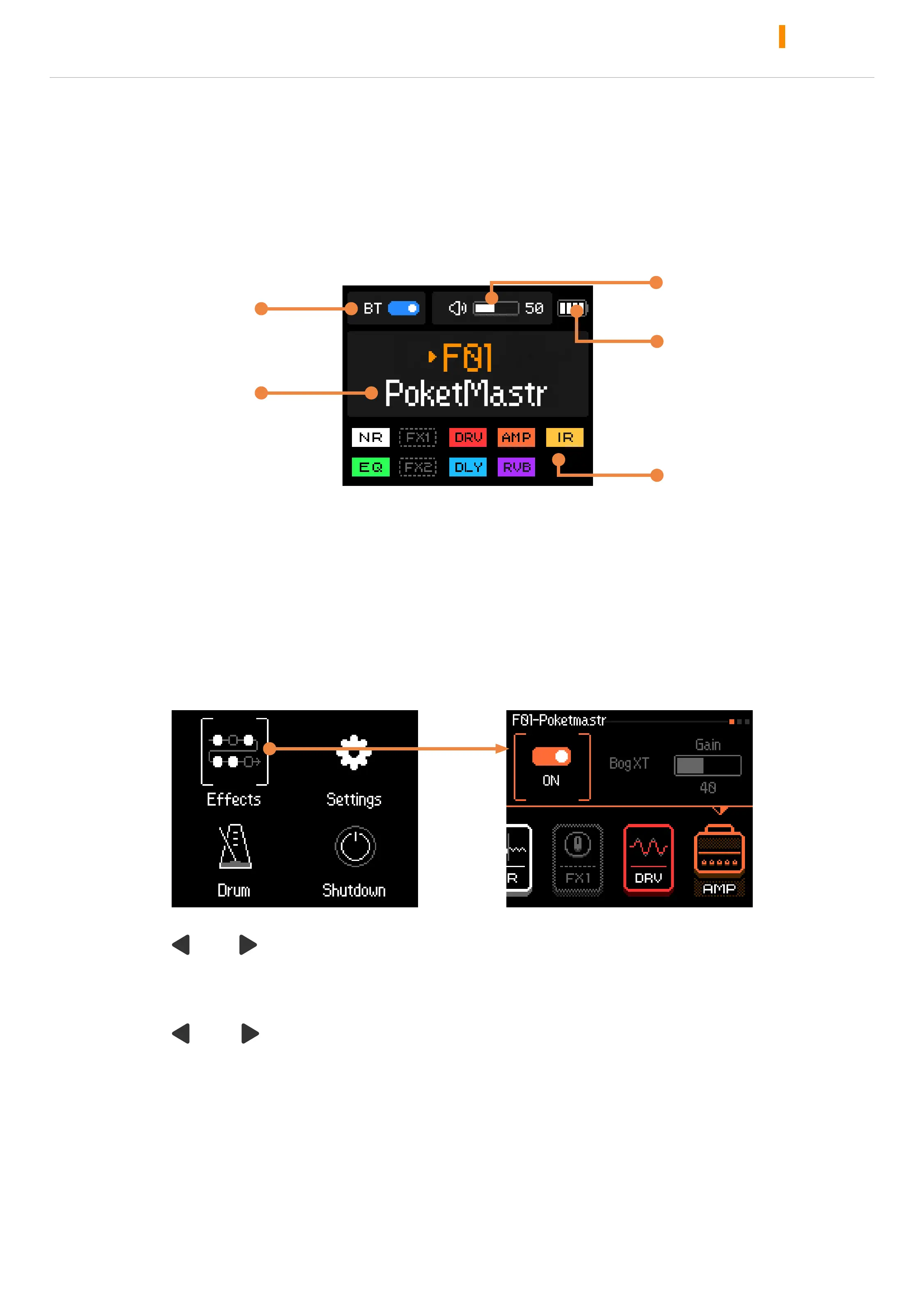
Hold VALUE/VOL turn on the device
After starting the machine, enter the main menu by default
Turn or press the knob to select or adjusts parameters
BT ON/OFF
Master volume
Battery level
Effect chain
Preset number
and name
EFFECTS EDITING
EFFECTS CHAIN EDITING MENU
Press VALUE / VOL enter the menu, select Effects to enter the effect
editing menu.
Press “ ” / “ ” to switch presets, switch effect modules and various
options
Turn or press VALUE/VOL knob to select or adjusts parameters
Press “ ” + “ ” at the same time to return main menu



 To Next Page