Page 40 Creating a NAT Policy
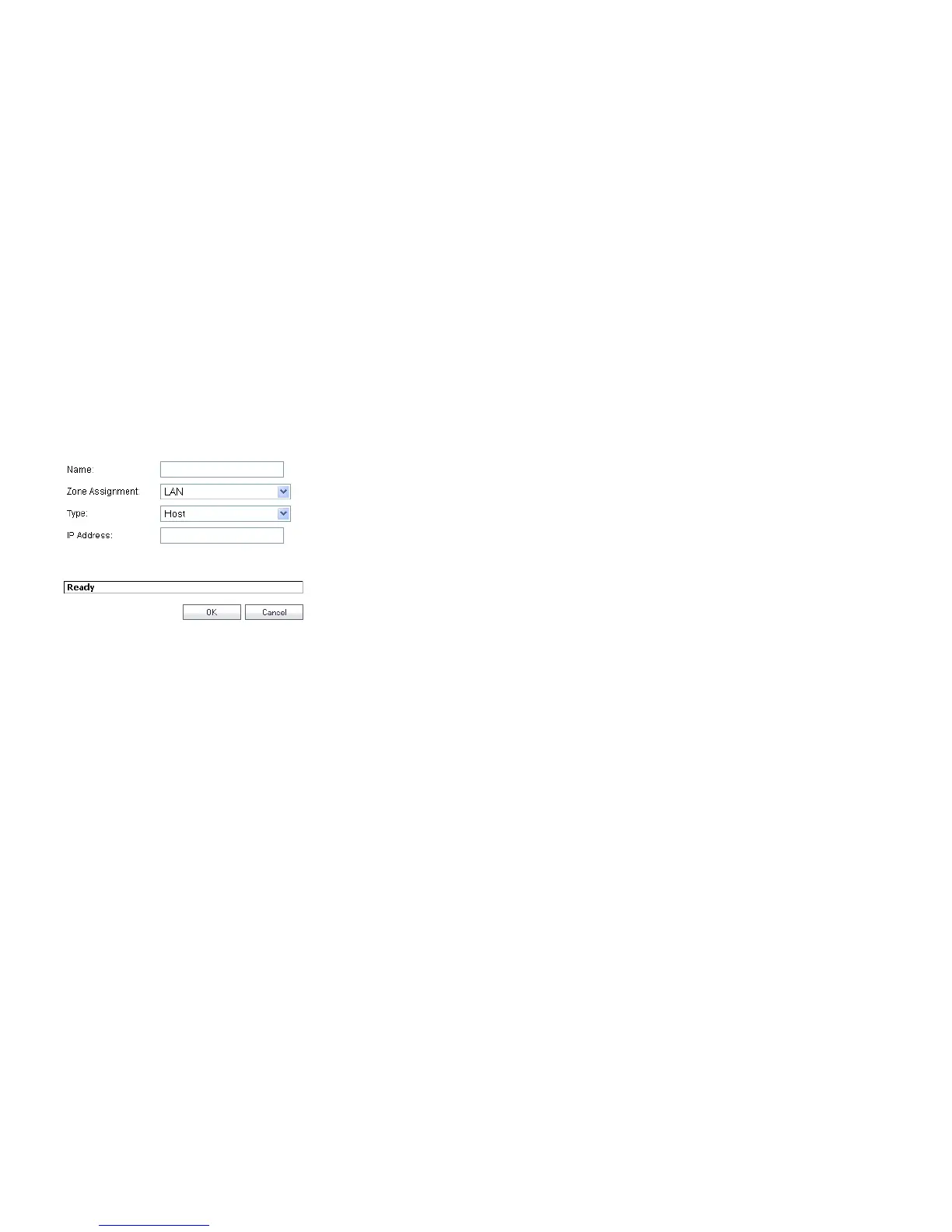
To add an Address Object:
1. Navigate to the Network > Address Objects page.
2. Below the Address Objects table, click Add.
3. In the Add Address Object dialog box, enter a name for
the Address Object in the Name field.
4. Select the zone to assign to the Address Object from the
Zone Assignment drop-down list.
5. Select Host, Range, Network, MAC, or FQDN from the
Type menu.
-For Host, enter the IP address in the IP Address field.
-For Range, enter the starting and ending IP addresses
in the Starting IP Address and Ending IP Address
fields.
-For Network, enter the network IP address and
netmask in the Network and Netmask fields.
-For MAC, enter the MAC address and netmask in the
Network and MAC Address field.
-For FQDN, enter the domain name for the individual
site or range of sites (with a wildcard) in the FQDN
field.
6. Click OK.
Configuring NAT Policies
NAT policies allow you to control Network Address Translation
based on matching combinations of Source IP address,
Destination IP address and Destination Services. Policy-based
NAT allows you to deploy different types of NAT simultaneously.
The following NAT configurations are available in SonicOS
Enhanced:
• Many-to-One NAT Policy
• Many-to-Many NAT Policy
• One-to-One NAT Policy for Outbound Traffic
• One-to-One NAT Policy for Inbound Traffic (Reflexive)
• One-to-Many NAT Load Balancing
• Inbound Port Address Translation via One-to-One NAT
Policy
• Inbound Port Address Translation via WAN IP Address
This section describes how to configure a One-to-One NAT
policy. One-to-One is the most common NAT policy used to
route traffic to an internal server, such as a Web Server. Most of
the time, this means that incoming requests from external IPs
are translated from the IP address of the SonicWALL security
appliance WAN port to the IP address of the internal web
server.












 To Next Page