Back Panel Feature Description
Exhaust fans Provides optimal cooling for the SMA 400 appliance.
Power supply plug Provides power connection using supplied power cord.
SMA 200 Front and Back Panels Overview
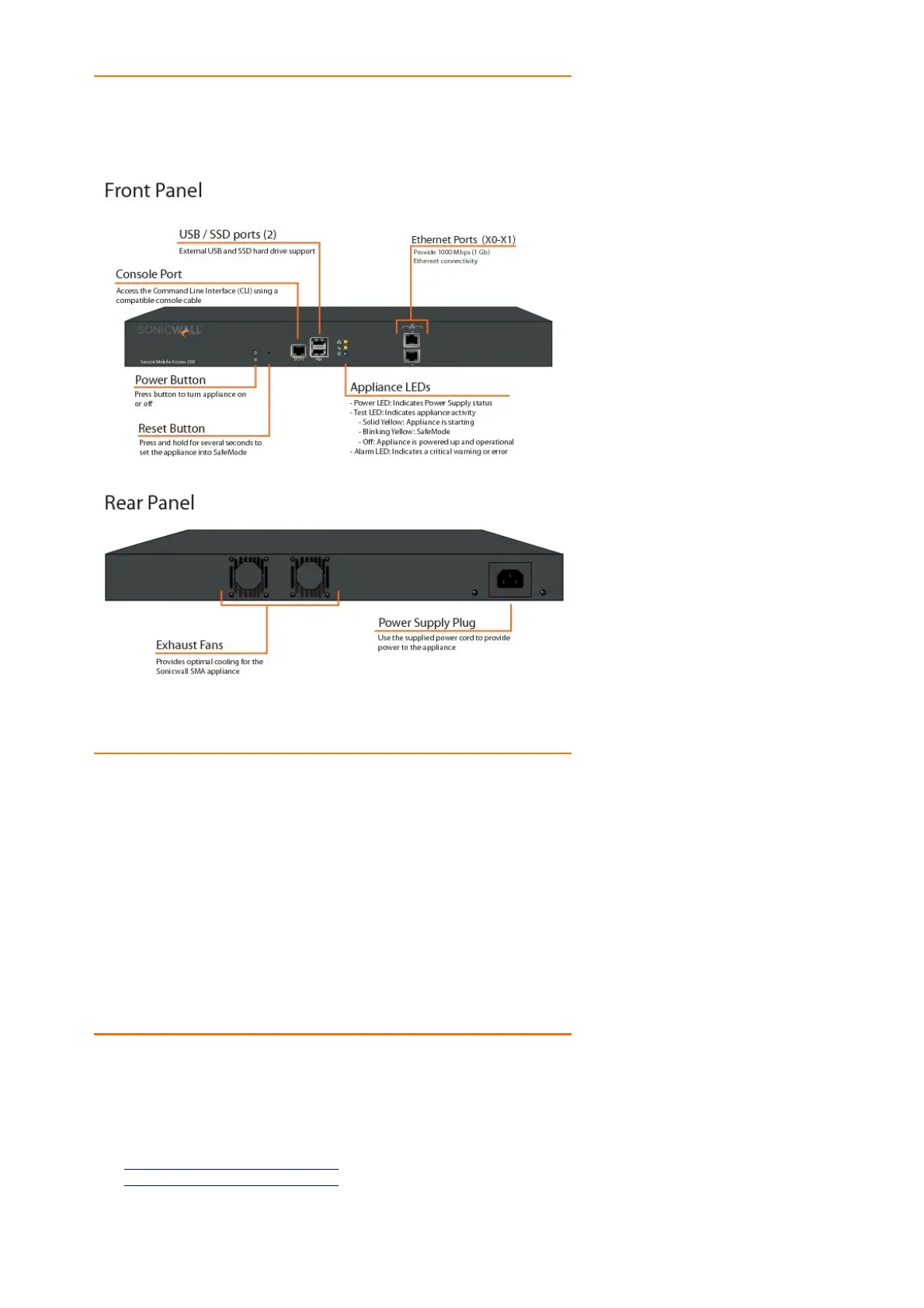
SMA 200 Front Panel Features
Front Panel Feature Description
Console Port RJ-45 port, provides access to console messages with serial
connection (115200 Baud). Provides access to command line
interface.
USB/SSD Ports Provides access to external USB and SSD hard drive support.
Reset Button Provides access to SafeMode.
Power LED Indicates the SMA 200 is powered on.
Test LED Indicates the SMA 200 is in test mode.
Alarm LED Indicates a critical error or failure.
X1 Provides access to the X1 interface and to SMA resources.
X0 Default management port. Provides connectivity between the SMA
200 and your gateway.
SMA 200 Back Panel Features
Back Panel Feature Description
Exhaust fans Provides optimal cooling for the SMA 200 appliance.
Power supply plug Provides power connection using supplied power cord.
SRA Hardware Components
See the following sections for descriptions of the hardware components on SRA appliances:
• SRA 4600 Front and Back Panels Overview
• SRA 1600 Front and Back Panels Overview
SRA 4600 Front and Back Panels Overview
SRA 4600 Front and Back Panels












 To Next Page