SonicWALL SonicPoint Quick Start Guide Page 1
SonicPoint Quick Start Guide
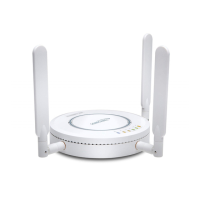
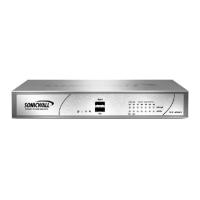
Thank you for purchasing a SonicWALL SonicPoint. The SonicPoint is a key component of SonicWALL’s
Distributed Wireless Solution to secure wireless networks. The SonicPoint provides secure wireless
access to your network using the SonicWALL Global VPN Client (SonicWALL GVC) or Global Security
Client (SonicWALL GSC) on wireless clients combined with integrated management from a SonicWALL
TZ 170 or PRO series security appliance running SonicOS Enhanced 2.5 (or higher).
The SonicPoint Quick Start Guide provides instructions for setting up your SonicWALL SonicPoint,
configuring your SonicWALL security appliance to manage the SonicPoint and support secure WiFiSec
connections from wireless clients, and setup wireless clients to securely connect to your network using the
SonicWALL Global VPN Client or Global Security Client. After you complete this guide, refer to the
SonicWALL SonicOS Enhanced 2.5 Administrator’s Guide for more detailed information.
Note: The latest version of the SonicPoint Quick Start Guide, SonicPoint Administrator’s Guide, SonicOS
Enhanced 2.5 Administrator’s Guide, and all other SonicWALL product documentation is available on the
SonicWALL web site at <http://www.sonicwall.com/services/documentation.html>.
Before You Begin
Check Package Contents
• One SonicWALL SonicPoint
• One SonicPoint Quick Start Guide
• One SonicPoint Regulatory Statement
• One SonicPoint Resource CD
• One Ethernet cable
• One 12 volt DC power supply
• One power cord*
• One mounting plate
• One wall mount kit
*A power cord is included only with units shipped to North America.
Any Items Missing?
If any items are missing from your package, contact SonicWALL, Inc.
•Web: <http://www.sonicwall.com/support/>
• Phone: (888) 777-1476








 To Next Page