SonicWALL SonicPoint Quick Start Guide Page 7
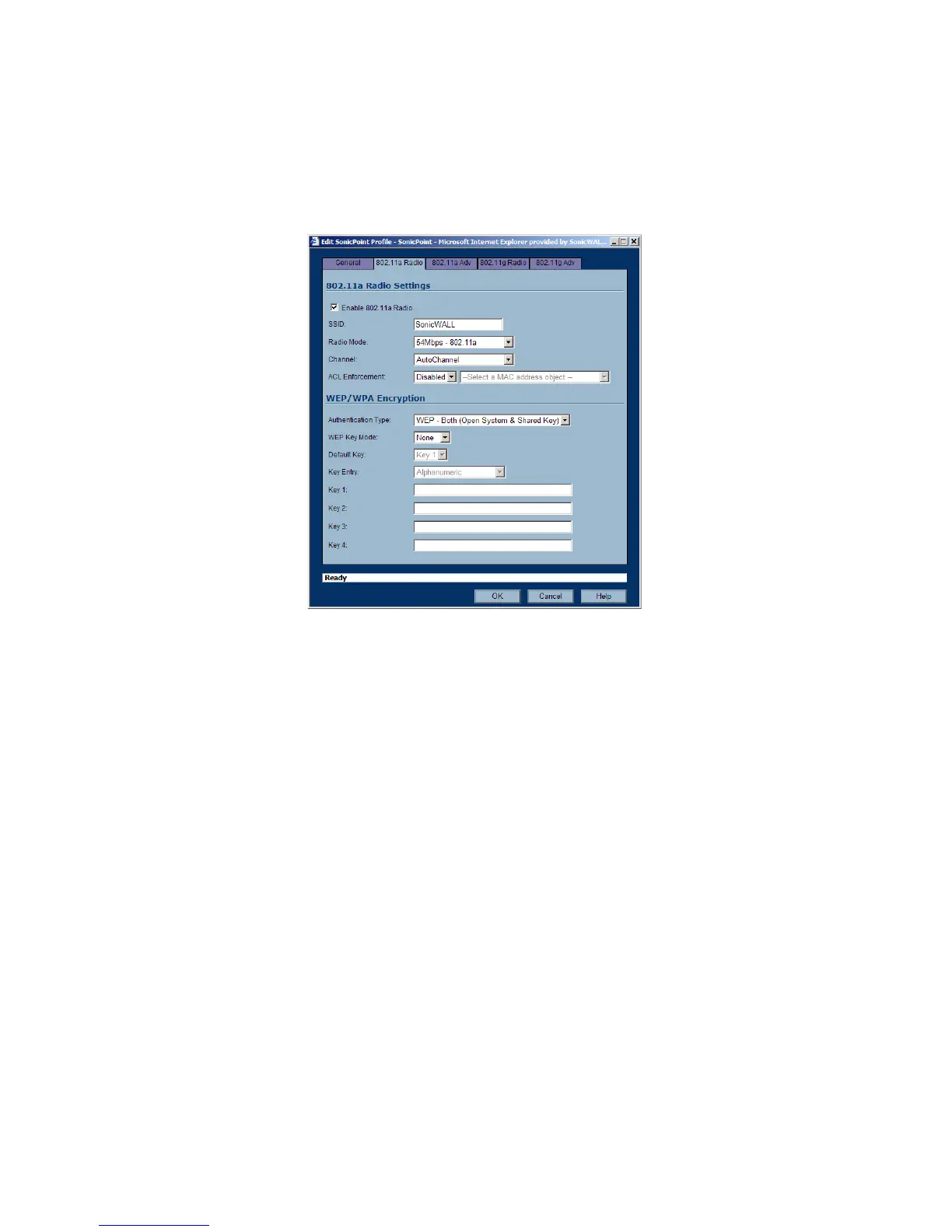
4. In the Edit SonicPoint Profiles window, you can configure the radio settings and the SSIDs of the
SonicPoints in the WLAN zone. You should at least set the SSIDs in the 802.11a Radio tab and in the
802.11g Radio tab to a recognizable value. The default is SonicWALL, but you can assign any SSID
value.
Note: You can add additional profiles and assign them to different Wireless zones. For more information
about configuring a SonicPoint from the SonicOS management interface, refer to the SonicWALL SonicOS
Enhanced 2.5 Administrators Guide. The latest version of the SonicWALL SonicOS Enhanced 2.5
Administrator’s Guide is available on the SonicWALL web site at
<http://www.sonicwall.com/services/documentation.html>.








 To Next Page