Quick Start Guide – XP8 7/18/2018
Page 11 of 17
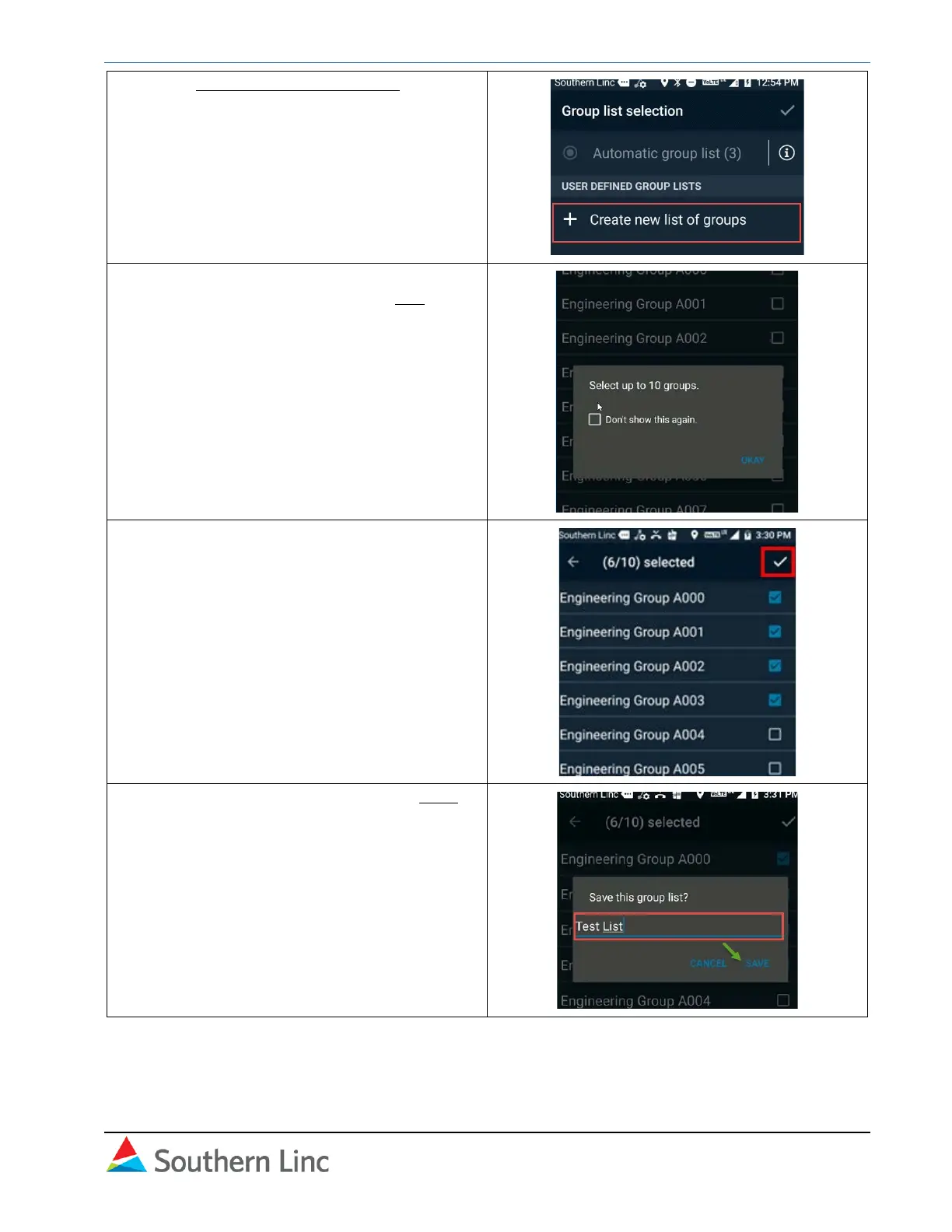
10. Select + Create new list of groups.
Note: A group must be in a list before it will
appear in your Linc PTT contacts.
11. All groups pushed to you are listed. You can
select up to 10 for the list. Select OK in the
popup message.
12. Select groups for the list using the
checkbox. When you have completed the
selection, click the check mark in the top
right to save.
13. Give the group list a name and click Save.



 To Next Page
 Loading...










