Quick Start Guide – XP8 7/18/2018
Page 10 of 17
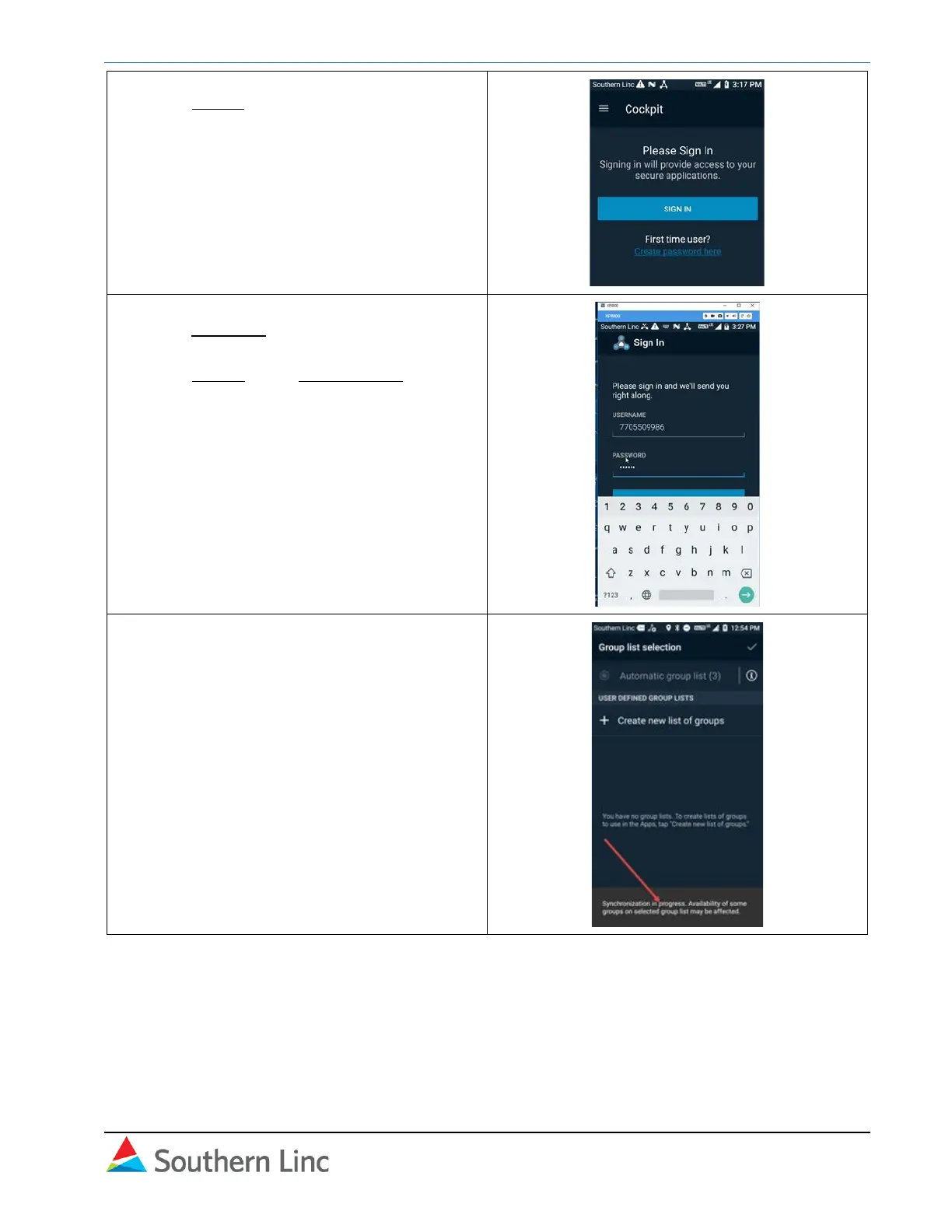
7. Press Sign in.
8. Your phone number will be in the first blank.
In the Password blank, type in the initial
password you received in the voice call.
Press Sign In or the forward arrow.
9. The Cockpit opens in Group List Selection.
If synchronization is in progress, wait until it
is complete and the box disappears.
Proceed to Create Group List.



 To Next Page
 Loading...










