Quick Start Guide – XP8 7/18/2018
Page 9 of 17
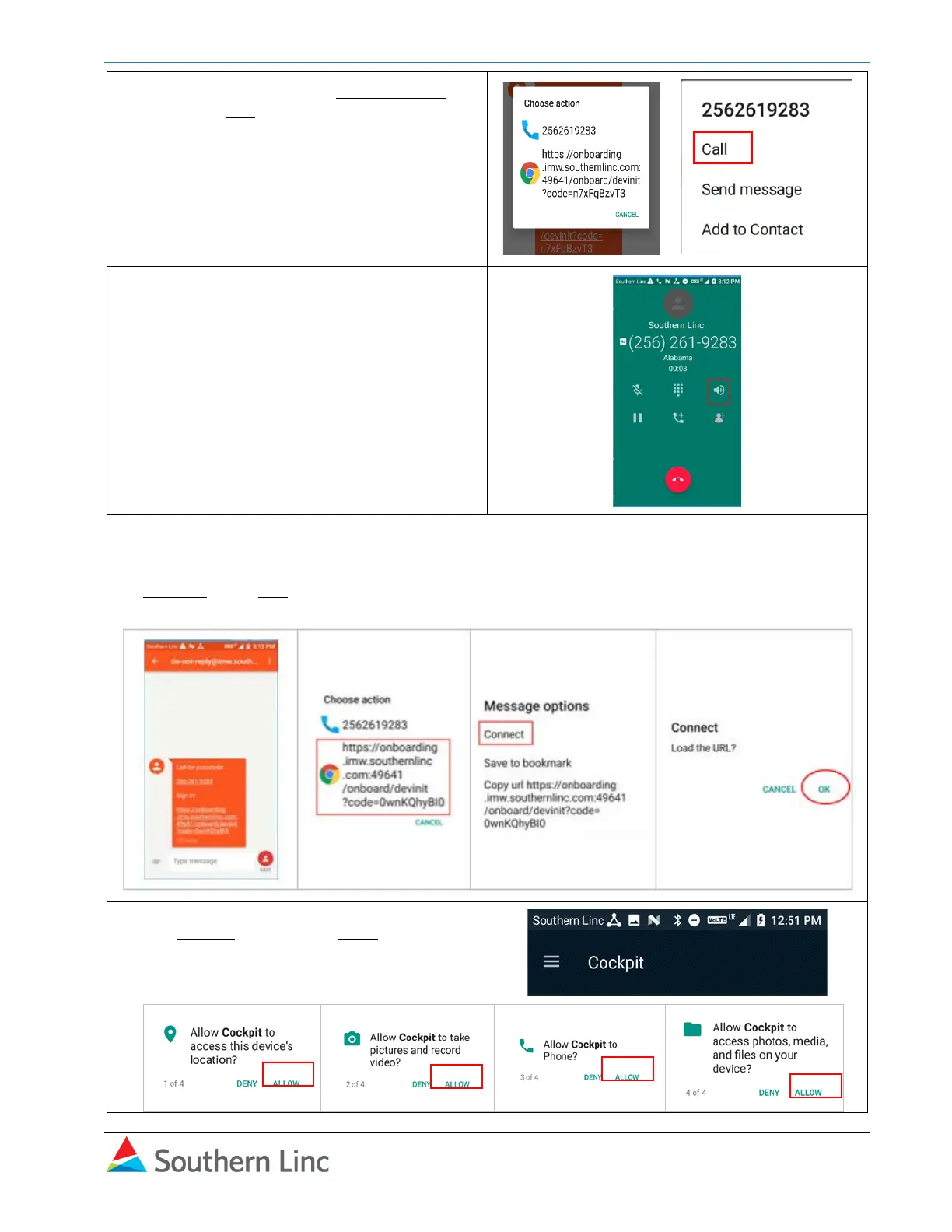
3. In the popup, choose the phone number
and select Call.
→
4. You will hear a recorded message with the
passcode. Turn on the speaker if
necessary. Listen for the number and write
it down. The call will end automatically after
the message is complete.
5. The phone display returns to the messaging
screen. Select the hyperlink and choose
Connect. Click OK .
6. The Cockpit opens. Click Allow access to
location, photos, phone, and files.



 To Next Page