Quick Start Guide – XP8 7/18/2018
Page 6 of 17
SONIM SETUP
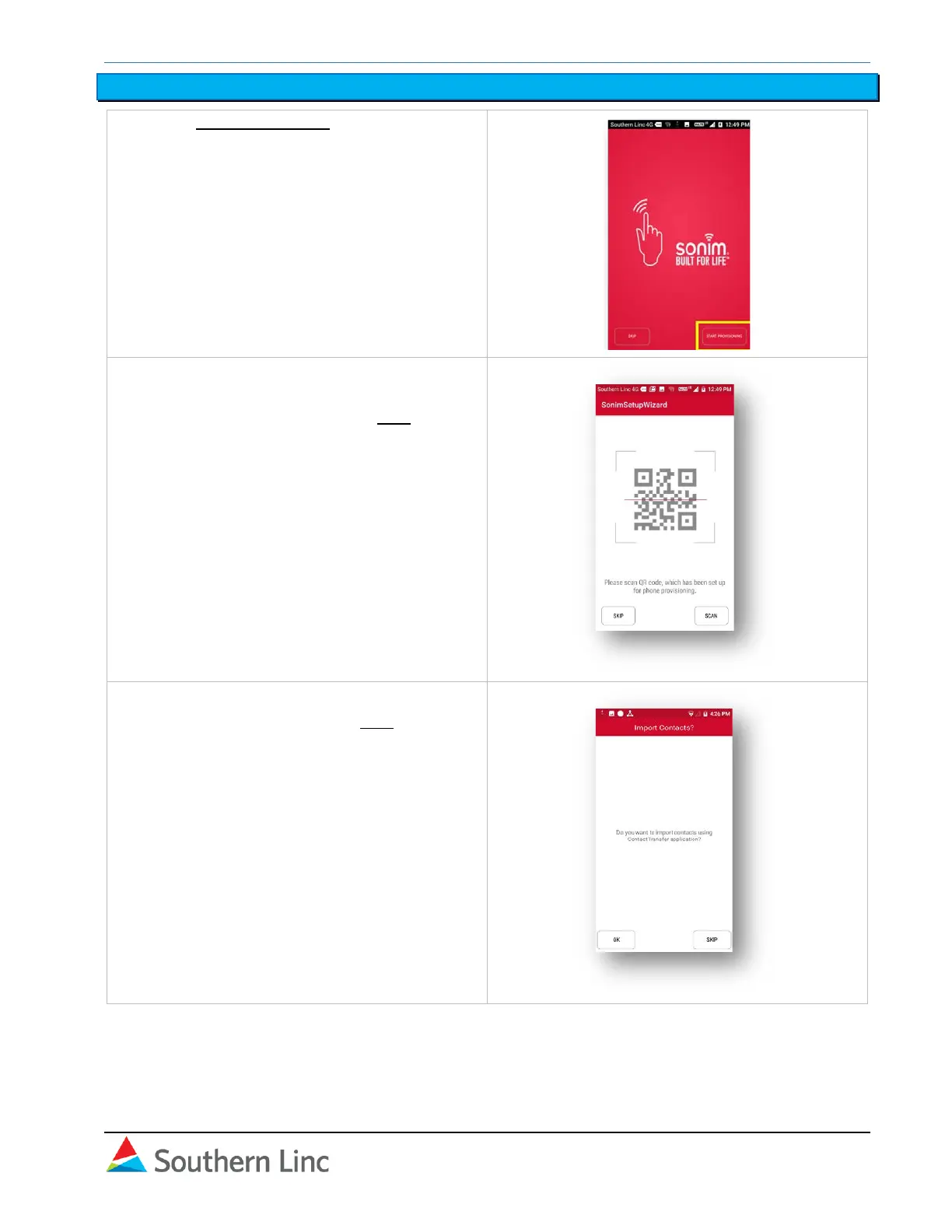
1. Select Start Provisioning.
2. If you have been provided a QR code, you
can scan it and follow instructions for
provisioning. Otherwise, press Skip.
3. If you are transferring personal contacts,
select OK. Otherwise, press Skip.
Note: See separate Contact Transfer
instructions for preparing and uploading the
contact list.



 To Next Page