Quick Start Guide – XP8 7/18/2018
Page 4 of 17
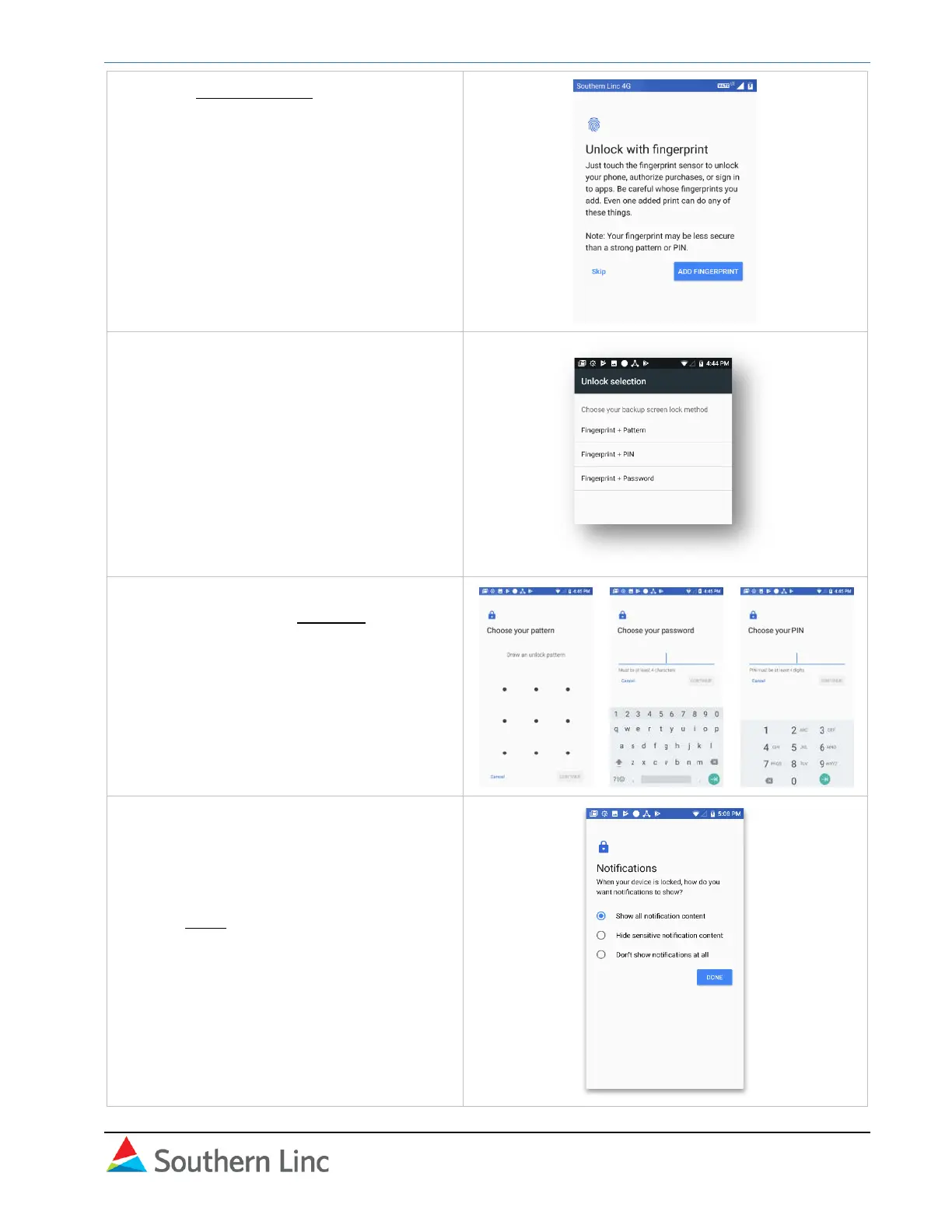
5. Select Add Fingerprint to activate device
protection features.
Note: If you skip this step, the other
protection features will not be activated.
They can be set up later in Settings →
Security. Southern Company requires
security for the Airwatch application.
6. Select a backup method to lock and
unlock your phone:
• Pattern
• Password
• PIN
7. Follow on-screen instructions to set your
lock method. Select Continue.
8. Choose how you want notifications to
appear when your phone is locked:
a. Show all notifications.
b. Hide sensitive content.
c. Do not show notifications
Click Done.



 To Next Page