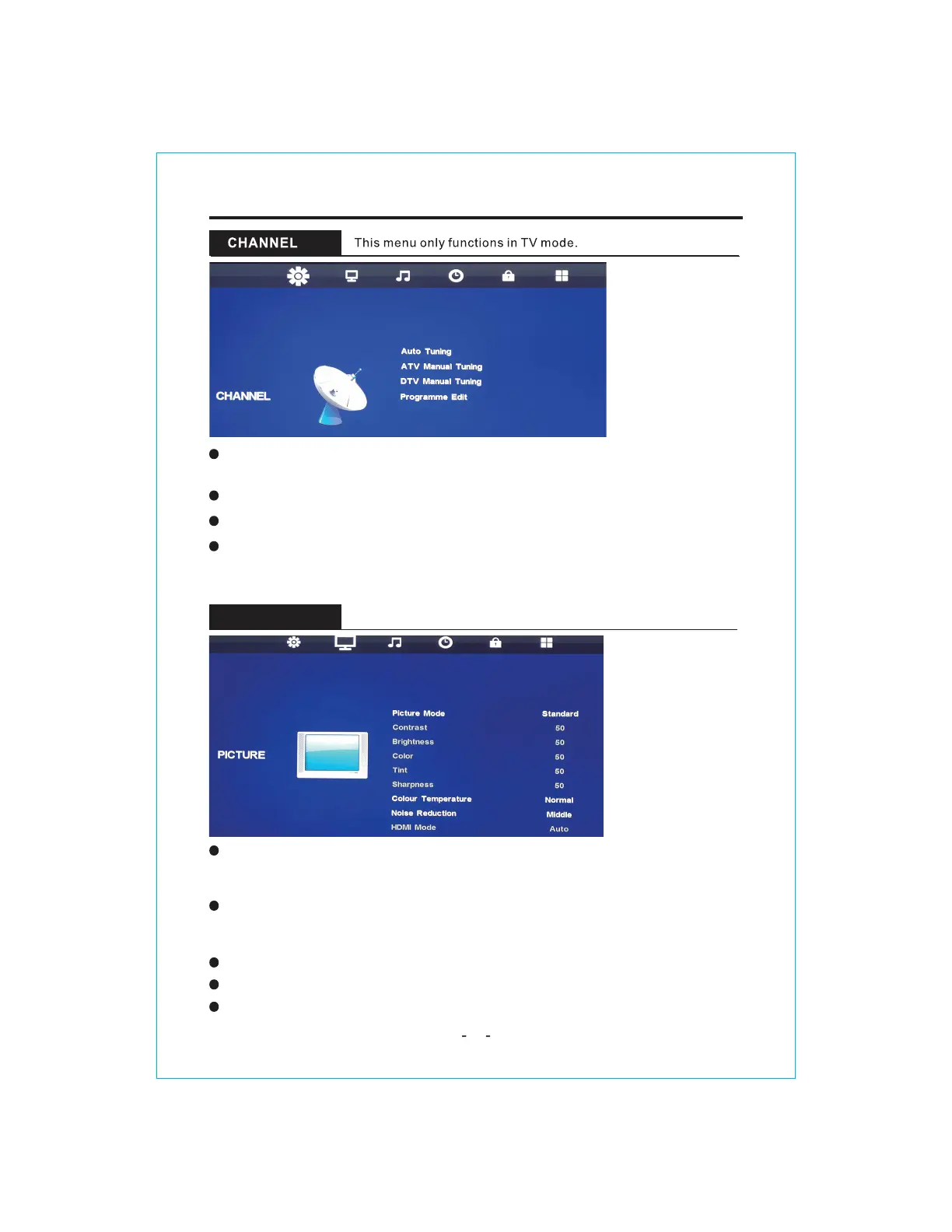
PICTURE Mode:Choose the picture menu with left andright keys. Then the up and
downarrows can be used to select this item.The picture mode can be switched
tostandard/dynamic/mild/userthrough right key.
Contrast/Brightness/Color/Tint/Sharpness:Everyone looks at the color
feeling is different, here can debug, After pressing OK, debug by pressing
left and right keys.
Color Temperature:Select the color temperature that you feel comfortable.
Noise Reduction: Reduces the picture noise in a weak broadcast signal.
HDMI Mode:
PICTURE
Programme Edit: Press ok to enter and edit the channel according to the color
suggestion function.
Auto Tuning: Press the ENTER button to start Auto tuning which
automatically scan and store all available programmes.
ATV Manual Tuning:
Manual store for ATV channels.
DTV Manual Tuning:
Manual store for DTV channels.
Available in the HDMI input source.
11
MENU OPERATION


 To Next Page