-6-
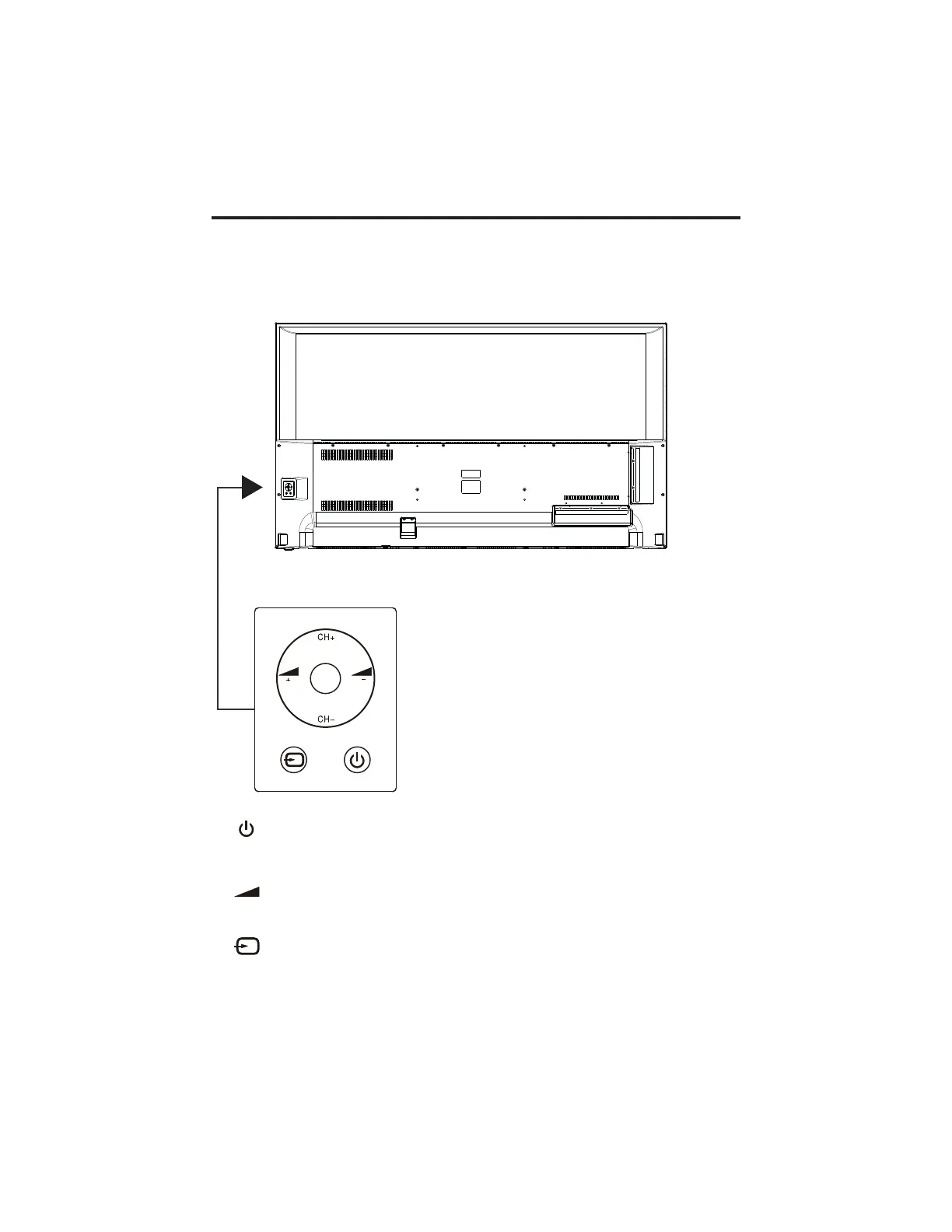
CONTROL BUTTON
OK
: Standby or switch on the TV.
S
-(CH/VOL)+: hort press to change channel, long press to adjust sound volume.
CH+/-: Selecting channel.
+/-: Adjusting volume.
OK :
OK key and menu key function reuse, short press for OK function, long press for
menu function
External signal input selection.
.
:
Note:
The following is only functional schematic, And the actual position and arrangement of differect
models may be different.
Some models has 5 buttons, some models has 7 buttons.


 To Next Page