OPTLON
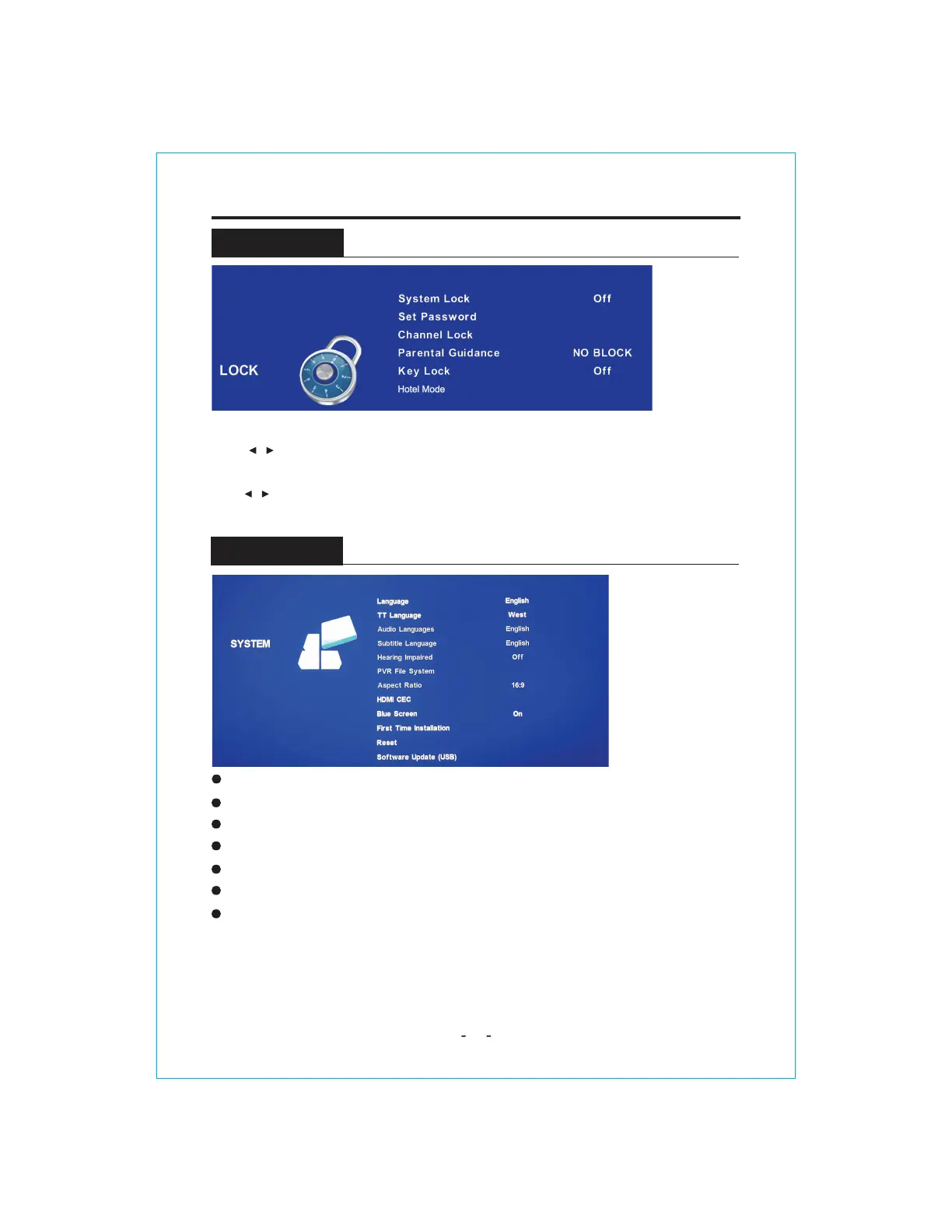
LOCK
OSD Language:
Select your preferred On Screen Display language.
13
TT Language :
Press ź/Ÿ to select TT Languages, then press the OK button to enter sub-menu.
Scale: You can select the picture size which best corresponds to your
viewing requirements.
Blue Screen: Select On / Off the Blue Screen.
Key Lock:
Lock or unlock the key panel buttons on the TV.
Reset:
Recall the default setting.
Software Update(USB):
Press
źŸ
button to Software Update then press
źŸ
button to
select On or Off.
MENU OPERATION
Press MENU button to display the main menu.
Press / button to select LOCK in the main menu, it will highlight the first option.
Press OK button and input pasword (the default password is 0000 ) to enter the sub-title , and
press / to adjust
Hotel Mode:This feature is used to restrict user access to some TV features and to modify TV Settings.



 To Next Page