4
SSD Installation Steps
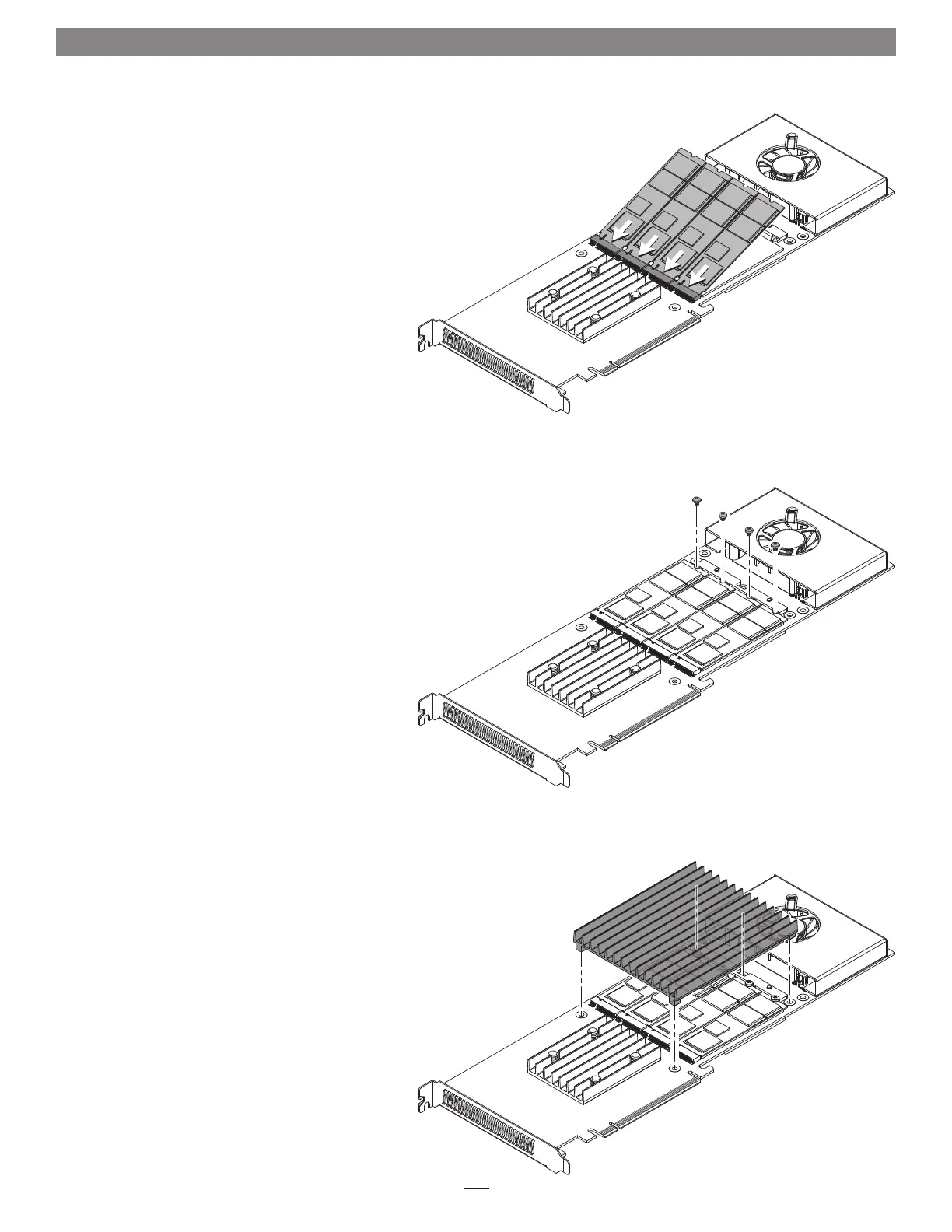
6. Handling it by its edges, remove an SSD from its
packaging.
7. Insert the SSD component side up into one of the
SSD sockets until it snaps into place (Figure 4).
8. Repeat steps 6 and 7 with any remaining SSDs you
are installing (Figure 4).
9. Using screws you removed previously, secure the
SSD(s) to the card (Figure 5); do not overtighten
the screws. If you installed fewer than four SSDs,
reinstall remaining screws into the open holes.
10. Set the heatsink on top of the SSDs, aligning the
screw holes in the heatsink with the corresponding
holes in the card (Figure 6).
Figure 4
Figure 5
Figure 6


 To Next Page