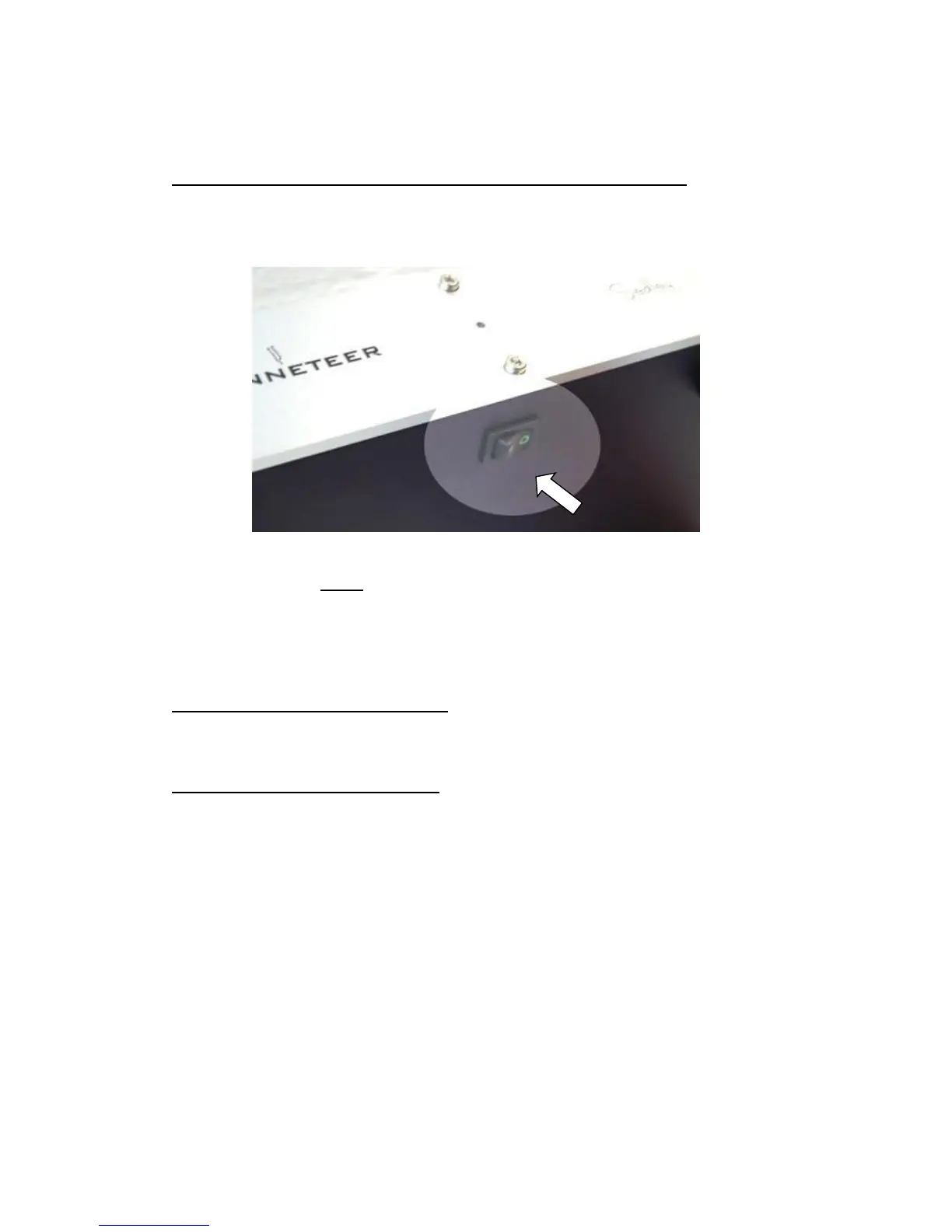
Listen to you recording using the ‘Record Monitoring’ facility:
On the underside the Sedley towards the front you will find a switch for the
Record Monitoring facility.
When your Sedley is not connected to your computer, always leave the switch
in the OFF position (as shown), or no sound will be heard from your Sedley.
When your Sedley is connected to your (powered ON) PC via the USB cable,
you will have the following options:
With the switch in the OFF position:
You can listen to your record as usual.
You can use your computer to record at the same time.
With the switch in the ON position:
You can listen to your recording progress in real time directly from your
computer through your Hi-Fi system.
N.B.: You must enable the “Playthrough” option in Audacity or the
“Simultaneous Playback” option in LP Recorder software, please read the
pages on LP Recorder (P.9) or Audacity (P.10), or on the CD.
After recording, you can listen to your recorded files immediately on your Hi-Fi
system, without having to burn a disc first or use your computers speakers.
Likewise, you can use the Sedley USB as a computer audio preamp to play
any audio files or stream internet radio programmes to your Hi Fi system from
your computer.


 To Next Page