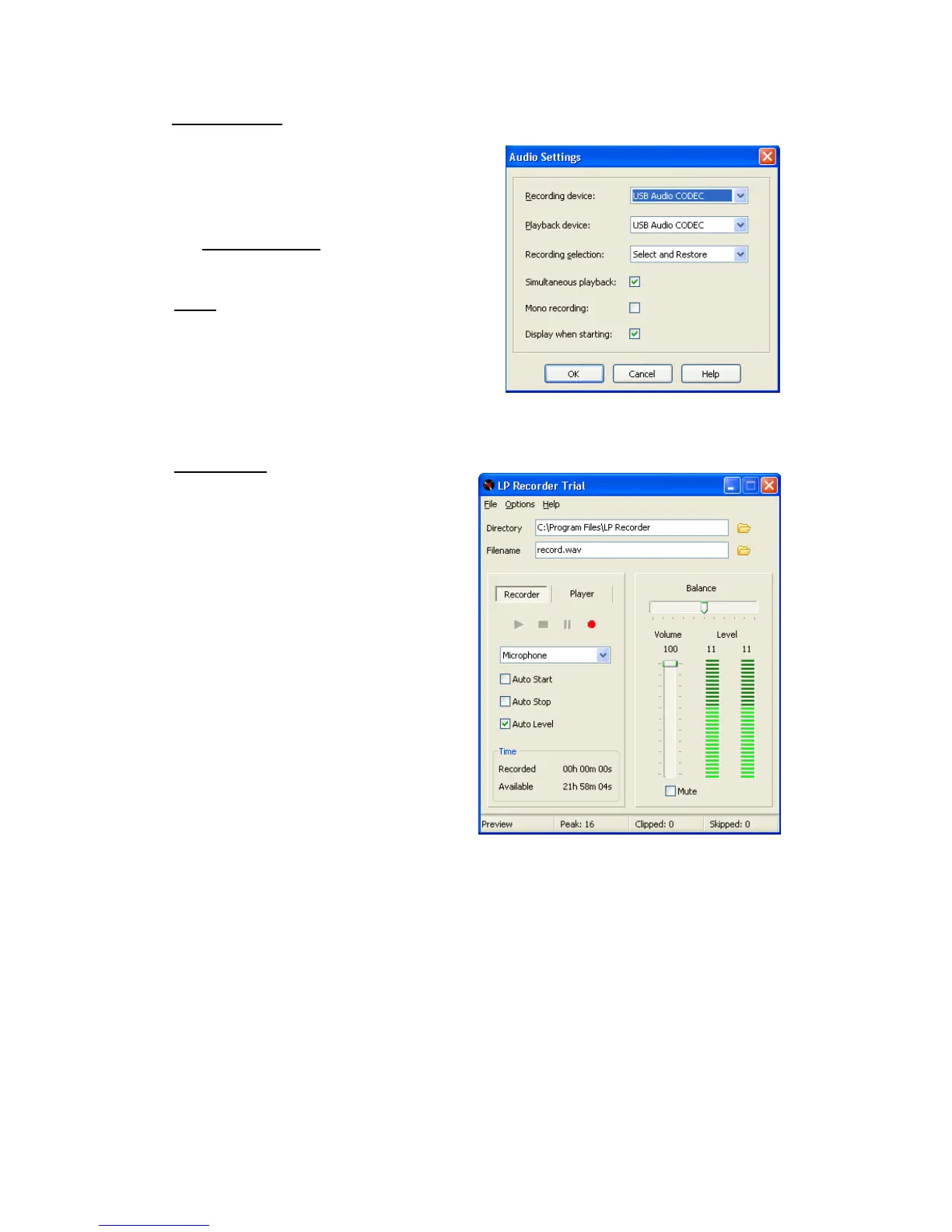
After installation, follow the
instruction to Run LP Recorder.
Click OK and OK again.
On Audio Settings select as shown.
Click OK.
Note:
With Simultaneous playback
checked you can listen to the
recording progress with the Record
Monitor on the Sedley switched ON.
(Record Monitor is described later
in this manual).
Recording:
On the recording screen we
recommend that you set the
Volume to 100 and then check the
Auto Level Box.
Play the record once through to
enable the software to set its
recording level to best suit the
record.
Play the record again and
press(click!) the RED record button
when ready to record.
When you have finished press stop
and save the file.
To check your recording click on
the Player tab and press play.
(with the Record Monitor switch in
the ON position you can listen to
your recording through your Hi Fi
system)


 To Next Page