8INSTALLATION
POWERING THE UNIT ON
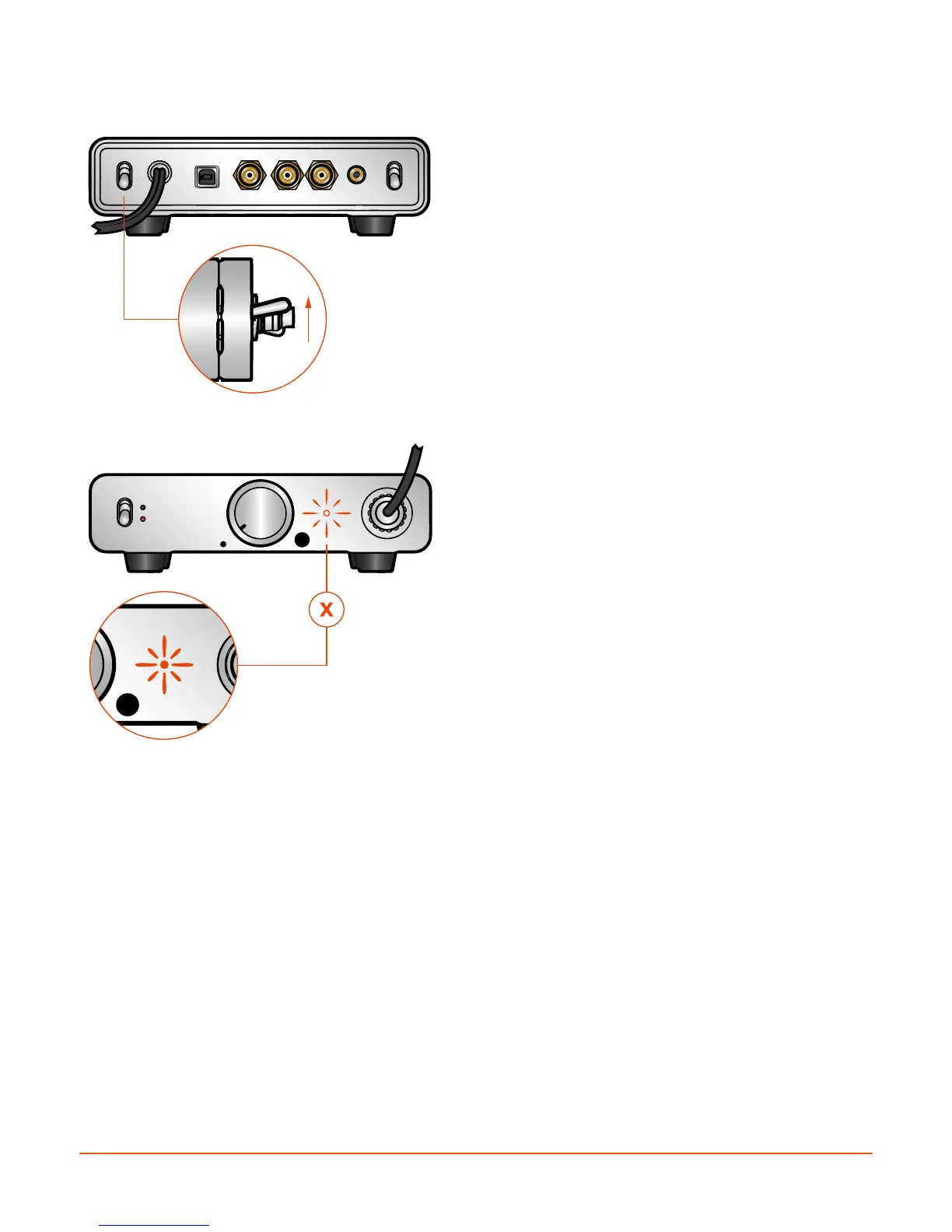
When all connections have been securely made,
power the amplifier/DAC unit ON by flipping the rear
panel power switch to the up position. To power OFF
simply depress the switch to the down position.
Provided all connections have been properly made,
the front panel status indicator should glow WHITE.
Your Sonoma M1 system is then ready to use.
If the amplifier/DAC detects a fault condition, the
status indicator will glow RED. In this case, first power
the unit OFF and re-check all the connections. If the
problem persists, please refer to the Troubleshooting
section.
ON


 To Next Page