11COMPUTER-BASED AUDIO SET-UP
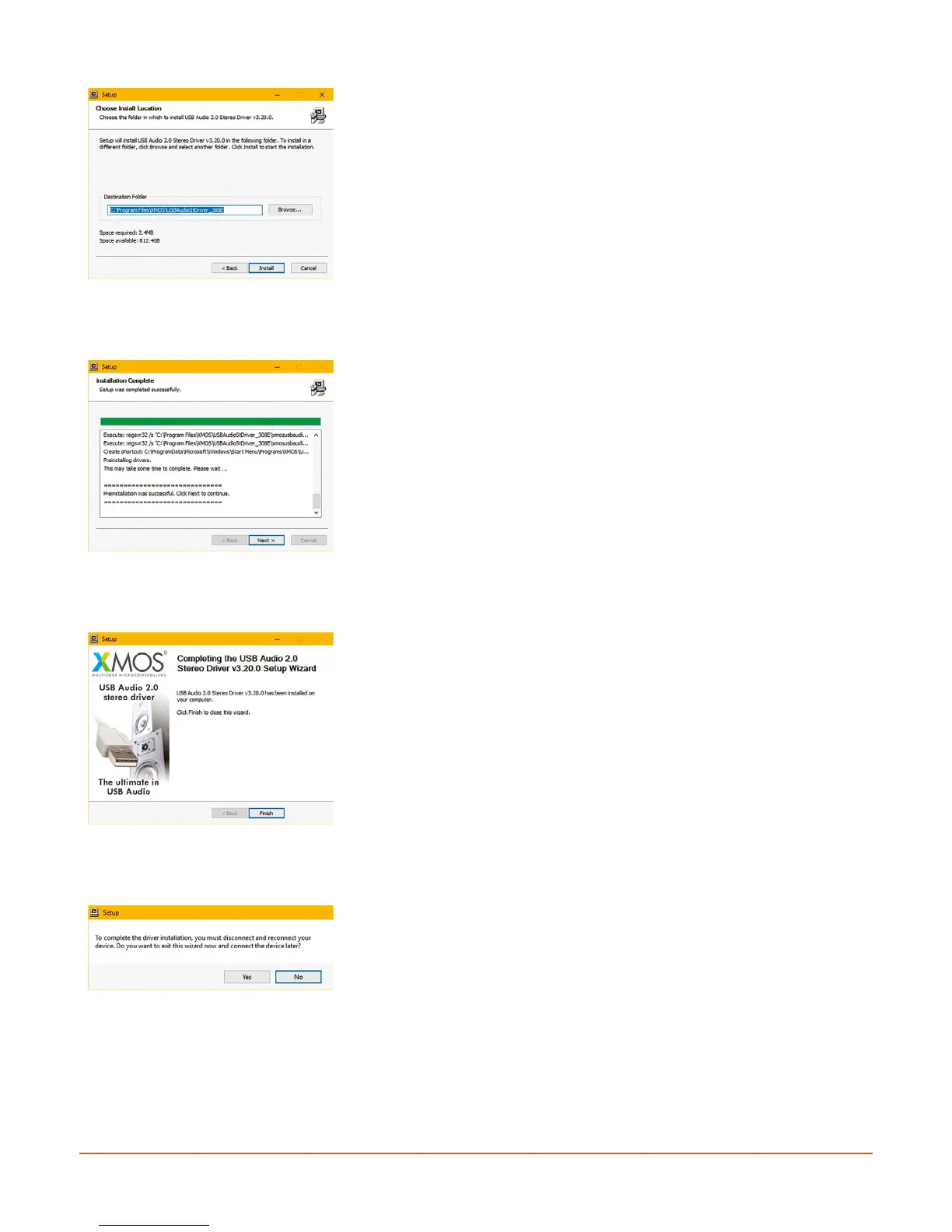
Unless you are an expert computer user, we strongly suggest that
you install the program in the suggested folder.
To do this, simply click the Install button.
If you want to install to a different location, first use the Browse…
button to locate the appropriate folder location.
Installation may take a few moments, when complete, click the
Next button.
When the driver has been successfully installed, you will obtain a
confirmation message. Click Finish to complete the installation
process.
You may also see a further completion message. If so, click Yes, and
then power cycle (turn off and then on again) your PC and the M1
system.


 To Next Page