Need help?
Do you have a question about the Sonomed E-Z Scan AB5500 Plus and is the answer not in the manual?
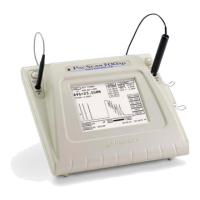
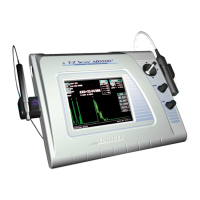
Overview of the E-Z Scan 5500+ series ophthalmic biometry instrument.
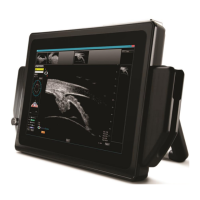
Description of the B-Scan system for measuring 2D eye images.
Description of the A-Scan system for measuring axial length and calculating IOL power.
Explanation of how the A-Scan system measures axial length using ultrasound echoes.
Explanation of the B-Scan operation, sector scans, and display of reflected energy.
LCD Display, Touch Screen, Bail Stand, Stylus Pen, Power Switch.
Ports (DC, RS232, Probe, Foot Switch), AC Adapter.
A-Scan Probes, B-Scan Probe, Coupling Gel, Instruction Manual.
Compliance with directives, safety standards, and environmental conditions.
Unit dimensions, weight, enclosure, power requirements, and electrical specs.
Details on ports, connectors, and A-Scan/B-Scan probe specifications.
LCD display resolution, dimensions, and video printer details.
Calibration procedures, capture/exam modes, waveform processing, and ultrasonic intensities.
IOL analysis programs, calculations, measurement limits, and accuracy.
Amplifier, user profiles, and general specifications like printing mode.
Memory capacity, report data fields, and live A-Scan display information.
Alpha-numeric data entry via touch screen and adjustable legs for viewing.
Examination modes, probe, measurements, processing, freeze, and image display.
Display scale, resolution, gray scale, and detailed display parameters.
Amplifier, magnification, and typical ultrasonic intensities.
High resolution, joystick control, gain/TVG, selectable scales, and image enhancement.
Procedure to reset the unit to factory defaults, warning about data loss.
Steps to verify and calibrate the touch screen functionality.
Procedures to verify LCD color functionality and video output signal.
Procedures to align joystick and verify rotary encoder functionality.
Procedures for checking system info and performing the mixed pattern test.
Procedure to test and measure distance calibration patterns.
Procedure to test and measure area calibration patterns.
Procedure for A-Scan calibration using a calibration cylinder.
Procedure for performing measurements after calibration.
Reference to procedure for losing date, time, and user information.
Troubleshooting steps related to the A-Scan PCB and its connections.
Procedure for replacing the A-Scan probe cable.
Troubleshooting unit power, rear connectors, and LCD image orientation.
Daily inspection of the instrument and cleaning the unit's enclosure.
Procedures for cleaning and disinfecting probes between patients.
Recommendations for unit storage and daily probe inspection.
 General
| Resolution | 0.01 mm |
|---|---|
| Probe Frequency | 10 MHz |
| Type | A-scan ultrasound biometer |
| Measurement Range | 15.0 mm to 40.0 mm (axial length) |
| Accuracy | ±0.1 mm (axial length) |
| Display | LCD |
| Power Supply | AC 100-240V, 50-60 Hz |
| Weight | Approx. 2.5 kg |

 To Next Page