EasyManua.ls Logo

Sonos Era 100 - User Manual

Sonos Era 100
29 pages
Print Icon
To Next Page IconTo Next Page
Loading...
Era 100
Guides
Era 100
Question and Answer IconNeed help?

Do you have a question about the Sonos Era 100 and is the answer not in the manual?

Summary

Product Overview

Speaker Description

The compact smart speaker designed for room-filling sound.

Control and Lights

Volume Control

Adjusting audio volume using touch controls.

Playback Controls

Managing audio playback functions: play, pause, and skip tracks.

Voice Services and Status Light

Controlling voice services and interpreting status light indicators.

Connector Panel Features

Bluetooth Button Functionality

Pairing new devices and reconnecting existing ones via Bluetooth.

USB-C Port Usage

Utilizing the USB-C port for line-in audio or Ethernet connections.

Microphone Switch Operation

Operating the universal microphone switch to turn off all microphones.

Select a Location

Placement Guidelines

Guidelines for optimal speaker placement to ensure best performance.

Bluetooth Pairing

Microphone On;Off Methods

Trueplay Tuning

Advanced Tuning

Detailed process for custom and precise room tuning.

Quick Tuning

Fast and accessible room tuning for any environment.

Auto Trueplay

Automatic tuning adjustments for portable Sonos products.

Set Up Stereo Pair

Set Up Surrounds

Surround Audio Settings

Adjustable settings for surround sound levels in home theater setups.

Line-In Connection

Product Settings

Room Name and WiFi Settings

Changing the speaker's room name and disabling WiFi connectivity.

EQ and Trueplay Settings

Adjusting sound equalization (EQ) and Trueplay settings for optimal audio.

Volume Limit and Touch Controls

Setting maximum volume levels and disabling touch controls on the speaker.

Battery Saver Mode

Enabling battery saver mode for portable speaker power management.

Line-In Playback Settings

Customizing line-in audio source name, level, delay, and autoplay.

Era 100 Stand

Stand Components and Required Tools

Listing of stand components and the tools required for assembly.

Era 100 Stand Setup

Base and Pole Assembly

Steps for assembling the stand base and threading the pole.

Speaker Platform and Cord Routing

Attaching the speaker platform and routing the power cord through the stand.

Final Stand Assembly Steps

Completing stand assembly with pole cap and connecting the speaker to power.

Era 100 Wall Mount

Wall Mount Components and Required Tools

Listing of wall mount components and the tools required for installation.

Era 100 Wall Mount Setup

Bracket Installation and Securing

Steps for placing, marking, and securing the wall mount bracket.

Speaker Attachment and Locking

Attaching the speaker to the mount and locking it securely in place.

Speaker Angle Adjustment

Adjusting the speaker's angle on the mount for optimal sound.

Product Specifications

Audio Components and Configuration

Specifications for amplifier, drivers, stereo pair, home theater, and microphones.

Voice Control, EQ, and Trueplay

Specifications for voice control, EQ, Trueplay, WiFi, and Bluetooth.

Power, Ports, CPU, Memory, and Software

Specifications for power, ports, CPU, memory, Sonos S2, and line-in.

Physical Dimensions and Environmental Data

Physical dimensions, operating/storage temperatures, humidity resistance, finish, and package contents.

Important Safety Information

General Safety Precautions

Essential guidelines for safe operation, handling, cleaning, and environmental considerations.

FCC Compliance Statement

Regulatory statement regarding compliance with FCC radio frequency emission limits.

Summary

Product Overview

Speaker Description

The compact smart speaker designed for room-filling sound.

Control and Lights

Volume Control

Adjusting audio volume using touch controls.

Playback Controls

Managing audio playback functions: play, pause, and skip tracks.

Voice Services and Status Light

Controlling voice services and interpreting status light indicators.

Connector Panel Features

Bluetooth Button Functionality

Pairing new devices and reconnecting existing ones via Bluetooth.

USB-C Port Usage

Utilizing the USB-C port for line-in audio or Ethernet connections.

Microphone Switch Operation

Operating the universal microphone switch to turn off all microphones.

Select a Location

Placement Guidelines

Guidelines for optimal speaker placement to ensure best performance.

Bluetooth Pairing

Microphone On;Off Methods

Trueplay Tuning

Advanced Tuning

Detailed process for custom and precise room tuning.

Quick Tuning

Fast and accessible room tuning for any environment.

Auto Trueplay

Automatic tuning adjustments for portable Sonos products.

Set Up Stereo Pair

Set Up Surrounds

Surround Audio Settings

Adjustable settings for surround sound levels in home theater setups.

Line-In Connection

Product Settings

Room Name and WiFi Settings

Changing the speaker's room name and disabling WiFi connectivity.

EQ and Trueplay Settings

Adjusting sound equalization (EQ) and Trueplay settings for optimal audio.

Volume Limit and Touch Controls

Setting maximum volume levels and disabling touch controls on the speaker.

Battery Saver Mode

Enabling battery saver mode for portable speaker power management.

Line-In Playback Settings

Customizing line-in audio source name, level, delay, and autoplay.

Era 100 Stand

Stand Components and Required Tools

Listing of stand components and the tools required for assembly.

Era 100 Stand Setup

Base and Pole Assembly

Steps for assembling the stand base and threading the pole.

Speaker Platform and Cord Routing

Attaching the speaker platform and routing the power cord through the stand.

Final Stand Assembly Steps

Completing stand assembly with pole cap and connecting the speaker to power.

Era 100 Wall Mount

Wall Mount Components and Required Tools

Listing of wall mount components and the tools required for installation.

Era 100 Wall Mount Setup

Bracket Installation and Securing

Steps for placing, marking, and securing the wall mount bracket.

Speaker Attachment and Locking

Attaching the speaker to the mount and locking it securely in place.

Speaker Angle Adjustment

Adjusting the speaker's angle on the mount for optimal sound.

Product Specifications

Audio Components and Configuration

Specifications for amplifier, drivers, stereo pair, home theater, and microphones.

Voice Control, EQ, and Trueplay

Specifications for voice control, EQ, Trueplay, WiFi, and Bluetooth.

Power, Ports, CPU, Memory, and Software

Specifications for power, ports, CPU, memory, Sonos S2, and line-in.

Physical Dimensions and Environmental Data

Physical dimensions, operating/storage temperatures, humidity resistance, finish, and package contents.

Important Safety Information

General Safety Precautions

Essential guidelines for safe operation, handling, cleaning, and environmental considerations.

FCC Compliance Statement

Regulatory statement regarding compliance with FCC radio frequency emission limits.

Overview

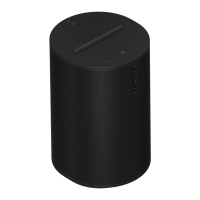
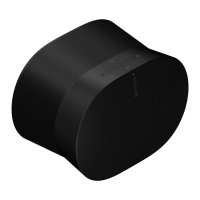
The Sonos Era 100 is a compact smart speaker designed to deliver room-filling sound. Its versatile design allows it to fit beautifully on a bookshelf, kitchen counter, nightstand, or to be mounted on a wall or stand.

Function Description:

The Sonos Era 100 serves as a smart speaker, offering a rich audio experience with flexible connectivity and intuitive control options. It can function as a standalone speaker, be paired with another Era 100 for a wider stereo soundstage, or be used as rear surrounds with compatible Sonos soundbars to enhance a home theater system.

Usage Features:

Sound and Performance:

The Era 100 is engineered to provide powerful sound in any location, with Trueplay tuning balancing the sound for its placement and the content being played. It features three Class-D digital amplifiers, two angled tweeters for crisp, accurate high-frequency response and a separated sense of right and left, and one mid-woofer for faithful playback of mid-range vocal frequencies and deep, rich bass.

Connectivity:

The speaker offers flexible connectivity options:

  • WiFi: Connects to WiFi using any 802.11a/b/g/n/ac/ax 2.4/5 GHz broadcast-capable router.
  • Bluetooth: Supports audio streaming from any Bluetooth-enabled device via Bluetooth 5.0. To pair, press and hold the Bluetooth button on the back of the speaker until a tone is heard and the status light blinks blue.
  • USB-C Port: This port is designed for line-in and Ethernet connections using the Sonos Line-In Adapter or Combo Adapter (sold separately). It is not a power source for the speaker and should not be used to charge other devices.
    • Ethernet: With the Sonos Combo Adapter and an Ethernet cable, the Era 100 can be hardwired directly to a router, which is helpful if WiFi is unstable.
    • Line-in: Using either the Sonos Line-In Adapter or Combo Adapter, you can connect devices like a turntable, CD player, or other audio sources.

Control Options:

The Era 100 can be controlled in multiple ways:

  • Sonos App: Provides easy control over the speaker, including volume adjustments, playback, and system settings.
  • Voice Control: Integrated voice control works with Amazon Alexa and Sonos Voice Control. The microphone icon on top of the speaker can be pressed to turn voice services on or off. When the indicator light is on and the microphone switch on the back is also on, voice control is available.
  • Touch Controls: Intuitive touch controls on the top of the speaker allow for:
    • Volume Control: Slide right or tap '+' for volume up; slide left or tap '-' for volume down. Press and hold for quick volume changes.
    • Play/Pause: Press once to play or pause audio. Press and hold to add the music playing to another room.
    • Next/Previous: Press '>' to skip to the next song; press '<' to go to the previous song. Note that skipping forward or backward is not possible when listening to a radio station.

System Integration:

  • Stereo Pair: Two Sonos speakers of the same type can be paired in the same room for a wider stereo experience, with one serving as the left channel and the other as the right. For optimal performance, place speakers 8 to 10 feet apart, with the listening position 8 to 12 feet from the paired speakers.
  • Surrounds: Two Sonos speakers (same model) or a Sonos Amp with non-Sonos speakers can be configured as separate right and left channels for a home theater. Place each surround speaker about 10 feet from the listening position, angled toward the seating area.

Microphone Control:

The Era 100 offers two ways to manage its microphones:

  • Universal Microphone Switch: Located on the back of the speaker, this switch turns all product microphones on or off. When off, microphone-enabled features like Trueplay quick tuning and voice services are unavailable.
  • Voice Services Button: On top of the Era 100, this button turns voice services on or off without affecting microphones needed for Trueplay and other microphone-dependent features. For voice services to be available, both the universal microphone switch and the voice services indicator light must be on.

Trueplay Tuning:

Trueplay measures how sound reflects off surfaces in a room and fine-tunes the speaker's sound.

  • Advanced Tuning: A custom and precise tuning process that takes about 5 minutes, using the microphone on an iOS device (iOS 8 or later). The user moves around the room while the sound is fine-tuned. This is recommended for large rooms.
  • Quick Tuning: A faster, effortless, and accessible tuning option that takes about a minute. It uses the microphone on the Sonos product itself to detect the environment, eliminating the need for user movement. Available for both iOS and Android, it's suitable for smaller rooms or spaces where movement is difficult.
  • Auto Trueplay: Portable Sonos products like Roam and Move can tune themselves automatically, using their microphones to detect the environment and make periodic tuning adjustments.

Product Settings (Customization):

Users can customize Sonos products via the Sonos app:

  • Room Name: Change the speaker's name if it's moved to a new room.
  • Turn off WiFi: Disable the speaker's WiFi when connected via Ethernet to reduce power consumption and potentially improve connectivity for wired speakers.
  • EQ: Adjust sound settings like bass, treble, balance, or loudness to personal preferences.
  • Trueplay: Adapts sound for surroundings and content. Portable products can tune themselves automatically.
  • Volume Limit: Set a maximum volume for each room.
  • Status Light: Control whether the connection status light is on or off.
  • Touch Controls: Disable touch controls to prevent accidental adjustments.
  • Battery Saver (for portable products only): Set the portable speaker to power off automatically instead of going to sleep to save battery life.

Line-in Settings (for Sonos products with line-in capability):

When an audio device is connected via line-in, these settings can be adjusted:

  • Source name: Choose a name for the line-in device.
  • Source level: Adjust the line-in source level if the default volume is too quiet or distorted.
  • Audio Delay: Add a delay between the line-in source and Sonos to reduce audio issues when playing line-in audio on grouped speakers.
  • Autoplay: Choose a room for line-in audio to start playing automatically when Sonos detects a signal on the line-in port (disabled by default).

Maintenance Features:

Cleaning:

The device should only be cleaned with a dry, soft cloth. Household cleaners or solvents can damage the finish.

Placement Guidelines:

  • For best performance, leave at least 1 inch (2.5 cm) of space around the back of the speaker when placed next to a wall or on a shelf.
  • If using Era 100 speakers as surrounds, leave at least 8 inches (203 mm) clearance around each speaker.

Safety Information:

  • Always read and keep the instructions, heed warnings, and follow all instructions.
  • Do not use the apparatus near water.
  • Ensure ventilation openings are not blocked.
  • Do not install near heat sources.
  • Protect the power cable from being walked on or pinched.
  • Only use manufacturer-specified attachments/accessories.
  • Unplug during lightning storms or long periods of disuse.
  • The product has no user-serviceable parts; refer all servicing to qualified Sonos personnel.
  • The Mains plug should be readily available for disconnection.
  • Do not expose the apparatus to rain, moisture, dripping, or splashing, and do not place liquid-filled objects on it.
  • Connections between the device and external equipment must use a shielded cable to maintain compliance with FCC radio frequency emission limits.

Sonos Era 100 Specifications

General IconGeneral
Amplifier classD
WooferYes
Speaker type-
Speaker placementTabletop/bookshelf
Number of speakers1
Audio output channels- channels
Number of tweeter drivers2
Product colorWhite
Volume controlTouch
Recommended usageUniversal
Card reader integratedNo
Battery typeBuilt-in battery
Power source typeAC
AC input frequency50 Hz
AC adapter frequency50-60 Hz
AC adapter input voltage100-240 V
RMS rated power- W
Cord length2 m
Frequency range2.4 - 5 GHz
Wi-Fi standards802.11a, 802.11b, 802.11g, Wi-Fi 4 (802.11n), Wi-Fi 5 (802.11ac), Wi-Fi 6 (802.11ax)
Bluetooth version5.0
Top Wi-Fi standardWi-Fi 6 (802.11ax)
USB connector typeUSB Type-C
Connectivity technologyWireless
Quantity per pack1 pc(s)
Product typeStereo portable speaker
Product designCylinder
Protection featuresMoisture resistant
Package typeBox
Weight and Dimensions IconWeight and Dimensions
Depth130.5 mm
Width120 mm
Height182.5 mm
Weight2020 g

Related product manuals