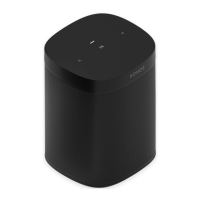
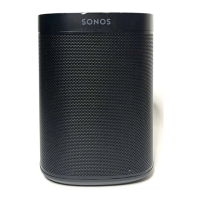
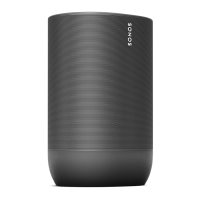
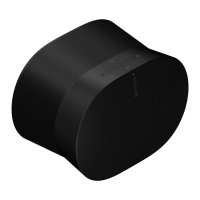
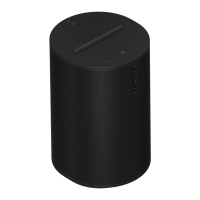
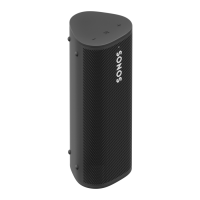
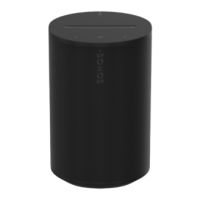
The Sonos One is a smart speaker designed for music lovers, offering a blend of powerful audio, versatile control options, and smart home integration. Its compact design makes it a perfect fit for various spaces, whether placed on shelves, counters, or mounted to a wall, ceiling, or speaker stand.
Function Description
The primary function of the Sonos One is to deliver high-quality audio, serving as a standalone speaker, part of a stereo pair, or as rear surrounds in a home theater setup. It integrates seamlessly with the Sonos ecosystem, allowing users to control their music and smart home devices through multiple interfaces.
Usage Features
Audio Experience:
The Sonos One provides a rich and immersive audio experience. When used as a standalone speaker, it delivers full-range sound. For an enhanced listening experience, two Sonos Ones can be paired to create a left-right stereo soundstage, offering wider and deeper audio. Additionally, two Sonos Ones can be configured as rear surrounds for a home theater system, adding an extra dimension to movies and TV shows.
Control Options:
The Sonos One offers flexible control methods to suit user preferences:
- Sonos App: Users can manage their music, adjust settings, and control the speaker through the Sonos S2 or Sonos S1 app on their mobile devices.
- Touch Controls: The speaker features intuitive touch controls on its top panel for quick adjustments:
- Volume Control: Touch the right side to increase volume and the left side to decrease it. Holding these controls allows for rapid volume changes.
- Play/Pause: A single tap on the play/pause button will play or pause audio. Holding this button will add the currently playing music to another room in the Sonos system.
- Next/Previous: Swiping right skips to the next song, while swiping left goes back to the previous song. It's important to note that skipping forward or backward is not possible when listening to a radio station.
- Voice Control: The Sonos One is a voice-enabled smart speaker, supporting various voice services. Users can control playback, adjust volume, and manage other smart home functions using voice commands. The microphone can be turned on or off via a dedicated touch control. When the microphone light is on, voice control is active and ready to respond. When the light is off, voice control is disabled. Even with the microphone off, users can still press and hold the microphone button to issue voice commands without a wake word, with voice control turning off upon release.
Voice Services Integration:
The Sonos One supports multiple voice assistants, enhancing its smart capabilities:
- Sonos Voice Control: Offers hands-free control of the entire Sonos system with an emphasis on privacy. It's easily added during speaker setup.
- Amazon Alexa: Requires the Sonos app and the Alexa app with the Sonos skill enabled, with setup involving changes in both applications.
- Google Assistant: Similar to Alexa, it requires both the Sonos app and the Google Assistant app for setup.
- Siri: For AirPlay2-compatible Sonos speakers, Siri can be used via the Apple Home app on an iPhone, iPad, or Apple TV to play music, currently limited to Apple Music.
- Note that voice control availability may vary by country and region.
Trueplay Tuning:
Trueplay is a feature that optimizes the sound of the Sonos One to the acoustics of any room. It measures how sound reflects off walls, furnishings, and other surfaces, then fine-tunes the speaker's output for optimal sound quality. Trueplay tuning is performed using an iOS mobile device (iOS 8 or later) by moving around the room while holding the device. Portable Sonos products also feature Auto Trueplay, which automatically detects the environment and makes periodic tuning adjustments for consistent sound quality wherever the speaker is located.
Connectivity:
The Sonos One connects to a WiFi network for wireless audio streaming. It also includes an Ethernet port, allowing for a direct wired connection to a router, computer, or network-attached storage (NAS) device, which can be beneficial if the WiFi signal is unstable.
Product Settings:
Users can customize various settings to tailor the Sonos One to their preferences and surroundings:
- Room Name: The speaker's assigned room name can be changed if it's moved to a new location.
- Turn off WiFi: For wired speakers, WiFi can be disabled to reduce power consumption and potentially improve connectivity.
- EQ: Preset equalization settings can be adjusted, including bass, treble, balance, and loudness, to suit personal listening preferences.
- Trueplay: Access to Trueplay tuning for sound optimization.
- Volume Limit: A maximum volume can be set for each room to prevent accidental excessive loudness.
- Status Light: The status light, which indicates WiFi connection, muted volume, and errors, can be turned off if found distracting.
- Touch Controls: The touch controls on the speaker can be disabled to prevent unintended adjustments, particularly useful in households with children or pets.
Accessories:
Sonos offers a range of accessories designed to complement the Sonos One, including stands, wall mounts, chargers, and cables.
Sonos One Stand:
A custom-designed stand provides an elegant solution for placing Sonos One, One SL, and Play:1 speakers as home theater surrounds.
- Design: Features an indentation in the stem for discreet power cable management, solid construction for stability, and bumpers to secure the speaker.
- Height: Optimized for home theater surround placement.
- Assembly: The stand kit includes a base, stem, speaker platform, speaker platform bottom cover, stem top cap, and a mounting kit with screws. Assembly requires a Phillips-head screwdriver. The process involves threading the speaker's power cord through the base and platform, attaching the stem and platform with screws, plugging in the power cord, and securing the cable along the stem.
Sonos One Shelf:
An easy-to-install shelf securely holds Sonos One, One SL, and Play:1 speakers, offering a space-saving design.
- Design: Supports speakers up to 8lbs (3.6kg) and features a compact design.
- Installation: The kit includes a top shelf, wall bracket, bottom cover, and mounting hardware. Installation requires a pencil, Phillips-head screwdriver, and potentially a power drill depending on the wall material (wood stud, drywall, plaster, concrete/brick). The process involves marking screw holes, drilling pilot holes (if using wall anchors), screwing the bracket to the wall, pressing the shelf onto the bracket, routing the power cord, and securing the bottom cover.
Sonos One Mount:
A versatile mount for Sonos One, One SL, and Play:1 speakers, allowing for various orientations and easy cable management.
- Design: Holds the speaker normally, upside-down, or horizontally, and allows it to pivot up to 45 degrees. Provides access to ports, buttons, and touch controls, and cleanly routes cables.
- Installation: The kit includes the mount, wall bracket, top cap, and mounting kit. Installation requires a pencil, level, Phillips-head screwdriver, and potentially a power drill. The process involves placing the wall mount bracket against the wall, marking screw holes, drilling pilot holes (if using wall anchors), screwing the bracket to the wall, feeding the speaker's power cord through the mount and plugging it in, placing the speaker onto the mount, pressing the top band down and screwing it in, sliding the mount onto the wall bracket, twisting the speaker to lock it in place, and routing the power cable.
Maintenance Features
- Cleaning: The Sonos One should be cleaned only with a dry, soft cloth. Household cleaners or solvents can damage the finish.
- Humidity Resistance: The speaker is designed to withstand high humidity, making it suitable for use in bathrooms with running showers. However, it is not waterproof or water-resistant and should not be exposed to rain or submerged in water.
- User-Serviceable Parts: The Sonos One does not have any user-serviceable parts. Users should not attempt to open, disassemble, repair, or replace any components. All servicing should be referred to qualified Sonos personnel.
- Power Cable Protection: The power cable should be protected from being walked on or pinched, especially at plugs, convenience receptacles, and where it exits the apparatus.
- Heat Sources: The speaker should not be installed near any heat sources such as radiators, heat registers, stoves, or other apparatus that produce heat.
- Ventilation: Ventilation openings should not be blocked, and the speaker should be installed according to the manufacturer's instructions to ensure proper airflow.
- Liquid Exposure: The apparatus should not be exposed to dripping or splashing liquids, and objects filled with liquids, such as vases, should not be placed on it.

 Need help?
 General
 Weight and Dimensions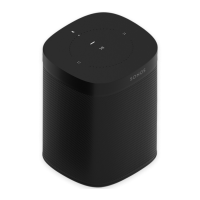

 To Next Page