EasyManua.ls Logo

Sonos Era 300 - User Manual

Sonos Era 300
33 pages
Print Icon
To Next Page IconTo Next Page
Loading...
Era 300
Guides
Era 300
Question and Answer IconNeed help?

Do you have a question about the Sonos Era 300 and is the answer not in the manual?

Summary

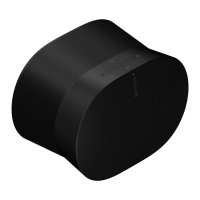
Overview of Sonos Era 300

Key Features of Era 300

Details the premium smart speaker's capabilities including spatial audio, WiFi, Bluetooth, and voice control.

Controls and Lights Overview

Volume Control Operations

Instructions for adjusting volume up and down using slide or tap gestures.

Play;Pause and Room Control

How to play/pause audio and add audio to other rooms with press and hold.

Track Navigation Methods

Methods for skipping to the next or previous song, with radio station limitations.

Voice Services and Status Light

Voice Services On;Off Control

How to turn voice services on or off via the microphone icon and indicator light.

Status Light Indicator Meaning

Explains the status light's function for WiFi connection, mute, and error signals.

Connector Panel Functions

AC Power Input and Cord

Information on using the supplied power cord for AC power connection.

Bluetooth Pairing Button Usage

Instructions for pairing new devices and reconnecting using the Bluetooth button.

Universal Microphone Switch

USB-C Port Connectivity

Location Selection and Bluetooth Pairing

Optimal Speaker Placement Guidelines

Guidelines for placing the Era 300 for best sound projection and clarity.

Bluetooth Device Pairing Steps

Step-by-step guide to connect your device to the Era 300 via Bluetooth.

Microphone Control Methods

Trueplay Tuning Options

Understanding Trueplay Tuning

Measures room acoustics to fine-tune speaker sound for optimal placement.

Advanced Tuning Method

Custom, precise tuning taking about 5 minutes using an iOS device.

Quick Tuning Method

Fast, effortless tuning using the speaker's microphone, ideal for smaller rooms.

Auto Trueplay Functionality

Automatic tuning adjustments for portable Sonos products.

Setting Up a Stereo Pair

Setting Up Surround Sound

Configuring Surround Speakers

Guide to configuring two speakers as surround channels for home theater.

Surround Audio Settings Explained

Adjustable settings for surround sound, TV level, music level, and playback.

Voice Services and Line-In Setup

Using Voice Services with Sonos

Control your Sonos system using voice commands with integrated or third-party assistants.

Connecting Audio Devices via Line-In

Connect audio devices via line-in using an adapter for playback on Sonos products.

Product Settings and Customization

Adjusting Speaker Room Name

How to change the speaker's name if it's moved to a new room.

Disabling Speaker WiFi

Instructions for turning off WiFi to reduce power consumption and improve connectivity.

Equalizer (EQ) Settings Adjustment

Customize sound settings like bass, treble, balance, and loudness.

Trueplay Sound Adaptation

How Trueplay adapts sound for surroundings and content, including automatic tuning.

Setting Volume Limits

Set a maximum volume level for individual rooms.

Advanced Product Settings

Managing the Status Light

Manage the speaker's status light, including turning it off if distracting.

Disabling Touch Controls

Disable touch controls to prevent accidental adjustments by children or pets.

Battery Saver Mode Activation

Enable automatic power-off for portable speakers to conserve battery life.

Line-In Settings and Accessories Guide

Configuring Line-In Device Settings

Configure source name, level, audio delay, and autoplay for line-in devices.

Finding Compatible Accessories

Information on finding compatible stands, wall mounts, chargers, and cables.

Era 300 Stand Assembly Guide

Era 300 Stand Features

Details the stand's design, cable management, and assembly components.

Tools Required for Stand Setup

Lists the necessary tools, such as a Phillips-head screwdriver, for stand assembly.

Era 300 Stand Setup: Initial Steps

Era 300 Stand Setup: Final Assembly

Era 300 Stand Setup: Placement and Power

Era 300 Wall Mount Assembly Guide

Wall Mount Features and Contents

Describes the easy-to-install mount, its capabilities, and included components.

Tools Needed for Wall Mounting

Lists required tools like a pencil, level, stud finder, and power drill.

Era 300 Wall Mount Orientation Options

Upright Wall Mounting Procedure

Locating Wall Studs and Bracket Placement

Steps for finding a wall stud, aligning, and marking the bracket position.

Securing Bracket and Routing Power Cord

Pre-drilling pilot holes, attaching the bracket, and threading the power cord.

Upright Wall Mount: Speaker and Angle Adjustment

Attaching Speaker to Wall Mount

Instructions for attaching the speaker platform and securely mounting the speaker.

Adjusting Speaker Angle for Sound

How to unlock, reposition, and lock the speaker for optimal sound angles.

Inverted Wall Mounting Procedure

Preparing Mount for Inverted Installation

Steps for finding studs, securing the bracket, and reorienting the mount assembly.

Pre-drilling and Bracket Attachment (Inverted)

Process for pre-drilling pilot holes and attaching the bracket to the wall.

Inverted Wall Mount: Speaker and Angle Adjustment

Attaching Speaker to Inverted Mount

Connecting the power cord, attaching the speaker to the mount, and securing it.

Adjusting Speaker Angle (Inverted Mount)

Guide to adjusting the speaker angle after inverted wall mounting.

Audio Specifications of Era 300

Amplifier Configuration Details

Six Class-D digital amplifiers tuned for the speaker's acoustic architecture.

Tweeter System Description

Four tweeters for faithful playback, including forward, side, and upward-firing types.

Woofer System Description

Two woofers for maximized low-end output, angled for stereo playback support.

Microphone Array and Control

Far field microphone array with the ability to turn off all microphones.

Performance and Connectivity Specifications

Adjustable Equalizer (EQ) Settings

Use the Sonos app to adjust bass, treble, and loudness settings.

Trueplay Tuning System

Software that measures room acoustics to fine-tune EQ, requires microphone to be on.

Stereo Pairing Functionality

Combine two speakers into separate left and right channels for wider sound.

Dolby Atmos Spatial Audio

Spatial audio technology for immersive 3D sound experiences.

Home Theater Surround Setup

Add two Era 300 speakers as surrounds for an immersive home theater experience.

WiFi Connectivity Standards

Connects to WiFi using 802.11a/b/g/n/ac/ax 2.4/5GHz standards.

Connectivity and System Specs

Bluetooth 5.0 Audio Streaming

Supports audio streaming from any Bluetooth-enabled device and pairing.

Power Supply Unit Specifications

Auto-switching 100-240VAC, 50/60 Hz, 2.3A universal input.

USB-C Port for Audio and Ethernet

For line-in audio sources or Ethernet connection via adapters (sold separately).

CPU and Memory Configuration

Quad Core 4xA55 1.9GHz CPU and 8GB DDR4/8GB NAND memory.

Sonos S2 App Control

Set up and control the Era 300 using the latest generation of the Sonos app.

Line-In Adapter Connection Details

Connect devices via a 3.5mm audio line-in connection using an adapter.

Compatibility, Dimensions, and Contents

Apple AirPlay 2 Compatibility

Works with AirPlay 2 on Apple devices running iOS 11.4 and higher.

Voice Control Features and Options

Integrated voice control functionality, with options to disable listening.

Physical Dimensions and Weight

Provides the height, width, depth, and weight of the Era 300 speaker.

Operating and Storage Temperature Ranges

Specifies the safe operating and storage temperature ranges for the device.

Colors, Finish, and Package Contents

Details available colors, matte finish, and what's included in the package.

Important Safety Information

General Safety Guidelines

Read, keep, heed warnings, follow instructions, and avoid water use.

Ventilation and Heat Precautions

Do not block ventilation, install away from heat sources, protect the power cable.

Servicing and Damage Handling

Do not open or attempt repair; refer servicing to qualified personnel for damaged units.

Electrical Shock and Moisture Hazard

Warning to reduce fire/shock risk by not exposing to rain or moisture.

External Equipment Connection Compliance

Summary

Overview of Sonos Era 300

Key Features of Era 300

Details the premium smart speaker's capabilities including spatial audio, WiFi, Bluetooth, and voice control.

Controls and Lights Overview

Volume Control Operations

Instructions for adjusting volume up and down using slide or tap gestures.

Play;Pause and Room Control

How to play/pause audio and add audio to other rooms with press and hold.

Track Navigation Methods

Methods for skipping to the next or previous song, with radio station limitations.

Voice Services and Status Light

Voice Services On;Off Control

How to turn voice services on or off via the microphone icon and indicator light.

Status Light Indicator Meaning

Explains the status light's function for WiFi connection, mute, and error signals.

Connector Panel Functions

AC Power Input and Cord

Information on using the supplied power cord for AC power connection.

Bluetooth Pairing Button Usage

Instructions for pairing new devices and reconnecting using the Bluetooth button.

Universal Microphone Switch

USB-C Port Connectivity

Location Selection and Bluetooth Pairing

Optimal Speaker Placement Guidelines

Guidelines for placing the Era 300 for best sound projection and clarity.

Bluetooth Device Pairing Steps

Step-by-step guide to connect your device to the Era 300 via Bluetooth.

Microphone Control Methods

Trueplay Tuning Options

Understanding Trueplay Tuning

Measures room acoustics to fine-tune speaker sound for optimal placement.

Advanced Tuning Method

Custom, precise tuning taking about 5 minutes using an iOS device.

Quick Tuning Method

Fast, effortless tuning using the speaker's microphone, ideal for smaller rooms.

Auto Trueplay Functionality

Automatic tuning adjustments for portable Sonos products.

Setting Up a Stereo Pair

Setting Up Surround Sound

Configuring Surround Speakers

Guide to configuring two speakers as surround channels for home theater.

Surround Audio Settings Explained

Adjustable settings for surround sound, TV level, music level, and playback.

Voice Services and Line-In Setup

Using Voice Services with Sonos

Control your Sonos system using voice commands with integrated or third-party assistants.

Connecting Audio Devices via Line-In

Connect audio devices via line-in using an adapter for playback on Sonos products.

Product Settings and Customization

Adjusting Speaker Room Name

How to change the speaker's name if it's moved to a new room.

Disabling Speaker WiFi

Instructions for turning off WiFi to reduce power consumption and improve connectivity.

Equalizer (EQ) Settings Adjustment

Customize sound settings like bass, treble, balance, and loudness.

Trueplay Sound Adaptation

How Trueplay adapts sound for surroundings and content, including automatic tuning.

Setting Volume Limits

Set a maximum volume level for individual rooms.

Advanced Product Settings

Managing the Status Light

Manage the speaker's status light, including turning it off if distracting.

Disabling Touch Controls

Disable touch controls to prevent accidental adjustments by children or pets.

Battery Saver Mode Activation

Enable automatic power-off for portable speakers to conserve battery life.

Line-In Settings and Accessories Guide

Configuring Line-In Device Settings

Configure source name, level, audio delay, and autoplay for line-in devices.

Finding Compatible Accessories

Information on finding compatible stands, wall mounts, chargers, and cables.

Era 300 Stand Assembly Guide

Era 300 Stand Features

Details the stand's design, cable management, and assembly components.

Tools Required for Stand Setup

Lists the necessary tools, such as a Phillips-head screwdriver, for stand assembly.

Era 300 Stand Setup: Initial Steps

Era 300 Stand Setup: Final Assembly

Era 300 Stand Setup: Placement and Power

Era 300 Wall Mount Assembly Guide

Wall Mount Features and Contents

Describes the easy-to-install mount, its capabilities, and included components.

Tools Needed for Wall Mounting

Lists required tools like a pencil, level, stud finder, and power drill.

Era 300 Wall Mount Orientation Options

Upright Wall Mounting Procedure

Locating Wall Studs and Bracket Placement

Steps for finding a wall stud, aligning, and marking the bracket position.

Securing Bracket and Routing Power Cord

Pre-drilling pilot holes, attaching the bracket, and threading the power cord.

Upright Wall Mount: Speaker and Angle Adjustment

Attaching Speaker to Wall Mount

Instructions for attaching the speaker platform and securely mounting the speaker.

Adjusting Speaker Angle for Sound

How to unlock, reposition, and lock the speaker for optimal sound angles.

Inverted Wall Mounting Procedure

Preparing Mount for Inverted Installation

Steps for finding studs, securing the bracket, and reorienting the mount assembly.

Pre-drilling and Bracket Attachment (Inverted)

Process for pre-drilling pilot holes and attaching the bracket to the wall.

Inverted Wall Mount: Speaker and Angle Adjustment

Attaching Speaker to Inverted Mount

Connecting the power cord, attaching the speaker to the mount, and securing it.

Adjusting Speaker Angle (Inverted Mount)

Guide to adjusting the speaker angle after inverted wall mounting.

Audio Specifications of Era 300

Amplifier Configuration Details

Six Class-D digital amplifiers tuned for the speaker's acoustic architecture.

Tweeter System Description

Four tweeters for faithful playback, including forward, side, and upward-firing types.

Woofer System Description

Two woofers for maximized low-end output, angled for stereo playback support.

Microphone Array and Control

Far field microphone array with the ability to turn off all microphones.

Performance and Connectivity Specifications

Adjustable Equalizer (EQ) Settings

Use the Sonos app to adjust bass, treble, and loudness settings.

Trueplay Tuning System

Software that measures room acoustics to fine-tune EQ, requires microphone to be on.

Stereo Pairing Functionality

Combine two speakers into separate left and right channels for wider sound.

Dolby Atmos Spatial Audio

Spatial audio technology for immersive 3D sound experiences.

Home Theater Surround Setup

Add two Era 300 speakers as surrounds for an immersive home theater experience.

WiFi Connectivity Standards

Connects to WiFi using 802.11a/b/g/n/ac/ax 2.4/5GHz standards.

Connectivity and System Specs

Bluetooth 5.0 Audio Streaming

Supports audio streaming from any Bluetooth-enabled device and pairing.

Power Supply Unit Specifications

Auto-switching 100-240VAC, 50/60 Hz, 2.3A universal input.

USB-C Port for Audio and Ethernet

For line-in audio sources or Ethernet connection via adapters (sold separately).

CPU and Memory Configuration

Quad Core 4xA55 1.9GHz CPU and 8GB DDR4/8GB NAND memory.

Sonos S2 App Control

Set up and control the Era 300 using the latest generation of the Sonos app.

Line-In Adapter Connection Details

Connect devices via a 3.5mm audio line-in connection using an adapter.

Compatibility, Dimensions, and Contents

Apple AirPlay 2 Compatibility

Works with AirPlay 2 on Apple devices running iOS 11.4 and higher.

Voice Control Features and Options

Integrated voice control functionality, with options to disable listening.

Physical Dimensions and Weight

Provides the height, width, depth, and weight of the Era 300 speaker.

Operating and Storage Temperature Ranges

Specifies the safe operating and storage temperature ranges for the device.

Colors, Finish, and Package Contents

Details available colors, matte finish, and what's included in the package.

Important Safety Information

General Safety Guidelines

Read, keep, heed warnings, follow instructions, and avoid water use.

Ventilation and Heat Precautions

Do not block ventilation, install away from heat sources, protect the power cable.

Servicing and Damage Handling

Do not open or attempt repair; refer servicing to qualified personnel for damaged units.

Electrical Shock and Moisture Hazard

Warning to reduce fire/shock risk by not exposing to rain or moisture.

External Equipment Connection Compliance

Sonos Era 300 Specifications

General IconGeneral
Amplifier classD
Number of amplifiers6
FM radio-
Brand compatibilityUniversal
Built-in microphoneYes
Number of speakers1
Number of woofer drivers2
Number of tweeter drivers4
Product typeStereo portable speaker
Product colorBlack
LED indicatorsCharging, Error, Mute
Volume controlButtons
Built-in displayNo
Cord length2 m
Bluetooth version5.0
Connectivity technologyWireless
AC adapter frequency50/60 Hz
AC adapter input voltage100 - 240 V
Cables includedAC
Quantity per pack1 pc(s)
RMS rated power- W
Weight and Dimensions IconWeight and Dimensions
Depth260 mm
Width160 mm
Height185 mm
Weight4470 g

Related product manuals