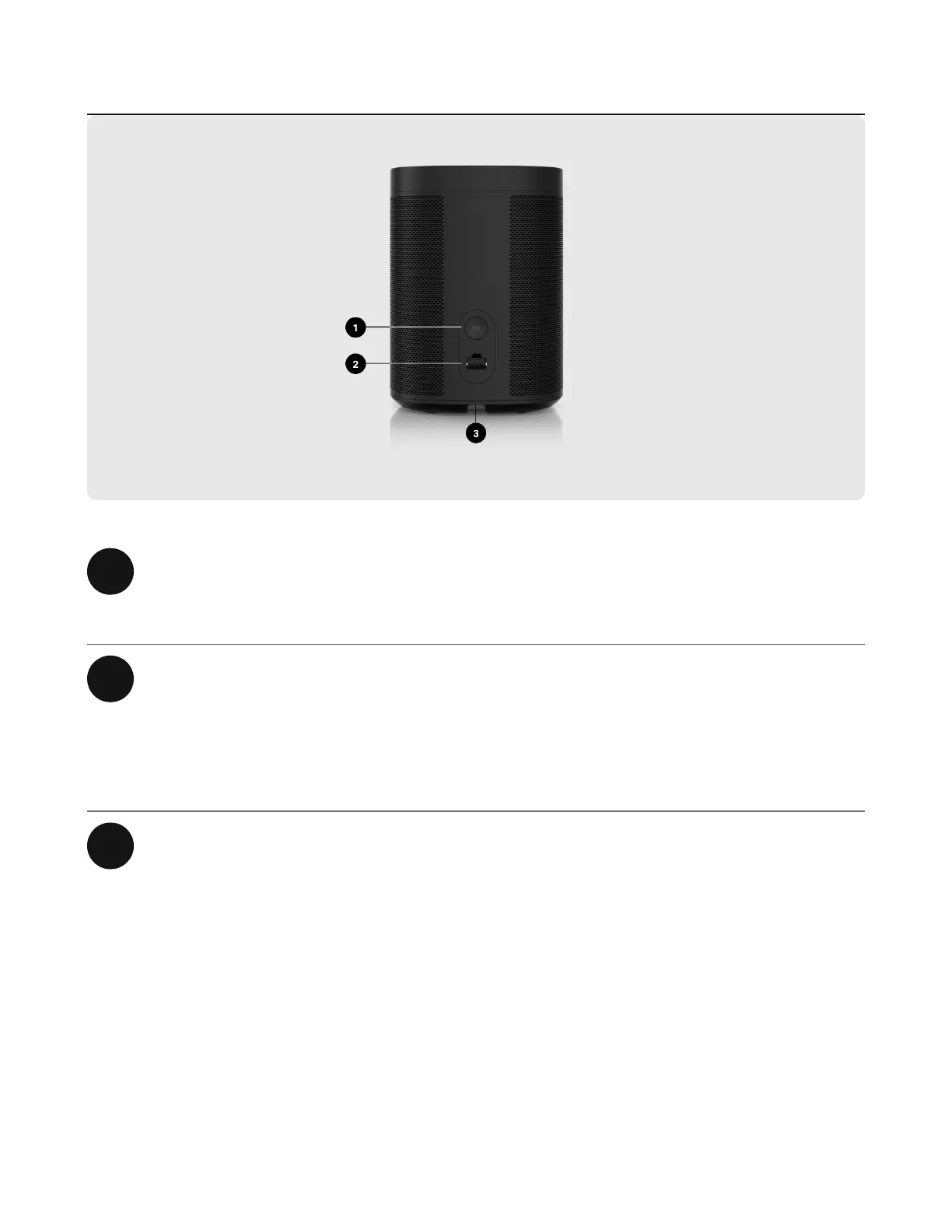
1 Join button Press to connect to your Sonos
system during setup.
2 Ethernet port Use an Ethernet cable if you want to
connect to a router, computer, or
network-attached storage (NAS)
device (optional).
3 AC power (mains) input Use only the supplied power cord
(using a third-party power cord will
void your warranty).
Note: Insert the power cord firmly
until it is flush with the bottom of the
speaker.


 To Next Page