SONOS USER GUIDE
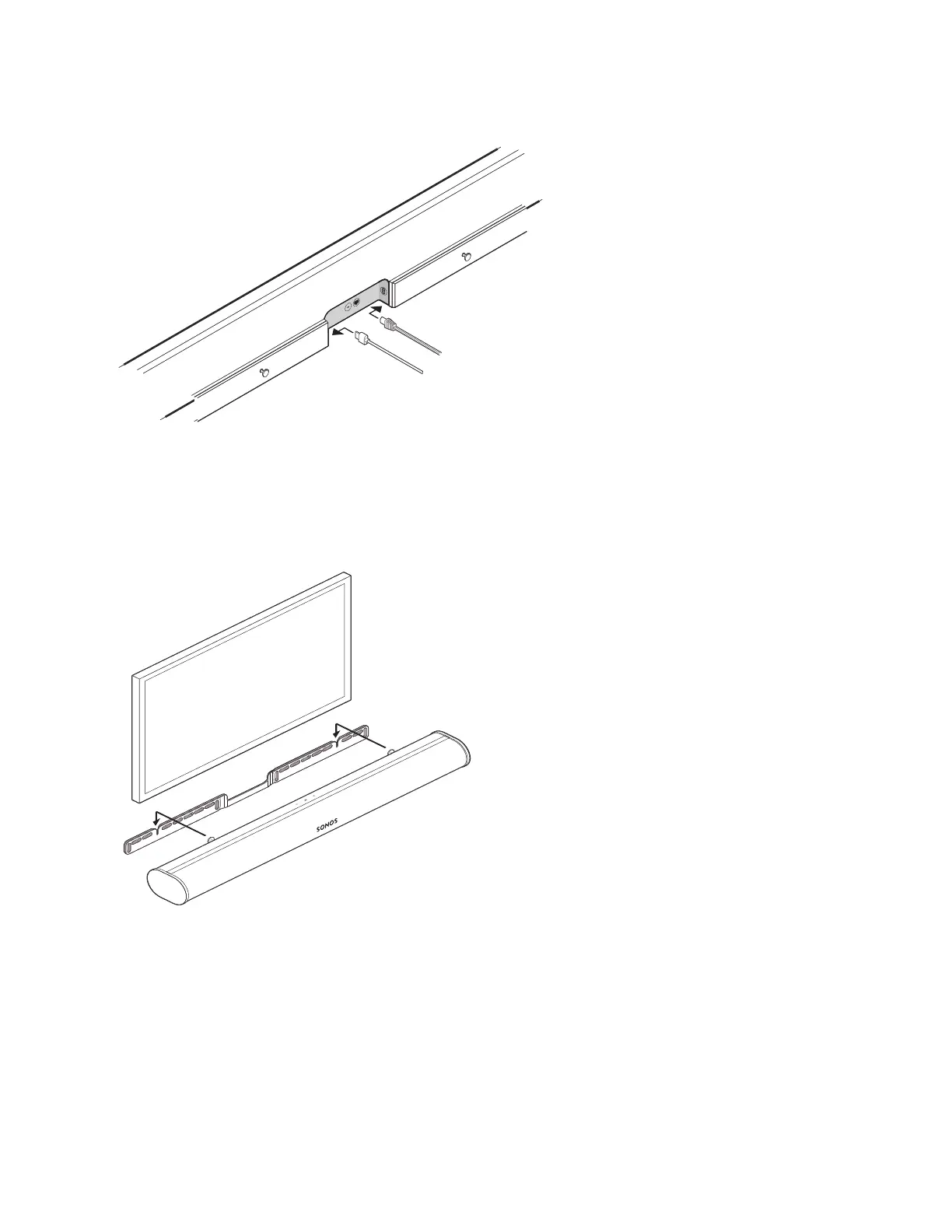
6. Connect the power and HDMI cables to the back of the soundbar.
Note: If you’re connecting the cables to the TV at this time, be sure to plug the HDMI cable into the HDMI
ARC or eARC port on your TV.
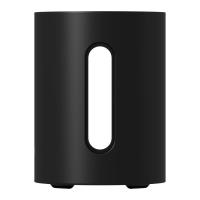
7. Slide the soundbar down so the knobs fit into the slots on the wall bracket. Make sure the touch controls
are facing up, and the soundbar is fully seated.


 To Next Page