3
Preparing the phone
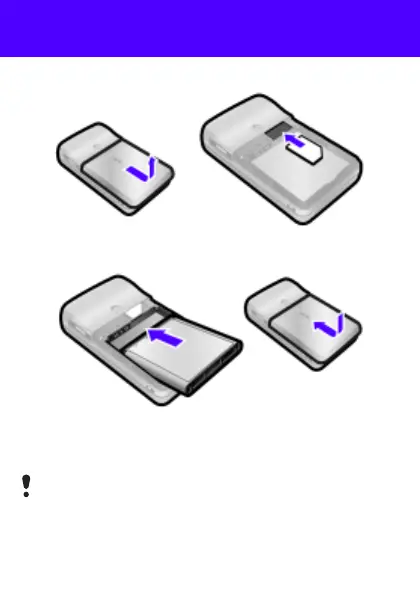
To insert the SIM card and battery
1 Remove the battery cover. Slide the SIM card into its holder
with the contacts facing down.
2 Insert the battery with the label side up and the connectors
facing each other. Replace the battery cover as shown in
the picture.
Do not force the battery cover into place. Slide the battery
cover carefully onto the phone and close it.
This is the Internet version of the User's guide. © Print only for private use.












 To Next Page