10
Screen icons
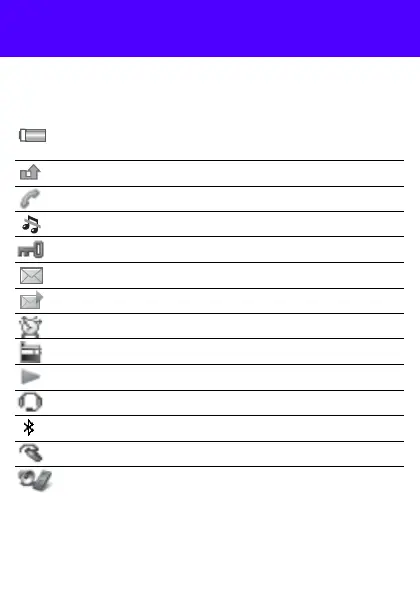
These icons may appear on the screen.
Icon Description
Battery icon. A completely green icon means the
battery is fully charged
You have missed a call
Ongoing call
The phone is set to silent
The keypad is locked
You have received a new text message
You have received a new picture message
An alarm is activated
The radio is playing
The music player is playing
A handsfree is connected
The Bluetooth function is activated
A Bluetooth handsfree is connected
The loudspeaker is on
This is the Internet version of the User's guide. © Print only for private use.





 To Next Page