43Entertainment
• SensMe™ – list all tracks available by
mood.
• Genre – list music genres.
• Year – list tracks in your phone and on
a memory card by year.
• Video – list all video clips in your
phone or on a memory card.
Playlists
You can create playlists to organize
files. You can sort the files by artist or
title. Files can be added to more than
one playlist.
Deleting a playlist, or a file from a
playlist, does not delete the file from the
memory, just the reference to the file.
To create a playlist
1 From standby select Media and scroll
to Music > Playlists.
2 Scroll to New playlist and select Add.
3 Enter a name and select OK.
4 Scroll to a track and select Mark.
5 Select Add to add the track to the
playlist.
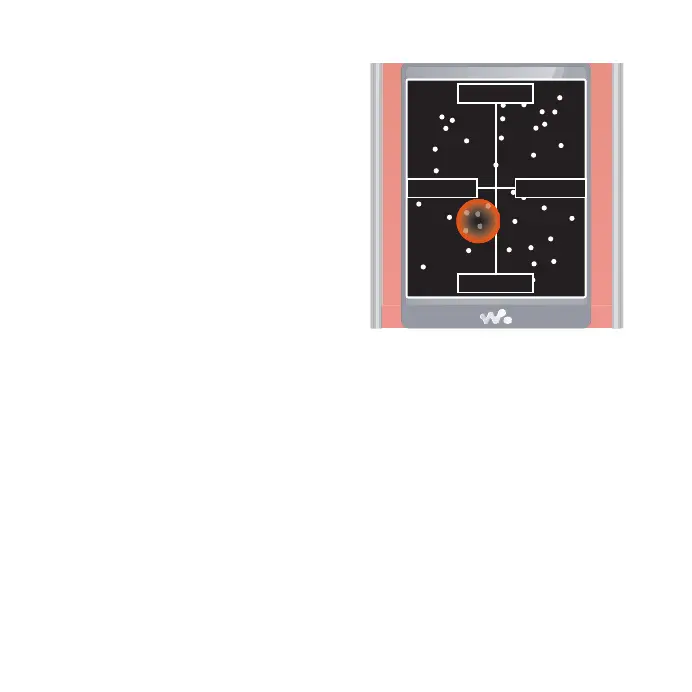
To create a playlist by mood
1 From standby select Media.
2 Scroll to Music > SensMe™ and select
Open.
3 Use the navigation key to preview
different tracks.
4 Select Add to choose an area of tracks.
5 Select Create to view the playlist in the
Walkman® player.
6 Select Options > Save playlist.
Sad
Happy
Slow
Fast
This is the Internet version of the User's guide. © Print only for private use.














 To Next Page