Adjusting the volume
You can adjust the ringtone volume for phone calls and notifications as well as for music
and video playback.
To adjust the ring volume with the volume key
•
Press the volume key up or down.
To adjust the media playing volume with the volume key
•
When playing music or watching video, press the volume key up or down.
To set the phone to silent and vibrating mode
1
Press the volume key down to minimum. The phone is in silent though still vibrating
mode.
2
Press the volume key further one step down to turn off the vibrating mode.
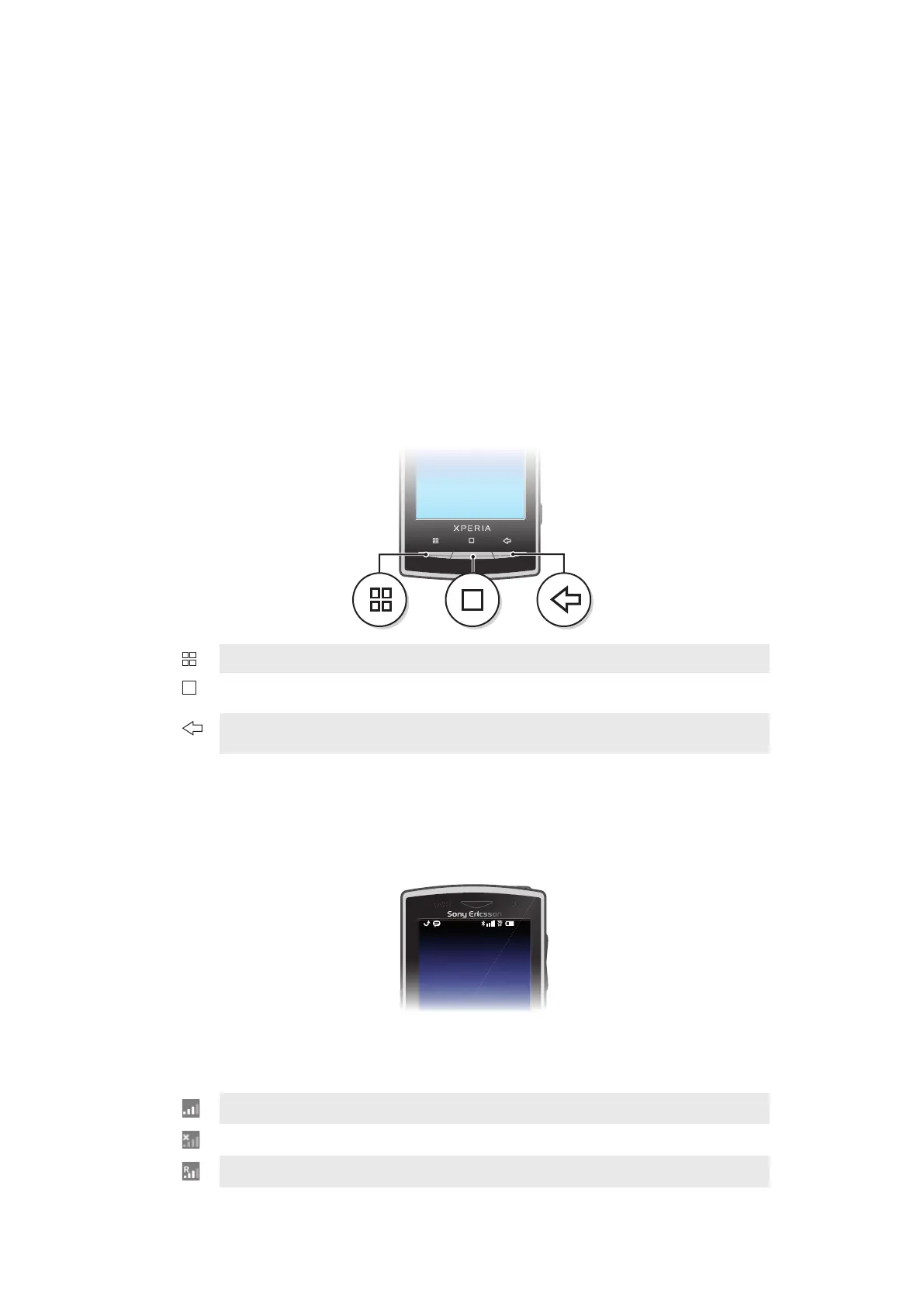
Using the hardware keys
Menu
Open a list of options available in the current screen or application
Home
•
Go to the Home screen or to the applications panes from any application or screen
•
Open the recently used applications window
Back
•
Go back to the previous screen
•
Close the onscreen keypad, a dialog box, an options menu, or the Notifications panel
Status bar
A status bar at the top of the screen displays phone status information and notifications.
Notification icons appear on the left side of the status bar. Phone status icons appear on
the right side. From the status bar you can access the notification panel.
Phone status icons
The following status icons may appear on your screen:
Signal strength
No signal
Roaming
12
This is an Internet version of this publication. © Print only for private use.











 To Next Page