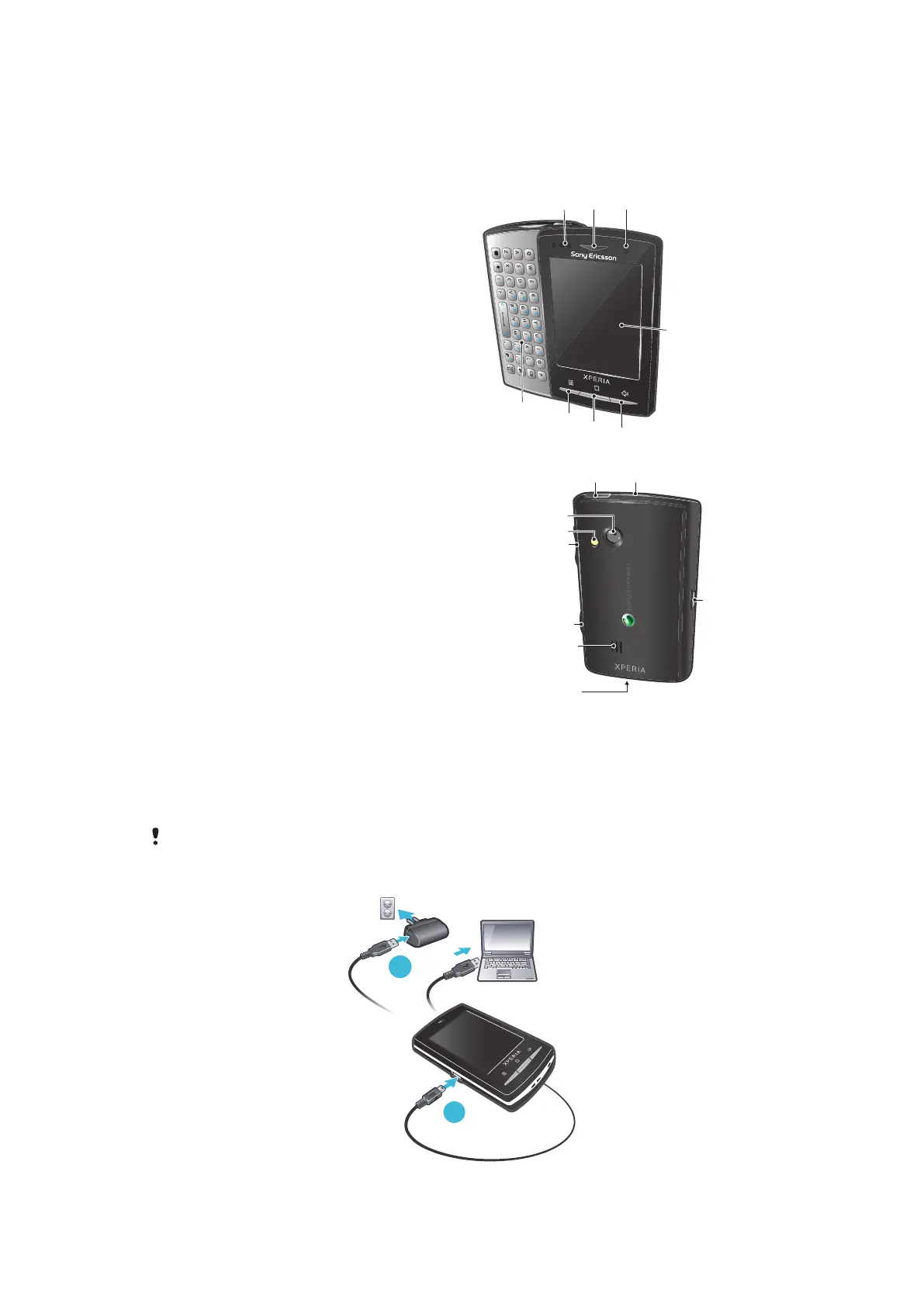
Getting to know your phone
Phone overview
1 Sensors
2 Ear speaker
3 Notification LED
4 Touch screen
5 Back key
6 Home key
7 Menu key
8 Keyboard
9 Power key/screen lock
10 3.5 mm headset connector
11 Camera lens
12 Camera light
13 Volume key
14 Camera key
15 Speaker
16 Strap hole
17 Connector for charger/USB cable
Charging the battery
The phone battery is partly charged when you buy the phone. It may take a few minutes
before the battery icon appears on the screen when you connect the phone to a power
source. You can still use your phone while it is charging.
The battery will start to discharge a little after it is fully charged and then charges again after a
certain time. This is to extend battery life and may result in the charge status showing a level
below 100 percent.
9
This is an Internet version of this publication. © Print only for private use.











 To Next Page