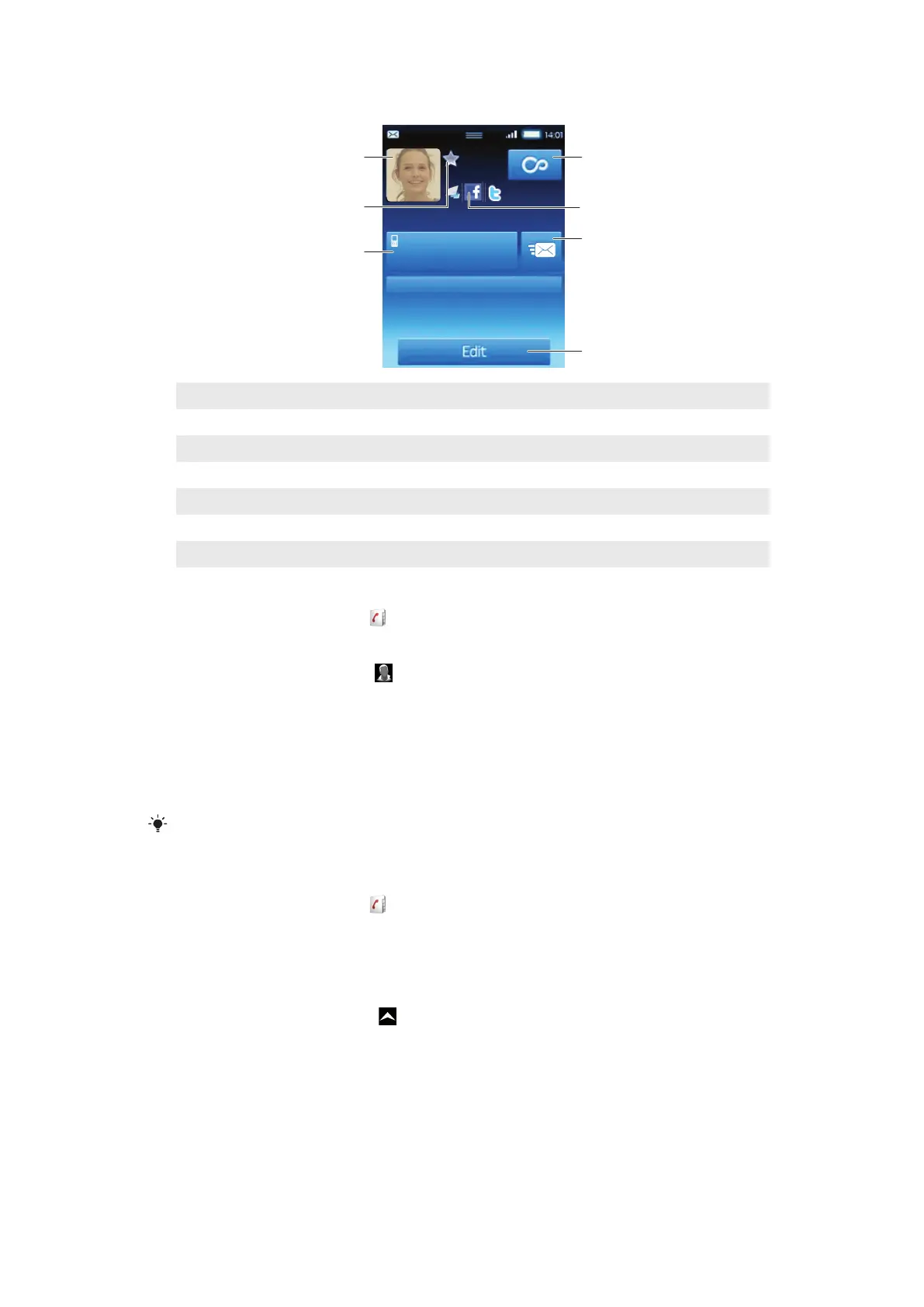
Contact details screen
Ellen Ackland
Mobile
Address
08705 237 237
3
4
2
1
6
5
7
1 Contact picture
2 The contact is a favourite
3 Phone number of the contact
4 Infinite button for access to all communication in Timescape™
5 The contact is linked to a web service contact
6 Send a text or multimedia message to the contact
7 Edit the contact
To edit a contact
1
From the Home screen, tap
.
2
Tap the contact you want to edit.
3
Scroll down and tap Edit.
4
To add a contact picture, tap and select a picture or take a photo.
5
To add a phone number, scroll down, tap Add more > Phone number and enter
the number.
6
To add an email or other address, scroll down, tap Add more and select the desired
type of address.
7
To select a contact ringtone, scroll down, tap Add more > Ringtone. Select a
ringtone and tap Done.
8
When you are finished, scroll up and tap Save.
The type of phone number is selected automatically. You can tap the number type field to change
it.
To delete a contact
1
From the Home screen, tap
.
2
Tap the contact you want to delete.
3
Scroll down and tap Edit.
4
Scroll down and tap Delete contact > Delete.
To delete all contacts
1
From the Home screen, drag
upwards.
2
Find and tap Settings.
3
Tap Applications > Manage applications.
4
Tap Contacts Storage.
5
Tap Clear data.
30
This is an Internet version of this publication. © Print only for private use.











 To Next Page