This is the Internet version of the user's guide. © Print only for private use.
8
Getting to know your phone
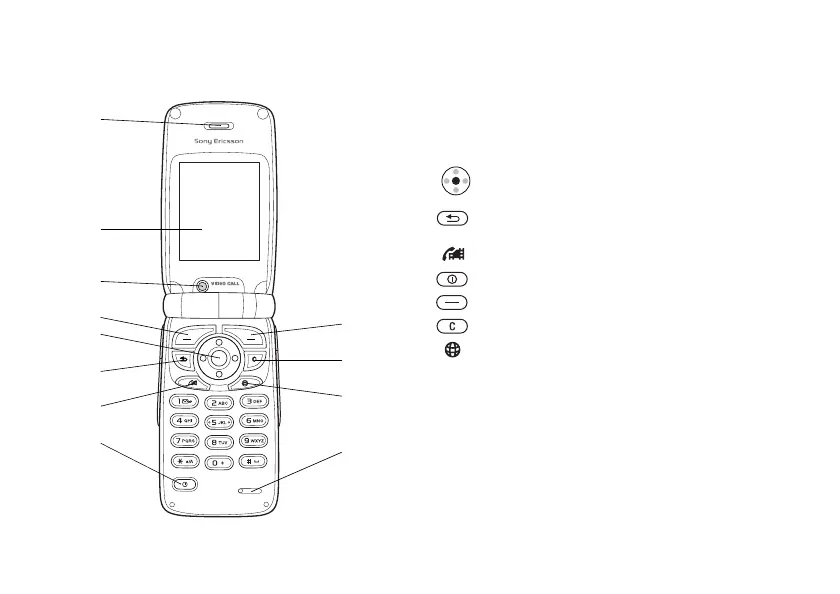
Overview, phone open
1 Speaker.
2 Screen.
3 Video call camera.
5 Navigation key. Press to enter the desktop menu.
Move through menus, lists and texts.
6 Press once to go back one level in the menus.
Press and hold to return to standby.
7 Video call.
8 Press and hold to turn the phone on or off.
4, 9 Selection keys.
10 Delete numbers, letters or an item from a list.
11 Sony Ericsson/Operator-defined key.
12 Microphone.
1
2
3
4
5
6
7
8
9
10
11
12











 To Next Page