This is the Internet version of the user's guide. © Print only for private use.
7
Getting to know your phone
Getting to know
your phone
Phone overview, use the menus, enter letters,
Memory Stick Duo™, file manager, quick keys.
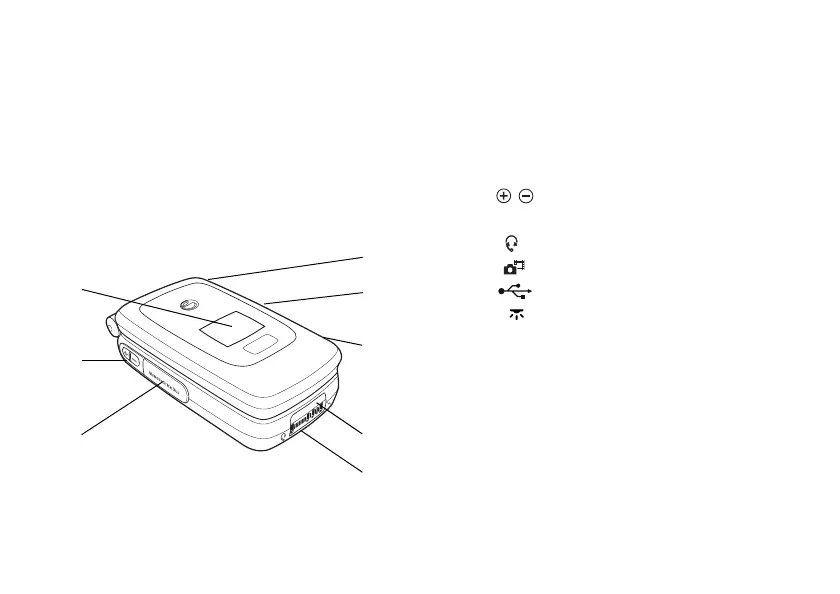
Overview, phone closed
1
2
3
4
5
6
7
8
1 External display. When the phone is closed
shows, for example, the time and date, battery
status, network operator, who is calling and song
titles when you play music. The display lights
up at incoming calls and alerts.
2 Volume buttons.
3 Memory Stick Duo™ slot.
4 Stereo headset connector.
5 Press and hold to activate the camera.
6 USB port.
7 Infrared port.
8 Handsfree connector.








 To Next Page