EasyManua.ls Logo

Sony 1080i - User Manual

Sony 1080i
76 pages
Print Icon
To Next Page IconTo Next Page
Loading...
2005 Sony Corporation
2-549-780-11(1)
Digital HD
Videocassette
Recorder
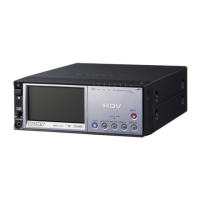
HVR-M10U/M10N/M10E/M10P
Operating Instructions

Table of Contents

Questions and Answers

  • T
    Thomas LeachAug 16, 2025
    Why won't my Sony 1080i turn on?
    • J
      Jacob SampsonAug 16, 2025
      If your Sony VCR won't turn on, check that the AC power cord is securely connected. Also, ensure that a charged battery is correctly installed; if the battery is low or not properly installed, this can prevent the unit from powering on.
  • C
    Christopher BarrettAug 19, 2025
    What to do if my Sony VCR won't operate even when it's on?
    • S
      stephen86Aug 19, 2025
      If your Sony VCR unit is not working even when powered on, it might be due to moisture condensation. If so, eject and reinsert the cassette straight. Alternatively, the cassette might not be inserted correctly. To resolve this, disconnect the power supply (battery or AC adapter), wait about a minute, and then reconnect it. If it still doesn't work, use a sharp-tipped ballpoint pen to press the RESET button.
  • A
    andersonbrendanAug 22, 2025
    Why is my Sony VCR battery draining so fast?
    • K
      Kendra HuffAug 22, 2025
      If your Sony VCR's battery is draining quickly, it could be due to extremely low ambient temperature or insufficient charging, which is not a malfunction. Try fully recharging the battery. If the battery still drains quickly after being recharged, consider replacing it with a new one.
  • M
    Melissa DownsAug 26, 2025
    Why is the battery indicator on my Sony 1080i VCR not accurate?
    • J
      James HowardAug 26, 2025
      If the remaining battery power on your Sony VCR isn't displayed correctly, it may be because the battery has been used for extended periods in very high or low temperatures, or it hasn't been charged enough. This isn't a malfunction. Try fully recharging the battery. If the battery still drains quickly after recharging, you might need to replace it with a new one.
  • J
    Jason MartinezAug 28, 2025
    What to do if my Sony VCR turns off immediately even with battery?
    • K
      kaylastewartAug 28, 2025
      If your Sony VCR powers off immediately despite showing sufficient battery, the battery power indication might be incorrect, or the battery may not be charging correctly. Fully recharge the battery to ensure the remaining battery power is displayed accurately.
  • J
    Jeffrey BrownAug 31, 2025
    Why is the CHG lamp flashing on my Sony VCR while charging?
    • J
      Jennifer HowellAug 31, 2025
      If the CHG (charge) lamp on your Sony VCR is flashing while charging, try reinstalling the battery correctly. If the issue persists, the battery may be faulty. In this case, remove the power cord from the AC outlet and contact Sony Customer Service.
  • D
    dadamsSep 3, 2025
    How to fix a Sony 1080i remote that is not working?
    • K
      katherine84Sep 3, 2025
      If the supplied wireless Remote Commander for your Sony VCR isn't working, set [REMOTE CTRL] on the [OTHERS] menu to [ON].
  • P
    Perry MillerSep 6, 2025
    What to do if my Sony 1080i VCR doesn't work properly with AC adapter?
    • R
      Ronald WangSep 6, 2025
      If your Sony VCR isn't operating correctly when using the AC adapter, turn off the power, unplug the power cord from the AC outlet, and then plug it back in.
  • T
    Thomas RodriguezSep 9, 2025
    Why isn't the CHG lamp lighting up when charging my Sony VCR?
    • L
      Lacey SandersSep 9, 2025
      If the CHG (charge) lamp on your Sony VCR doesn't light up while charging, try reinstalling the battery correctly. Note that the battery might already be fully charged.
  • A
    andersontimothySep 12, 2025
    What to do if Sony VCR menu settings change on their own?
    • S
      Sierra KnappSep 12, 2025
      If some menu item settings on your Sony VCR change accidentally, adjust the menu again. To prevent this from happening, avoid unplugging the device while adjusting the menu or the brightness of the LCD monitor.

Summary

Chapter 1 Overview

Features

Detailed overview of the product's capabilities and functions.

Location and Function of Parts

Identifies and describes all physical controls, ports, and indicators on the unit.

Displaying Various Data

Explains how to view system status, time codes, battery info, and other data.

Chapter 2 Playback and Recording

Notes on Power Supply and Video Cassettes

Guidelines for using power sources and handling video cassettes for optimal operation.

Playback Operations

Covers connecting the unit for playback, settings, procedures, and functions.

Recording Operations

Details connections, settings, procedures, and functions for recording.

Chapter 3 Dubbing;Editing

Dubbing and Editing Operations

Instructions for dubbing to other equipment and editing with a PC.

Time Code, User Bits, and Audio Dubbing

Covers setting time codes, user bits, and performing audio dubbing.

Chapter 4 Adjusting and Setting Through Menus

Operating the Menus

Guide on navigating and changing unit settings via the menu system.

Menu Organization

Overview of the menu structure, including menus and submenus.

Chapter 5 Maintenance

Troubleshooting

Covers general issues, power, cassettes, playback, recording/dubbing problems.

Warning Indicators and Messages

Explains alarm indicators and messages for self-diagnosis and error resolution.

Notes on Use and Care

Guidelines on operating environment, cleaning, and proper handling.

Moisture Condensation and Hours Meter

Information on handling condensation and using the digital hours meter.

Appendix

Battery Information

Details on optional batteries, charging, and usage.

Format Compatibility and Technical Details

Explains format compatibility, i.LINK, and device specifications.

Sony 1080i Specifications

General IconGeneral
BrandSony
Model1080i
CategoryVCR
LanguageEnglish

Related product manuals