Help Guide
Interchangeable Lens Digital Camera
ILCE-6700 α6700
Circ. of Focus Point (still image/movie)
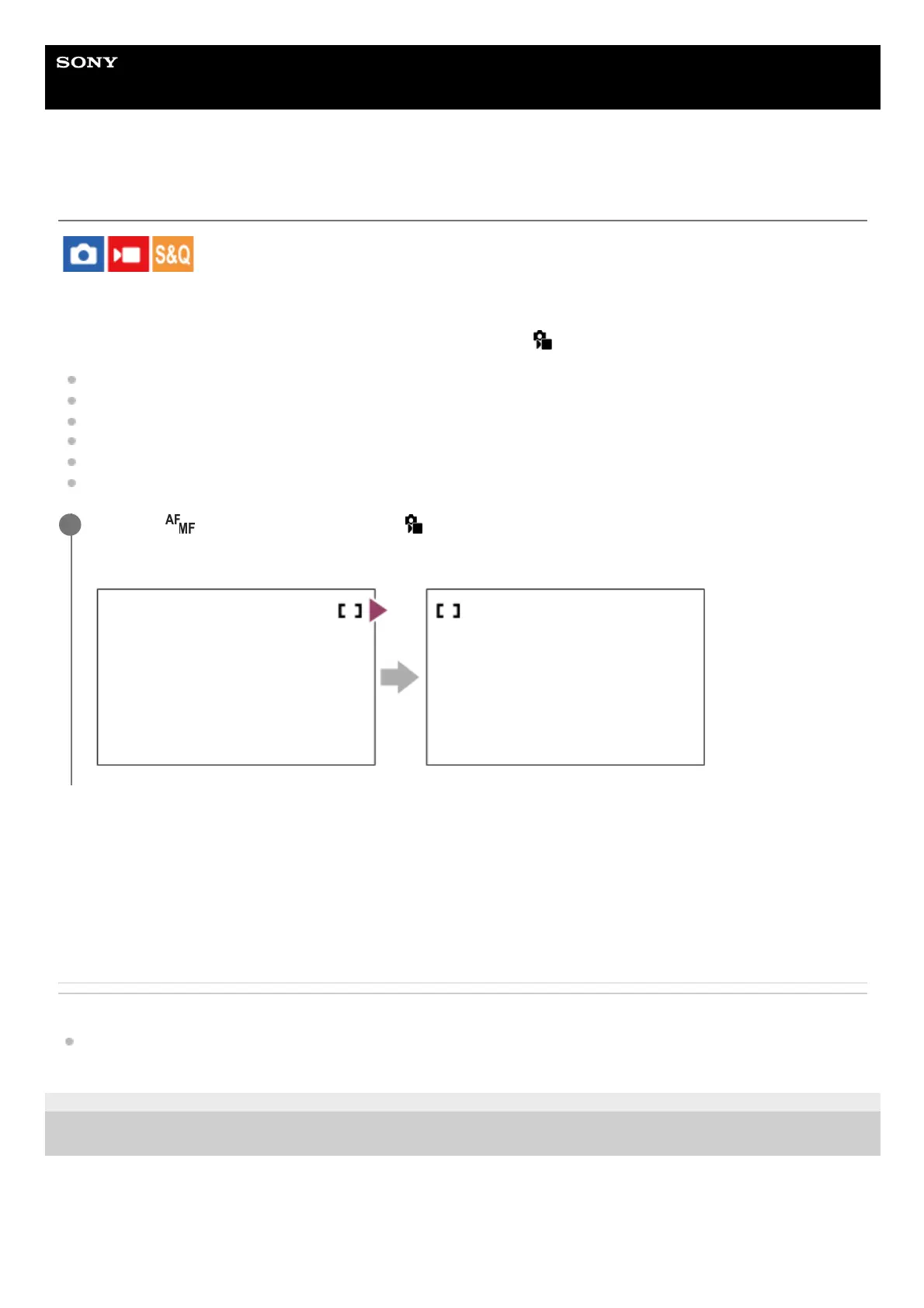
Sets whether to allow the focusing frame to jump from one end to the other when you move the focusing frame. This
function is useful when you want to move the focusing frame from one end to the other quickly.
The function can be used when the following settings are selected for [
Focus Area].
[Zone]
[Spot: S]/[Spot: M]/[Spot: L]
[Expand Spot]
[Tracking: Zone]
[Tracking: Spot S]/[Tracking: Spot M]/[Tracking: Spot L]
[Tracking: Expand Spot]
Menu item details
Does Not Circulate:
The cursor does not move when you try to move the focusing frame past the end.
Circulate:
The cursor jumps to the opposite end when you try to move the focusing frame past the end.
Related Topic
Selecting the focus area (Focus Area)
TP1000827017
5-051-980-12(1) Copyright 2023 Sony Corporation
MENU →
(Focus) → [Focus Area] → [ Circ. of Focus Point] → desired setting.
When [Circulate] is selected:
1



 To Next Page